How Do I Translate a Zoom Meeting in Real Time?

You're about to join a Zoom meeting in a language you don't fully understand. You search for "Zoom translation" and discover the bad news:
- Zoom's built-in Translated Captions require a Business, Enterprise, or Education plan — you can't get it on a free or standard Pro account
- Even when your plan supports it, the host has to enable Translated Captions for the meeting — and with it starting in 3 minutes and you not being the host, asking the organizer to upgrade their plan or flip settings isn't realistic
- Even if all of that lines up, Zoom only supports translation between 9 languages — if yours isn't on the list, you're out of luck
- And when it does work, the translation quality often isn't good enough to actually follow a real conversation
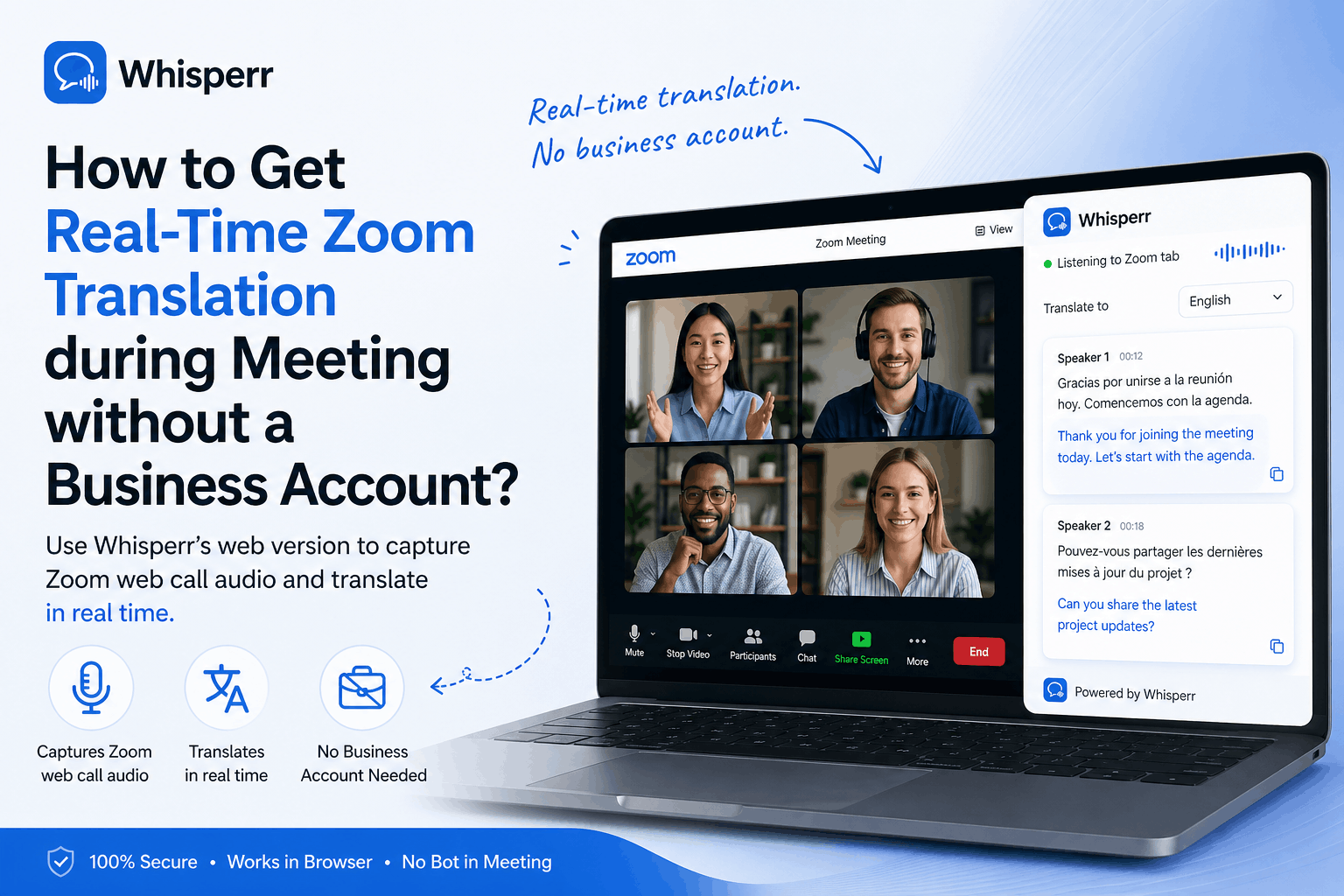
If you've been stuck in this exact moment, here's the workaround that actually works: join the meeting in Chrome and let Whisperr translate the audio for you, independently of Zoom and independently of the host. No Business plan, no admin emails, no permission slips.
Why Can't You Use Zoom's Built-In Translation?
Zoom's Translated Captions are great when you have access to them, but the gates are real:
- Plan requirement — Translated Captions are gated behind paid tiers (Business and above). Free accounts and the standard Pro plan don't get them as a baseline feature, and even at higher tiers it can be an add-on.
- Host-only control — Translated Captions have to be enabled in the host's account settings and turned on for the specific meeting. As an attendee, you can't switch them on for yourself.
- Asking the host is awkward — if you're a guest, an external attendee, or one person in a 50-person webinar, you can't realistically interrupt the meeting to request translation.
- Hard 5-hour monthly cap — Zoom's translation usage is capped at roughly 5 hours per month on the included tiers. Heavy users hit the wall fast and have to either upgrade or stop translating mid-month.
- Only ~9 languages supported — Zoom's Translated Captions cover roughly 9 languages today. If your source or target isn't on that short list, you're out of luck.
- Noticeable latency — captions tend to lag the speaker, which makes it hard to follow back-and-forth conversation in real time.
For most people, the practical answer isn't "wait until your company upgrades to Business" or "ask the host nicely." It's "translate the audio yourself, on your side, without changing how the meeting is run."
How Does Whisperr Work as a Zoom Translation Alternative?
Whisperr is a live voice translator that can listen to the audio coming out of any browser tab — including a Zoom tab. You join the meeting in Chrome, point Whisperr at that tab, and read the live transcription and translation in another tab on your own screen.
Crucially, this happens entirely on your side. The host doesn't see it, doesn't have to enable anything, and doesn't even know you're translating. Other attendees experience a normal meeting.
Mapped against the pain points above, here's how Whisperr solves each one:
- No Business plan? Doesn't matter. Whisperr is its own service, independent of Zoom's plan tier. Free Zoom users, Pro users, and external guests all get the same access.
- Host hasn't enabled translation? Doesn't matter. You enable Whisperr on your own machine. Zoom's settings, the host's account, and the meeting configuration are completely untouched.
- Don't want to ask the host? You don't have to. There's nothing to coordinate — the host never knows translation is happening, so there's no awkward request and no special permission to negotiate.
- Hit Zoom's 5-hour monthly cap? Whisperr is unlimited on the $84.99/year plan (but you can do a trial). Translate every meeting, every day — no monthly ceiling, no surprise paywall in the middle of a call.
- Your language isn't in Zoom's 9? Whisperr supports 50+ languages for both source and target, so the long tail of language pairs Zoom doesn't cover are still on the table.
- Tired of laggy captions? Whisperr streams transcription and translation continuously with low latency, so the text keeps up with the conversation instead of trailing it.
- Joining as a guest in someone else's company meeting? Works the same. Whisperr doesn't depend on the meeting organizer at all — only on the audio coming out of your own browser tab.
- Worried about disrupting the meeting? Nothing changes for the other attendees. No bot joins the call, no caption bar appears in Zoom's UI, no notification fires.
Zoom Translated Captions | Whisperr in Chrome | |
|---|---|---|
Plan requirement | Business / Enterprise / Education | Whisperr account |
Monthly usage cap | ~5 hours/month | Unlimited |
Languages supported | ~9 | 50+ |
Performance | Noticeable lag | Low — streams in real time |
Who has to enable it | The host | You — the attendee |
Visible to other attendees | Yes (caption bar in Zoom UI) | No (private to you) |
Works as a guest in someone else's meeting | ❌ (depends on the host) | ✅ |
Works on free Zoom accounts | ❌ | ✅ |
How to do it (30 second setup)
What you need
- A Chrome browser
- A Whisperr account (app.whisperr.co)
- The Zoom meeting link
Step by step
- Join the Zoom meeting in Chrome browser — not the desktop app. Click the meeting link and choose "Join from Your Browser" when Zoom prompts you. This is the critical step: browser tab audio capture only works on browser-based audio sources.

- Open app.whisperr.co in a new Chrome tab and sign in.
- Pick two languages - the language that people are speaking and your language to translate to (what you want to read).

- Click the recording button and choose "Browser Tab Audio". Chrome will show your open tabs.

- Select your Zoom tab and tick the "Share tab audio" checkbox. This is what grants Whisperr access to the meeting audio.

- Done. Live transcription and translation start appearing in the Whisperr tab as people speak in the meeting. Bonus tip: you can split screen the browser to get both views at once.

You can split your screen so Zoom is on one half and Whisperr's translation feed is on the other — that's basically real-time Zoom translation captions for the whole call, on your terms.