What Is a Real-Time Speech Translator? How Live Voice Translation Works in 2026

You're in a Zoom call with a supplier in Shenzhen, watching a livestream from Seoul, or sitting across from someone who doesn't share your language. The words are flowing, but you're catching maybe half of them. A few years ago your only options were to interrupt, type into a translation app, and wait, killing the flow of the conversation every time. In 2026, a real-time speech translator does the same job continuously, in the background, while everyone keeps talking.
This guide explains what a real-time speech translator actually is, how live voice translation works under the hood, where it's useful, and what separates a good one from a frustrating one.
What is a real-time speech translator?

A real-time speech translator is software that converts spoken language from one language into another as it's being spoken, with only a short delay. Instead of translating a finished recording or a block of typed text, it works on a live, continuous audio stream and produces a running translation you can read without stopping the conversation.
The "real-time" part is what makes it different from a basic voice translator. A standard voice translator usually follows a turn-based pattern: you speak, you stop, it translates, then the other person responds. A real-time speech translator removes the pauses. It transcribes and translates on a rolling basis, so the translation keeps up with natural speech instead of waiting for it to finish. And because good voice translation is two-way by default, both sides of a conversation get translated without anyone switching a setting.
People search for this technology under a lot of names: realtime voice translator, live voice translate, live audio translate, or simply voice translation. They all describe the same core idea, which is to translate spoken audio, live, with minimal lag.
How live voice translation works

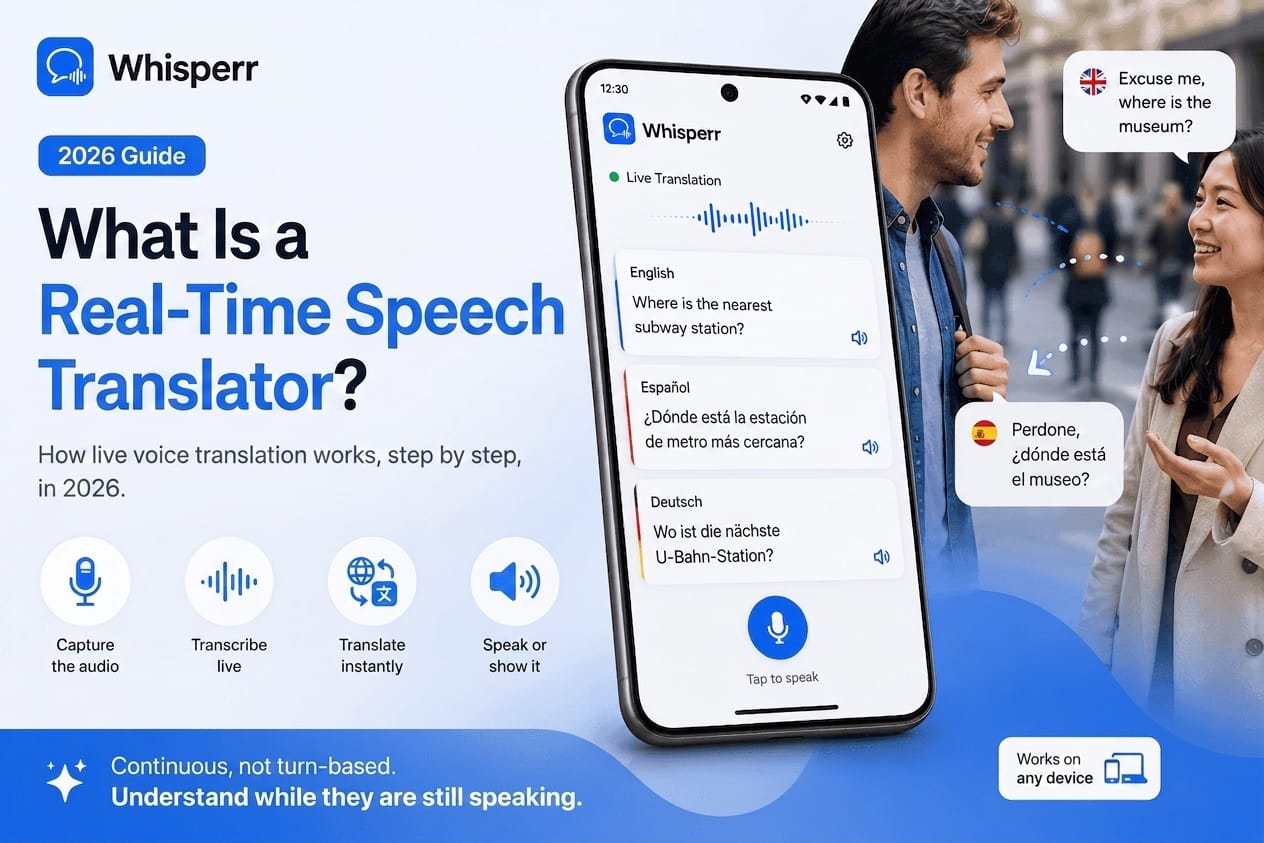
Behind the simple experience of reading translated captions, a real-time speech translator runs a four-stage pipeline, dozens of times a minute, fast enough that it feels instant.
1. Audio capture
First, the tool has to hear the speech. This is the step that quietly determines how accurate everything downstream will be. The cleanest approach is to capture the audio directly from the source, meaning the audio your device is already playing or sending, rather than pointing a microphone at a speaker. Capturing a browser tab, a meeting app, or your device's audio stream avoids the room noise, echo, and distance that wreck microphone-based translation.
2. Speech recognition (transcription)
The captured audio is fed into an automatic speech recognition (ASR) model, which turns the sound waves into text in the original language. Modern ASR, the family of models that includes OpenAI's Whisper, is what made real-time translation practical, because it can transcribe natural, accented, fast speech accurately enough to translate. This stage is where good tools earn their keep: better recognition means fewer garbled translations.
3. Translation
The transcribed text is then passed to a machine translation model that converts it into your other language. Because the transcription arrives in small chunks, the translator works on a rolling window, refining phrasing as more context comes in. This is why a translated caption sometimes adjusts itself a beat after it appears: the system is using the next few words to get the meaning right. For a common pair like English to Spanish translation voice, this context is what separates a clumsy literal rendering from an accurate Spanish translator that reads naturally.
4. Display: captions and subtitles
Finally, the translation is shown to you. Most real-time translators render it as live captions or floating subtitles you read on screen. Floating captions that sit on top of whatever you're watching, like a meeting window, a livestream, or a video call, let you follow the translation and the original at the same time, without tabbing back and forth.
The whole loop, from someone speaking to you reading the translation, typically completes in a second or two.
Real-time translation vs. the old way
The difference is easiest to feel in a real conversation.
The old way was turn-based and manual: open an app, tap record, speak a sentence, wait, read or play the translation, hand the phone over, repeat. It works for asking for directions. It falls apart in a meeting, a lecture, or a livestream, where the speech never stops and there's no natural place to pause.
Real-time voice translation is continuous and hands-off. You pick your two languages once, start it, and it keeps translating in the background while the audio plays, in both directions. Nobody has to slow down, pass a device around, or wait for a turn. That shift, from "stop and translate" to "translate while it happens," is the entire point, and it's what makes the technology usable for live situations rather than just short exchanges.
What you can use a real-time speech translator for
Because it works on any audio reaching your device, a real-time speech translator covers a wide range of situations:
Online meetings

Follow a Zoom, Microsoft Teams, Google Meet, or Webex call in a language you don't speak, with live captions in yours and your replies translated back the other way.
Livestreams and video

Watch a YouTube Live, Twitch stream, TikTok Live, or foreign TV show with translated captions on top.
Phone and conference calls

Read a translation of a call in real time instead of guessing.
In-person conversations

Capture a live conversation and read along, useful for travel, customer-facing work, or appointments. This is where an accurate Spanish translator earns its place, turning an English to Spanish translation voice exchange into something both people can actually follow.
Lectures, webinars, and events
Keep up with a presenter speaking another language without missing the next sentence.
For business in particular, the appeal is speed and coverage: fast, accurate voice translation means international meetings don't slow down for language, and a wide language range means you're not limited to the handful of languages mainstream tools prioritize.
What makes a real-time speech translator good
Not all of them are equal. A few things separate a tool you'll actually keep using from one you'll abandon:
Low latency
The translation has to keep pace with natural speech. A couple of seconds of delay is fine; ten seconds means you're always a sentence behind.
Clean audio capture
Tools that tap the audio stream directly beat ones that rely on a microphone picking up sound across a room.
Recognition accuracy
Strong speech recognition on accented, fast, or noisy speech is the foundation. A mistranslation almost always starts as a misheard word.
Language coverage
The best tools handle 100+ languages, including the long tail, not just the dozen most common ones.
A display that fits your workflow
Floating captions or subtitles that overlay what you're already watching are far more usable than a separate window you have to keep glancing at.
How accurate is live voice translation in 2026?

Accuracy has improved dramatically, and for clear speech in a well-supported language pair, a good real-time translator is genuinely reliable, accurate enough to follow a meeting, understand a livestream, or hold a conversation. Heavy background noise, several people talking over each other, very technical jargon, or rare dialects still make it harder, just as they would for a human interpreter. The single biggest factor you control is audio quality: the cleaner the audio going in, the better the translation coming out, which is why capturing the source audio directly matters so much.
Why Whisperr is a real-time speech translator built for live audio
Whisperr is a realtime voice translator designed around live, real-world audio rather than slow, turn-based exchanges.
It captures audio directly
On iPhone and Android, Whisperr captures your device's audio; on desktop, it captures a browser tab or your system audio. No second phone, no pointing a mic at a speaker, no echo.
It translates continuously, both ways
Pick your two languages once, hit start, and Whisperr keeps translating in the background as the audio plays. Translation runs two-way by default, so a back-and-forth conversation just works.
Floating captions stay on top
Translated captions float over whatever you're doing, like a meeting, a livestream, or a call, so you read the translation without leaving the app you're in.
100+ languages, including the long tail
Whether someone's speaking Korean, Japanese, Portuguese, Arabic, or a far less common language, Whisperr has a pair for it, and it's an accurate Spanish translator for the everyday English to Spanish translation voice case too.
It works everywhere you do
Use it on the Web App, iPhone, and Android, plus a browser extension for any Chromium browser, with one subscription across all of them and a free tier to try it.
Frequently Asked Questions
What is the difference between a voice translator and a real-time speech translator?
A standard voice translator is usually turn-based, where you speak, stop, and wait for the translation before the other person responds. A real-time speech translator translates continuously as people speak, with only a short delay, so nobody has to pause. It's built for live situations like meetings and livestreams rather than short back-and-forth exchanges.
How fast is "real time"?
In practice, a good real-time speech translator shows a translation within about one to two seconds of the words being spoken, fast enough to follow a live conversation or broadcast without falling behind.
Do I need special hardware or earbuds?
No. A software realtime voice translator like Whisperr runs on the phone or computer you already have and captures the audio your device is playing or sending. You don't need dedicated translation earbuds or a second device.
Can a real-time speech translator handle online meetings?
Yes. Because it works on the audio reaching your device, it can translate Zoom, Microsoft Teams, Google Meet, Webex, and other calls in real time, showing captions in your language while the meeting continues, and translating your replies back the other way.
How many languages can it translate?
The best tools support 100+ languages and translate between them in real time. Whisperr covers that range, including many languages that mainstream apps skip, and works well as an accurate Spanish translator for English to Spanish translation voice.
Is live voice translation accurate enough to rely on?
For clear speech in a well-supported language pair, yes. Modern speech recognition and translation are accurate enough to follow meetings, livestreams, and conversations. Noisy environments, overlapping speakers, and rare dialects remain the hardest cases, and clean source audio is the biggest factor in getting a good result.
Try a real-time speech translator yourself
The fastest way to understand live voice translation is to point one at real audio and watch the captions roll in. Open a meeting, a livestream, or a foreign-language video, pick your two languages, and read along in real time. Try Whisperr on the Web App, iPhone, Android, or the browser extension on the next conversation, call, or stream you can't quite follow.