Whisperr vs Otter.ai: Choosing the Right Live Voice Translator

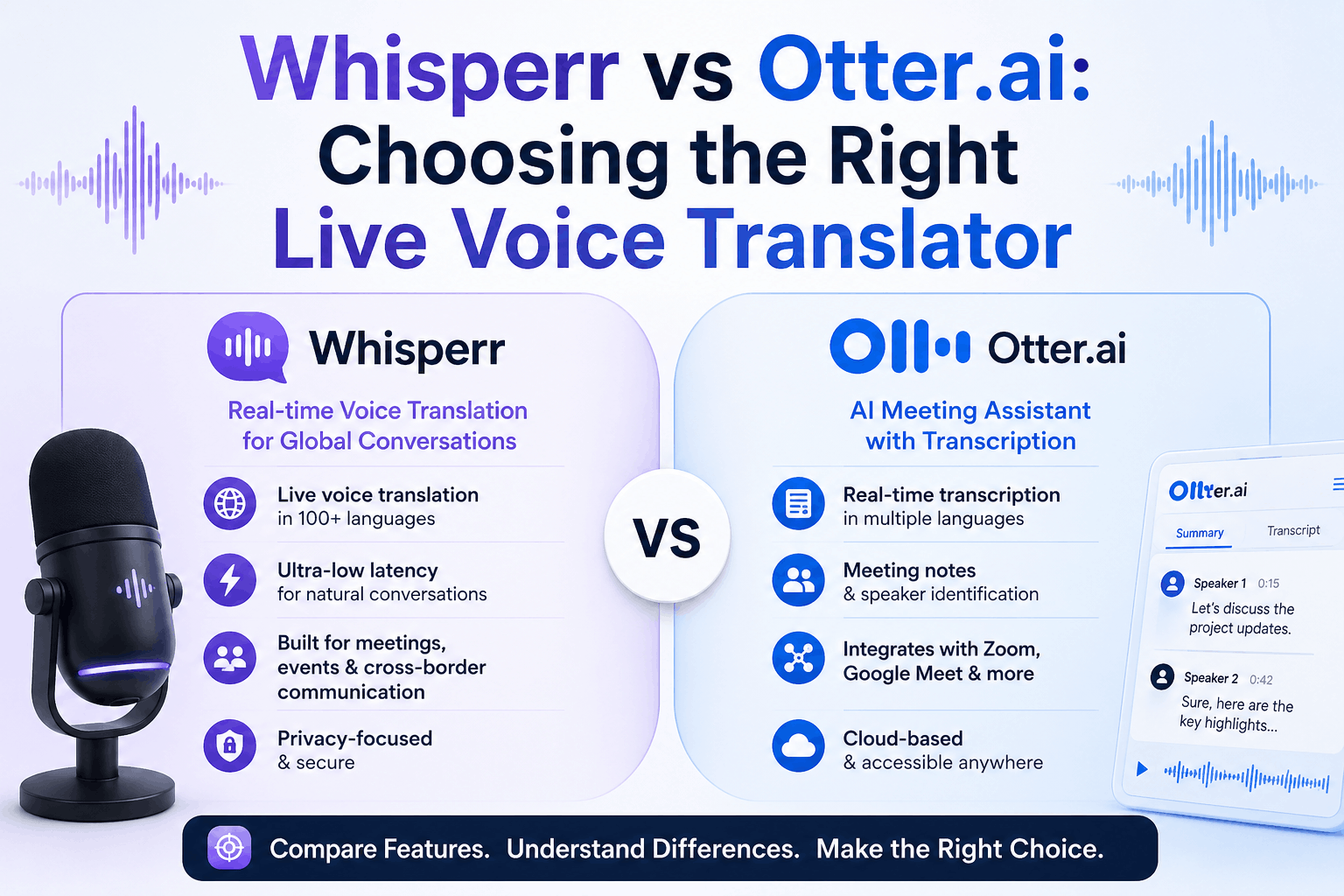
If you've recently searched for a live voice translator, two names probably crossed your path: Whisperr and Otter.ai. They sound similar — both turn spoken words into text in real time — but they're built for different jobs. Whisperr is a live voice translator designed to bridge languages in real time. Otter.ai is a meeting transcription assistant designed to capture and summarize what was said in your native language.
Pick the wrong one for your job and you'll end up fighting your tool. This guide breaks down where each one wins so you can choose with clarity.
TLDR;
At a glance
Whisperr | Otter.ai | |
|---|---|---|
Price (annual) | $84.99/year ✅ | ~$203.88/year ($16.99/mo) |
Usage | Unlimited ✅ | Limited (monthly caps) |
Live translation across languages | ✅ Core feature | ⚠️ Limited |
Broadcast to audience via link | ✅ Broadcast Mode | ❌ |
Multiple capture modes (mic, browser, bot) | ✅ | ⚠️ Limited |
Post-meeting AI summary & searchable archive | ✅ | ✅ |
Whisperr wins on live translation across 50+ languages and price. Otter.ai wins on English meeting summaries and archives. Full breakdown inside.
By Goal
Need | Best pick |
|---|---|
Translate speech across languages in real time | Whisperr |
Share live translations with an audience or meeting attendees | Whisperr |
Capture lectures, conferences, or in-person conversations across languages | Whisperr |
Get a polished English transcript with AI summary after a meeting | Otter.ai |
Search and revisit your past meetings | Otter.ai |
If your problem is understanding people who don't share your language, Whisperr is the answer. If your problem is remembering what was said in a meeting you attended, Otter is.
What each tool is built for
Otter.ai — meeting notes for English-first teams
Otter has positioned itself as the AI notetaker for online meetings. It joins your Zoom, Google Meet, or Teams call, transcribes the conversation in real time, and afterward generates a structured summary with action items. Its strength is the post-meeting layer: searchable transcripts, speaker labels, AI summaries, and integrations with calendars and team workspaces.
But Otter is built around a transcription-first, English-first workflow. Live voice translation across languages — the actual voice translator job — isn't its center of gravity.
Whisperr — built for translation across languages, in real time
Whisperr starts from a different question: what if two people don't share a language at all? The whole product is shaped around capturing speech, transcribing it, and translating it into a chosen target language with the lowest latency possible. It runs on iOS, Android, Mac, Windows, the Web App, and a Chrome Extension.
Where Otter optimizes for "I want a great record of an English meeting", Whisperr optimizes for "I need to understand someone speaking a different language right now."

Where Whisperr wins on live voice translation
1. Real-time translation across languages
Whisperr's core feature is what its name promises: a live voice translator. You select a source language (what's being spoken) and a target language (what you want to read), and Whisperr streams transcription and translation as the conversation unfolds. It's designed for the moment, not the post-mortem.
You can use it for in-person conversations (place your phone between you and the other person), for online meetings (capture browser tab audio directly), or even passively while watching a foreign-language video.

2. Broadcast Mode — share live translations with many people at once
This is where Whisperr pulls clearly ahead for any presenter or speaker. With Broadcast Mode, one person captures audio with Whisperr and shares a room link. Anyone who clicks the link sees the live translation in their browser — no app, no account, no install.


That's a 1-to-many model purpose-built for:
- Conference talks where attendees speak different languages
- University lectures with international students
- Religious services and community events
- Tour guides leading multilingual groups
- Online meetings where the host wants to caption their own speech for non-English speakers
Otter has nothing equivalent. Its sharing model is designed around the post-meeting transcript, not a live translation feed for an audience.
3. Multiple audio capture paths
Whisperr meets you where the audio is. For online meetings alone, you can choose:
- Browser Tab Capture — cleanest audio, no mic needed (Chrome Extension or Web App)
- Broadcast Mode — when you're the one speaking and want others to read translations
- Microphone Capture — universal fallback, works on any platform
- Meeting Bot (iOS) — sends a Whisperr bot into your Zoom, Teams, or Meet call as a participant
For in-person scenarios, you also get Floating Subtitles on iOS — a translucent overlay that keeps subtitles visible while you use other apps. Useful when you're watching a foreign show, reading the news in another language, or following along during a lecture.
4. Designed for cross-language scenarios from the ground up
Whisperr's docs and use cases are organized around moments that involve more than one language:
- In-Person Meetings — face-to-face conversations, business meetings, classrooms, conferences, travel
- Online Meetings — Zoom, Teams, and Meet calls where someone in the room doesn't speak the meeting's primary language
- Entertainment — translating foreign-language videos, livestreams, or news
Each of these is a "live voice translator" job, not a "transcription archive" job. Whisperr is the right shape for them.
Where Otter.ai still has an edge
To be fair: if your job is purely English meeting notes and you don't need translation, Otter is a more polished workflow.
- AI summaries and action items — Otter automatically generates meeting summaries and extracts action items. Whisperr is focused on the live experience, not the post-meeting digest.
- Searchable transcript history — Otter's web app is designed to make every past meeting searchable. If you need to re-find a quote from a meeting three months ago, Otter's archive UX is purpose-built for that.
- Calendar and team integrations — Otter ties tightly into Google and Outlook calendars and team workspace tools.
If the problem you're solving is "I'd like a great record of my English calls," Otter is the safer pick. If the problem is "I need to understand or be understood across a language barrier," that's not what Otter was built to do.
Side-by-side comparison
Capability | Whisperr | Otter.ai |
|---|---|---|
Live voice translation across languages | ✅ Core feature | ⚠️ Limited |
Real-time captioning in English | ✅ | ✅ |
Broadcast translation to many viewers via a link | ✅ Broadcast Mode | ❌ |
Browser tab capture for online meetings | ✅ Chrome Ext / Web | ⚠️ Indirect (via bot) |
Microphone capture for in-person conversations | ✅ | ⚠️ Limited |
Floating subtitles overlay (iOS) | ✅ | ❌ |
Post-meeting AI summary | ❌ | ✅ |
Searchable meeting archive | ❌ | ✅ |
Calendar / team workspace integrations | ⚠️ Limited | ✅ |
Mobile (iOS) | ✅ | ✅ |
Web App | ✅ | ✅ |
Choosing between them
Choose Whisperr if you...
- Talk to people who don't share your language (work, travel, healthcare, legal)
- Present to a multilingual audience and want everyone to follow along in their own language
- Want subtitles overlaid while you watch foreign-language content
- Need the lowest-latency translation experience, not a polished after-the-fact summary
- Care about real-time understanding more than written archives
Choose Otter.ai if you...
- Run mostly English meetings and want a clean transcript with AI summaries
- Need to revisit past meetings via search
- Want deep integration with calenda
- rs, project tools, and team workspaces
- Don't need translation across languages
The two products genuinely solve different problems. Some teams will benefit from both — Otter for internal English standups, Whisperr for the moment a customer call goes multilingual or you're presenting to a global audience.
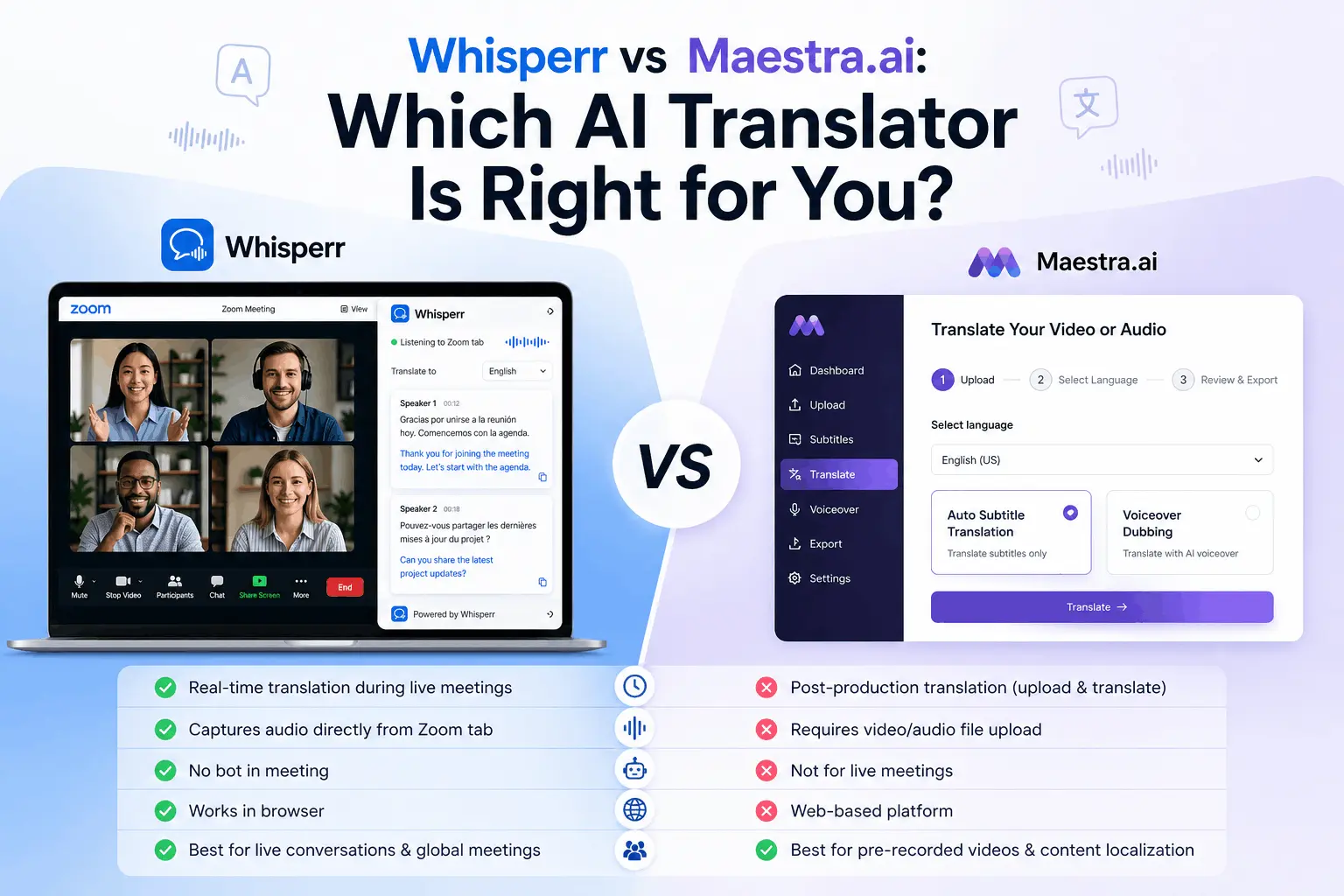
Whisperr vs Maestra: We Tested Both speed, accuracy & price. Whisperr translates live video and meetings instantly while Maestra.ai dubs and subtitles recorded content.