Speech Mode
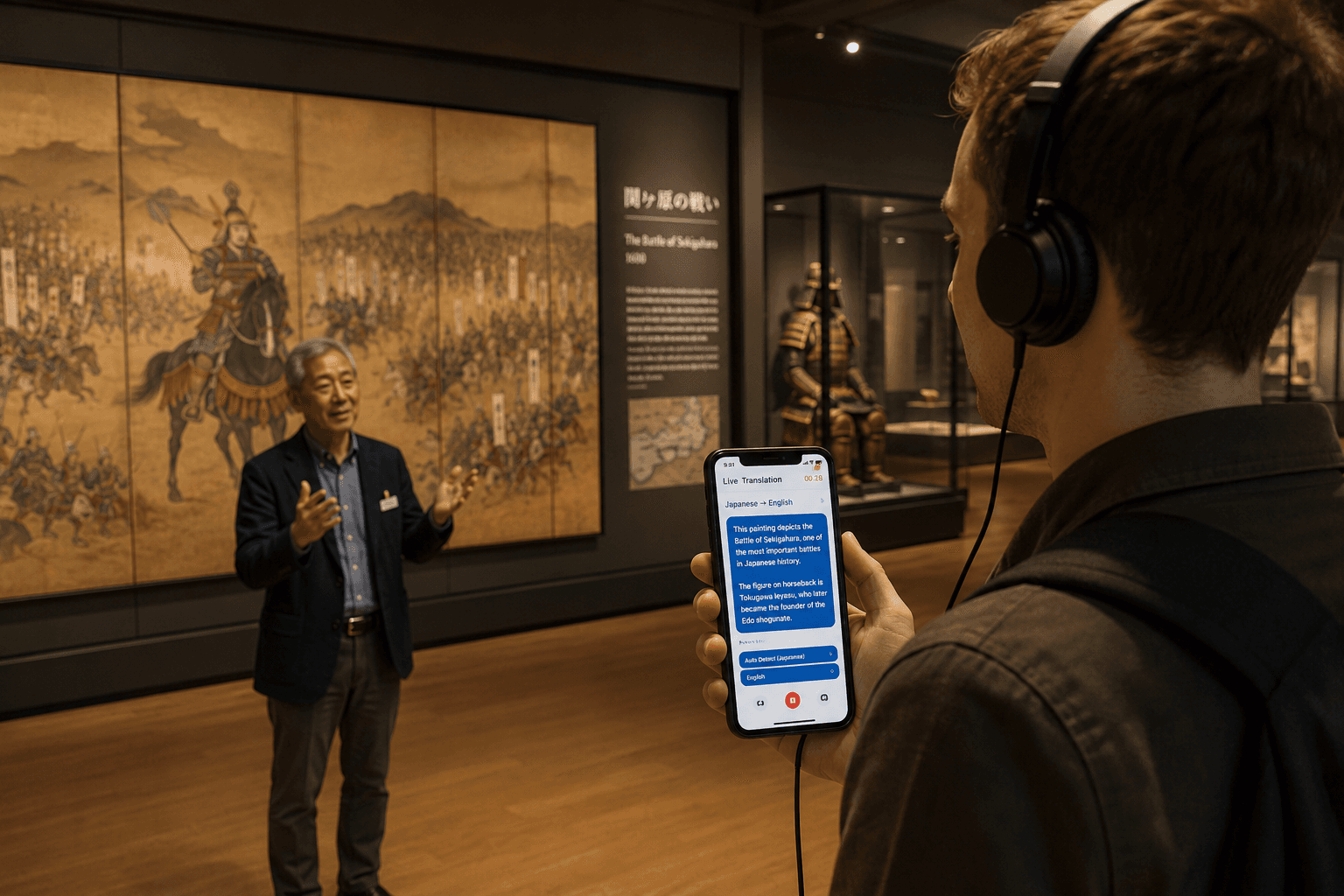
Speech Mode adds a spoken-audio layer on top of Whisperr's live transcription and translation. You see the translated text on screen and you can choose to hear it read aloud through your device's speaker or headphones — useful when reading the screen isn't an option. You also choose which voice reads it: a fixed male or female voice, or Auto, which matches the voice to the person speaking.
Speech Mode is available on iOS, Android, the Web App, Mac, and Windows — and to anyone watching a Broadcast Mode room, who can tap Speech mode on the room page without installing anything.
How It Works
- Whisperr captures audio through your device's microphone
- Speech is transcribed and translated into your target language
- You toggle Speech Mode on — Whisperr reads the translated text aloud as it appears
- Listen through the device speaker or headphones while the text continues to display on screen
The spoken audio runs alongside the on-screen text, so you can read, listen, or both.
The moment Whisperr speaks out loud, its own voice can reach the microphone — where it is transcribed, translated, and spoken again, on and on. Echo Cancellation filters your device's speaker audio out of the mic and stops that loop before it starts. It is on by default on iPhone, iPad, and Android, and automatic on Mac and Windows; in the Web App it is off by default, so turn it on in the ••• options menu before speaking through a speaker. (Headphones make the question moot — the translation never reaches the mic.)
Choosing the Voice
The Voice picker decides who the translation sounds like. It has three settings:
- Auto (default) — Whisperr picks the voice for you, matching it to the person speaking where that's supported
- Male — one fixed male voice reads every line, whoever is speaking
- Female — one fixed female voice reads every line, whoever is speaking
Auto follows the speaker's voice
In the Web App — and for anyone listening to a Broadcast Mode room in their browser — Auto matches the spoken translation to the person talking. As someone speaks, Whisperr measures their voice (its pitch, how much that pitch moves, and its timbre) and picks the closest match from its catalogue of natural-sounding voices:
- A low voice is read back in a low voice, a higher voice in a higher one
- When several people are talking, each speaker keeps their own distinct voice, so you can follow who said what by ear
- The match needs a few seconds of speech to settle — until then, the standard voice for your target language reads the line
On iPhone/iPad and Android, Auto uses the standard voice for your target language.
How closely the voice can follow a speaker depends on the language being spoken — see Voice Support by Language.
Male and Female pin one narrator
Choose Male or Female when you'd rather have one predictable narrator than a voice that changes with the speaker — a single presenter, a fixed interpreter voice for a recurring meeting, or simply the voice you find easiest to follow. Nothing about the speaker's own voice is used; every line is read in the voice you picked.
You can change the voice while a session is already running — it applies from the next spoken line — and your choice is remembered for next time.
Where to Find the Voice Picker
| Platform | Voice picker | What Auto does |
|---|---|---|
| iPhone/iPad | ✅ Recording controls (Speak Aloud panel) and Settings | Standard voice for the target language |
| Android | ✅ Recording controls (Speak Aloud panel) and Settings | Standard voice for the target language |
| Web App | ✅ Below the Speak Aloud toggle | Matched to each speaker's voice |
| Broadcast room | ✅ Below the Speech mode toggle on the room page | Matched to each speaker's voice |
| Mac / Windows | — | Standard voice for the target language |
Get Started
Choose your platform for step-by-step setup:
Use Cases
- Hands-free listening — driving, cooking, or walking, when looking at the screen isn't safe or practical
- Accessibility — readers with low vision can hear the translation instead of (or alongside) reading it
- Language learning — hear the natural pronunciation of the translated phrase to train your ear
- Conversation flow — let the other person hear your reply spoken in their language without you needing to read it out loud
Supported Platforms
| Platform | Supported | Notes |
|---|---|---|
| iOS | ✅ | Fully Supported |
| Web App | ✅ | Fully Supported |
| Mac | ✅ | Fully Supported |
| Android | ✅ | Fully Supported |
| Windows | ✅ | Fully Supported |
Tips for Best Results
- Use headphones or AirPods in noisy environments — the spoken translation is easier to follow without ambient noise
- Turn on Echo Cancellation whenever the translation plays through a speaker — it keeps Whisperr's own voice out of the transcript, so the same sentence isn't translated over and over
- Lower your device volume slightly if Whisperr's spoken output is still being picked back up by the microphone
- Leave Voice on Auto when more than one person is talking — in the Web App and in Broadcast Mode rooms it gives each speaker their own voice, which is far easier to follow than one narrator reading everybody
- Switch to Male or Female for a single speaker — a presentation or a lecture is easier to listen to in one steady voice
- Pair with Floating Subtitles to keep the on-screen translation visible while you switch to another app and listen
Related
- Broadcast Mode — viewers of a shared room can listen to the translation in their browser
- Voice Support by Language — which languages support Auto, Male, and Female
- Echo Cancellation — keeps the spoken translation from looping back into the microphone
- Microphone Audio Capture — how Whisperr captures the input audio
- Floating Subtitles — keep translations visible while using other apps
- Two Way Conversation — speak each side of a conversation aloud in the other person's language
- In-Person Meetings — translate face-to-face conversations