Speech Mode on iPhone and iPad
This page covers the iPhone/iPad setup for Speech Mode. For how it works and use cases, see the Speech Mode overview.
How to Use Speech Mode on iPhone/iPad
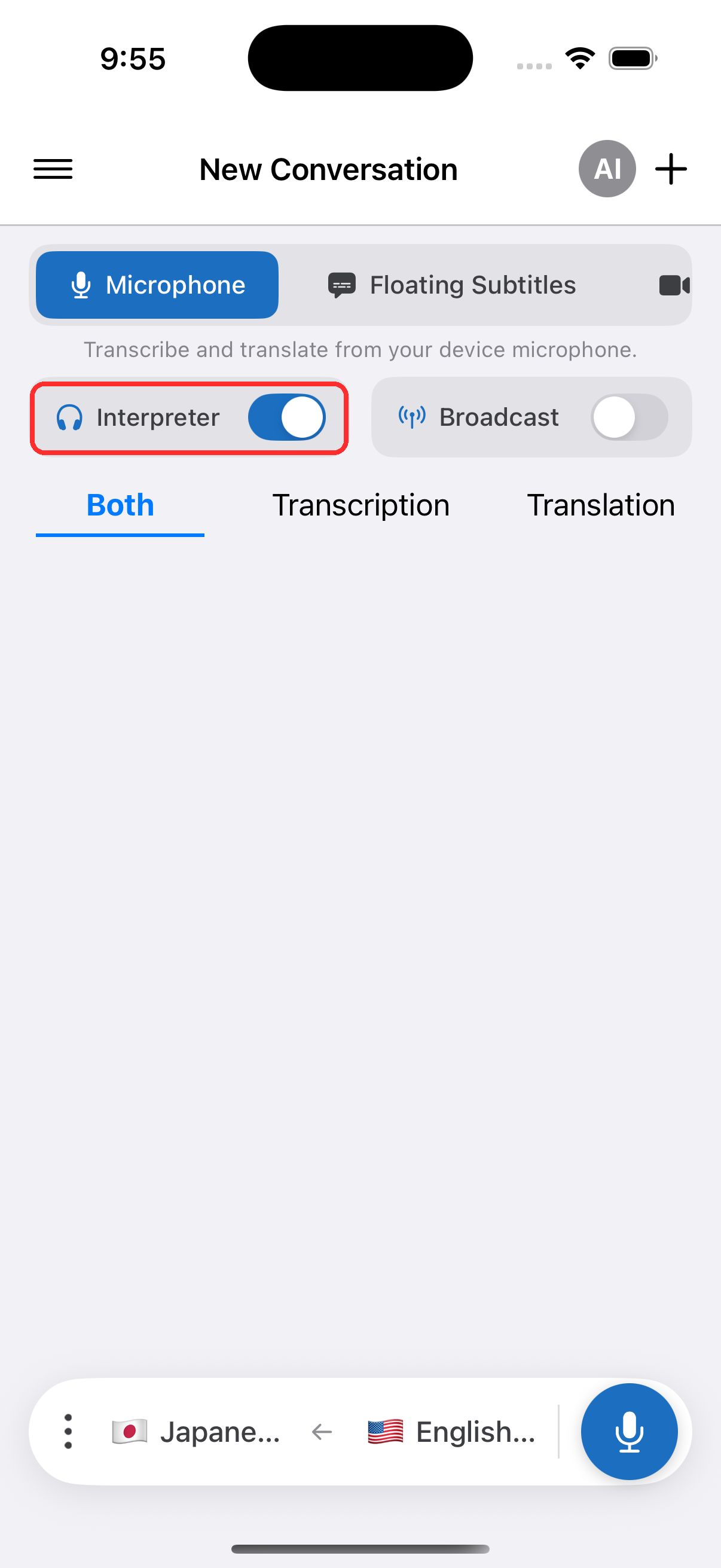
On iPhone and iPad, Speech Mode is the Interpreter toggle on the main screen.
- Open the Whisperr app
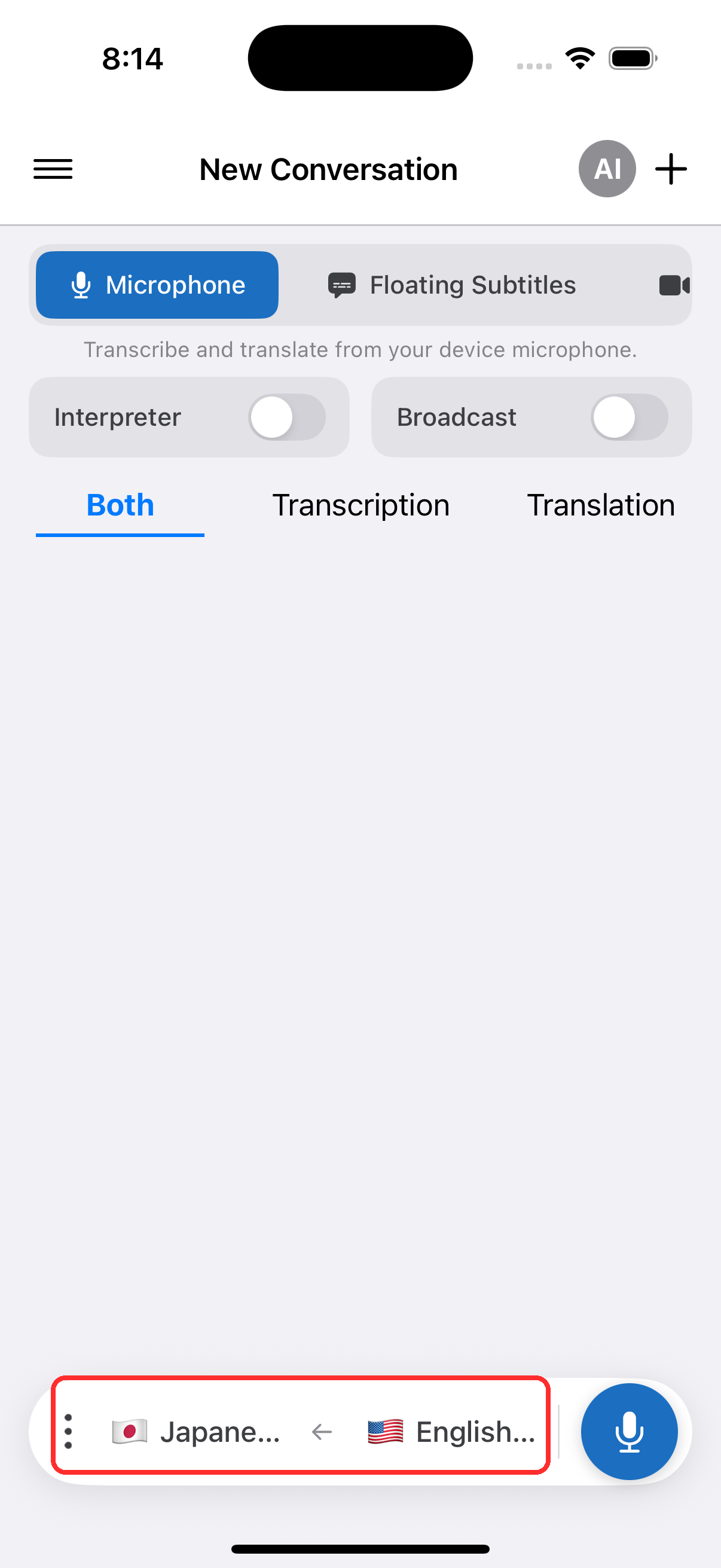
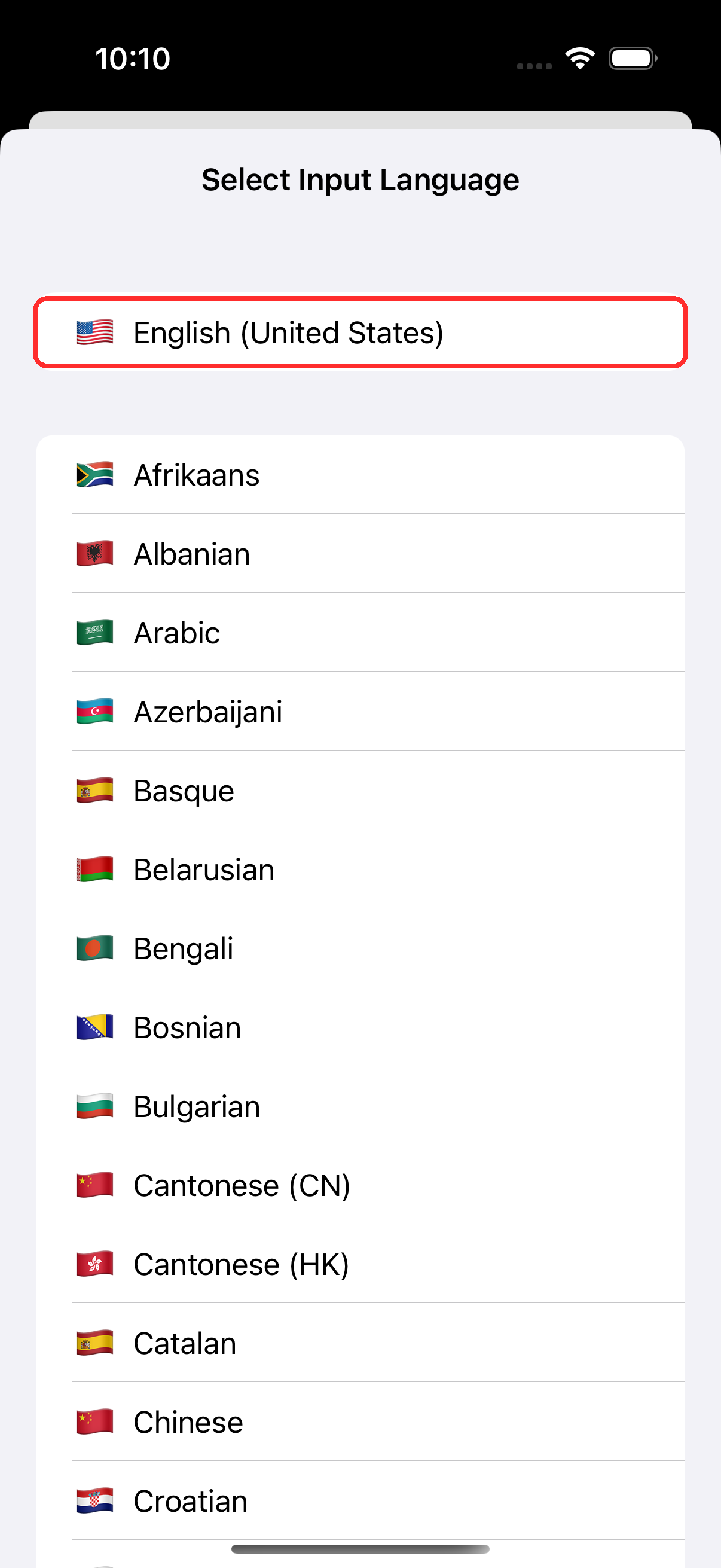
- Select your source language (what you'll be hearing) and target language (what you want spoken back) in the bar at the bottom
- Turn on the Interpreter toggle — Whisperr will speak each translated line aloud as it appears
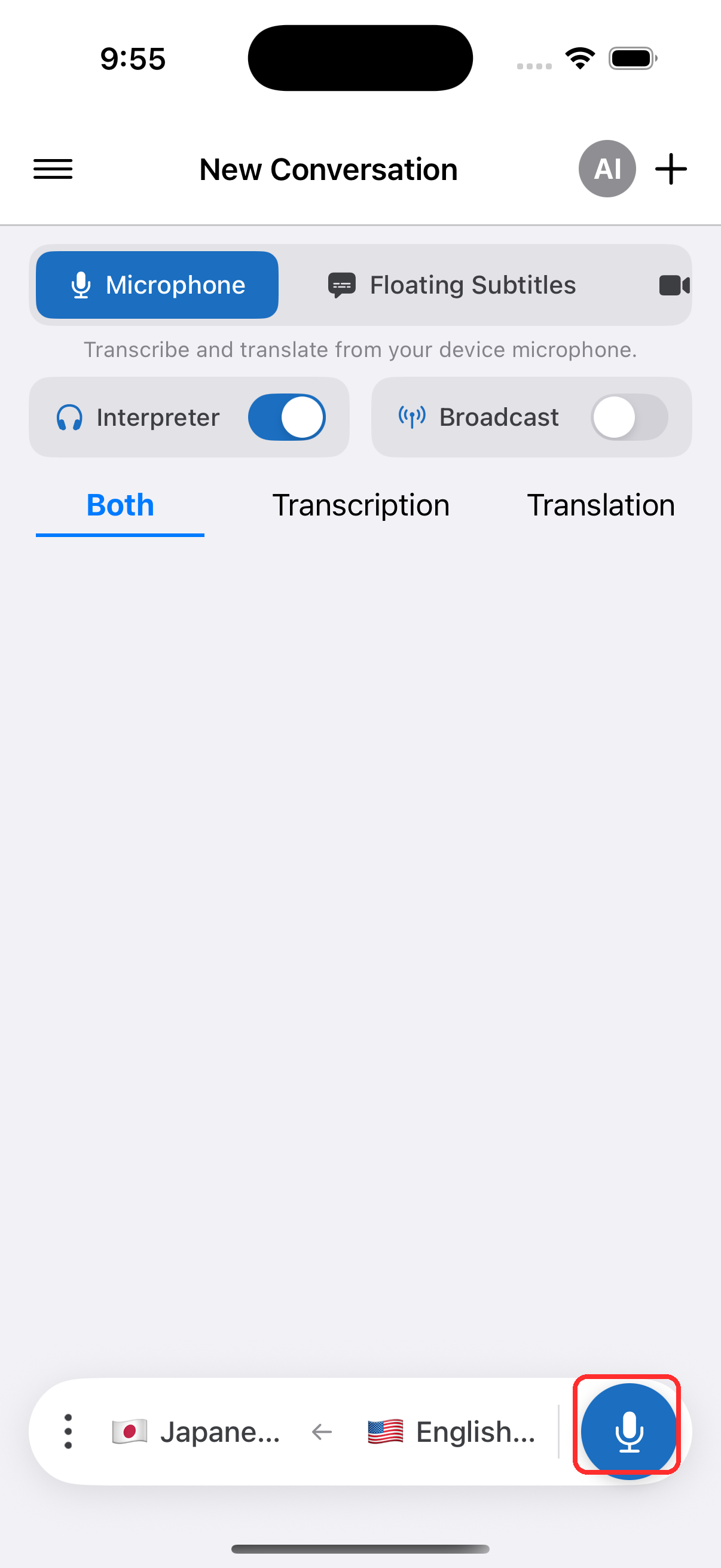
- Tap the record button to start, and allow microphone access when prompted
- Optionally connect headphones or AirPods for private listening
Turn the Interpreter toggle off again to silence the spoken audio while keeping the on-screen translation running.
Related
- Speech Mode (overview) — how it works, use cases, and general tips
- On Android · On the Web App · On Mac · On Windows
- Microphone Audio Capture — how Whisperr captures the input audio
- Floating Subtitles — keep translations visible while using other apps