Upload a File in the Web App
This page covers uploading a recording in the Whisperr Web App. For what the feature does, how many minutes you get and what it costs, see the Upload a File overview.
How to Upload a File
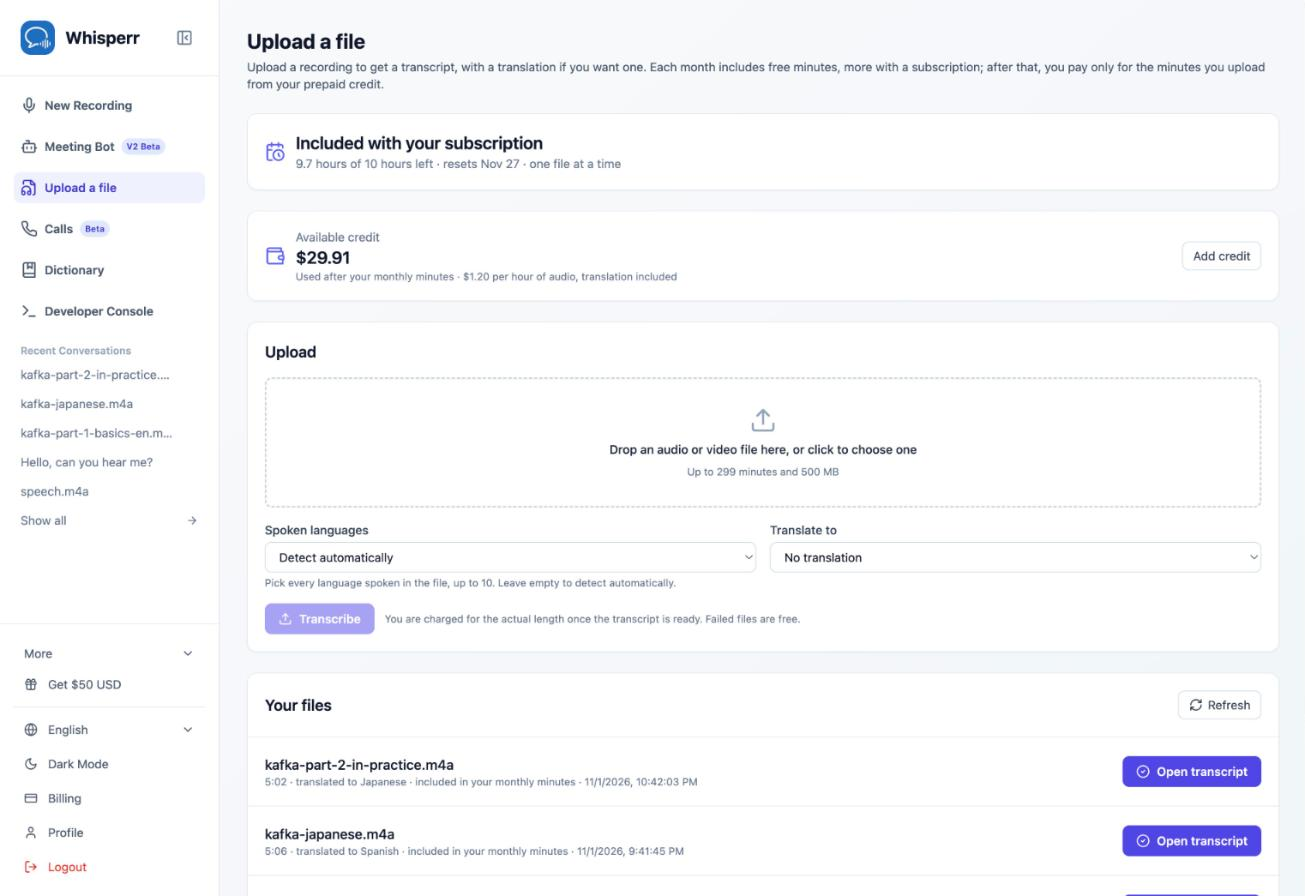
- Go to whisperr.co/app, sign in and click Upload a file in the sidebar. The top of the page shows how many minutes you have left this month and your available credit
-
Drop an audio or video file on the upload box, or click the box to choose one. Whisperr shows the file's length and whether it fits in your monthly minutes
-
Under Spoken languages, add every language spoken in the file (up to 10), or leave it on Detect automatically. Under Translate to, choose the language you want the transcript translated into, or leave No translation
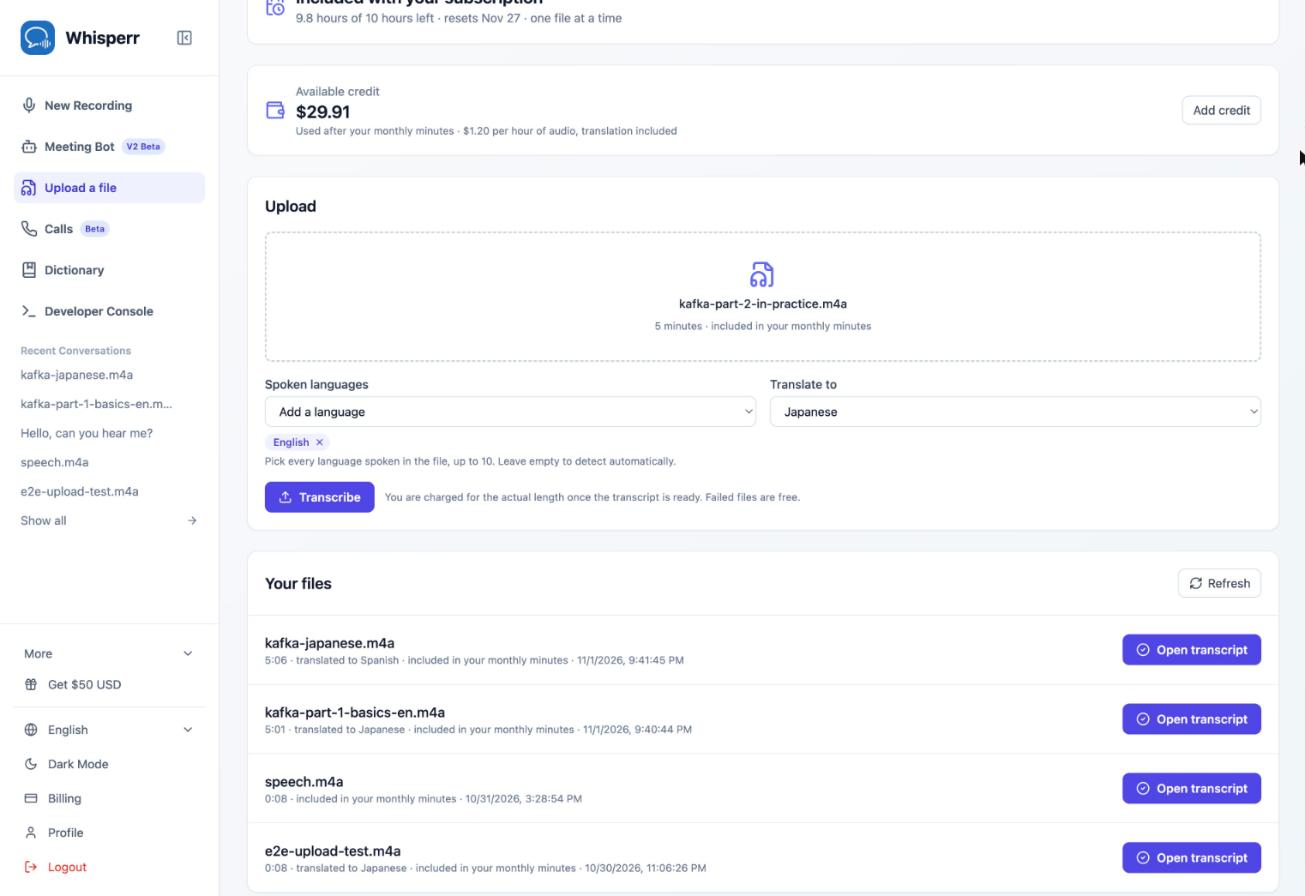
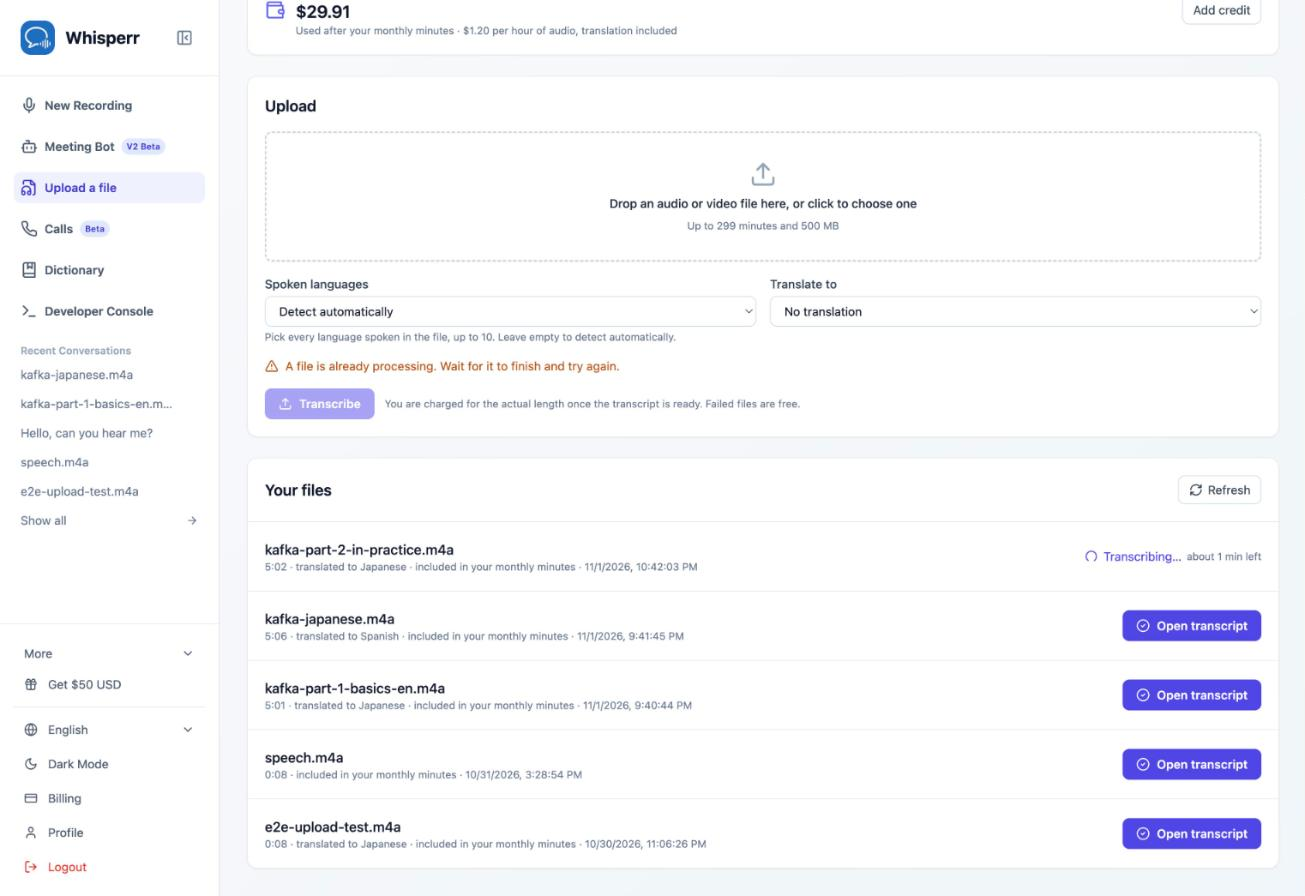
- Click Transcribe. The file appears at the top of Your files with an estimate of the time left. You can leave the page or start a live recording in the meantime. Files are transcribed one at a time, so the next upload waits until this one is done
- When it's done, click Open transcript
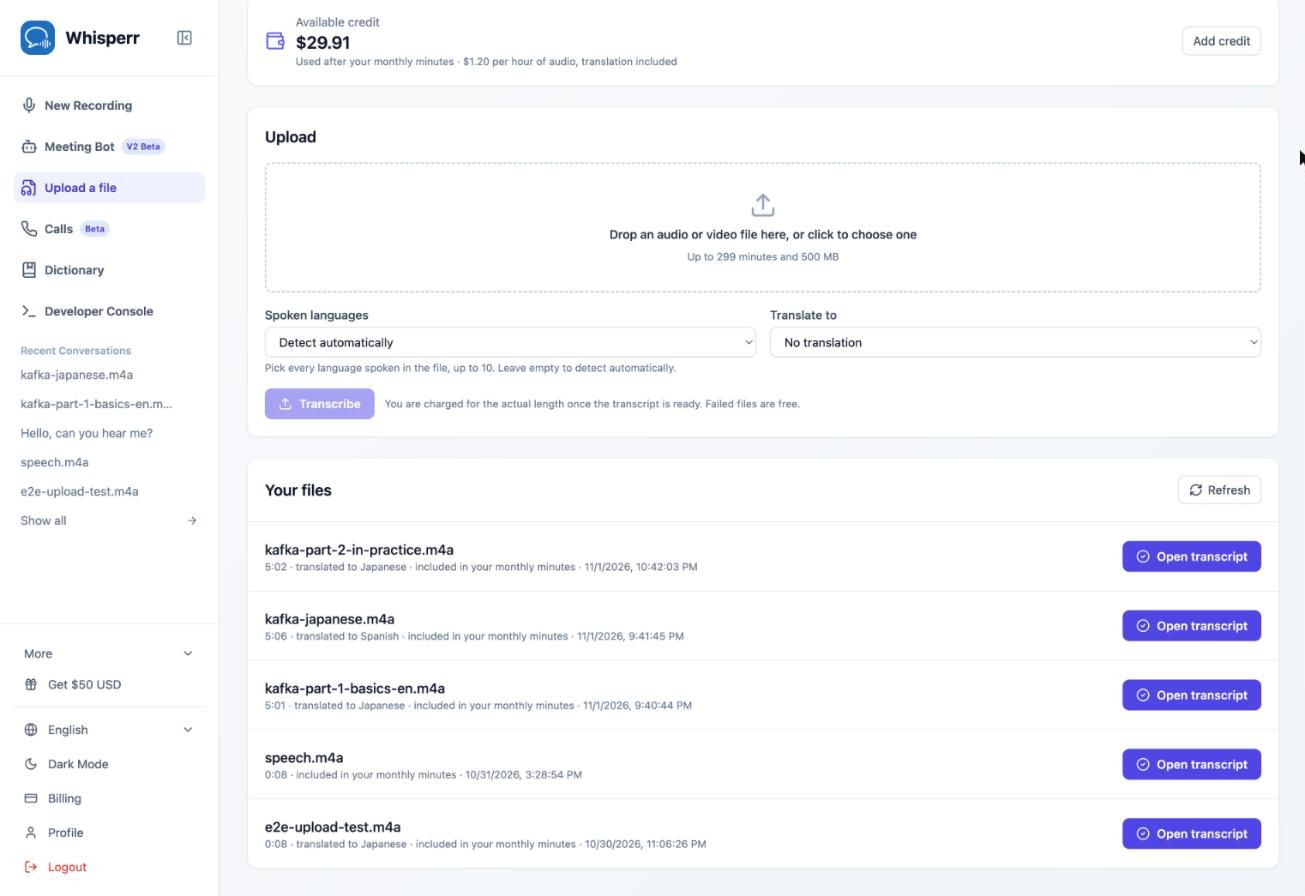
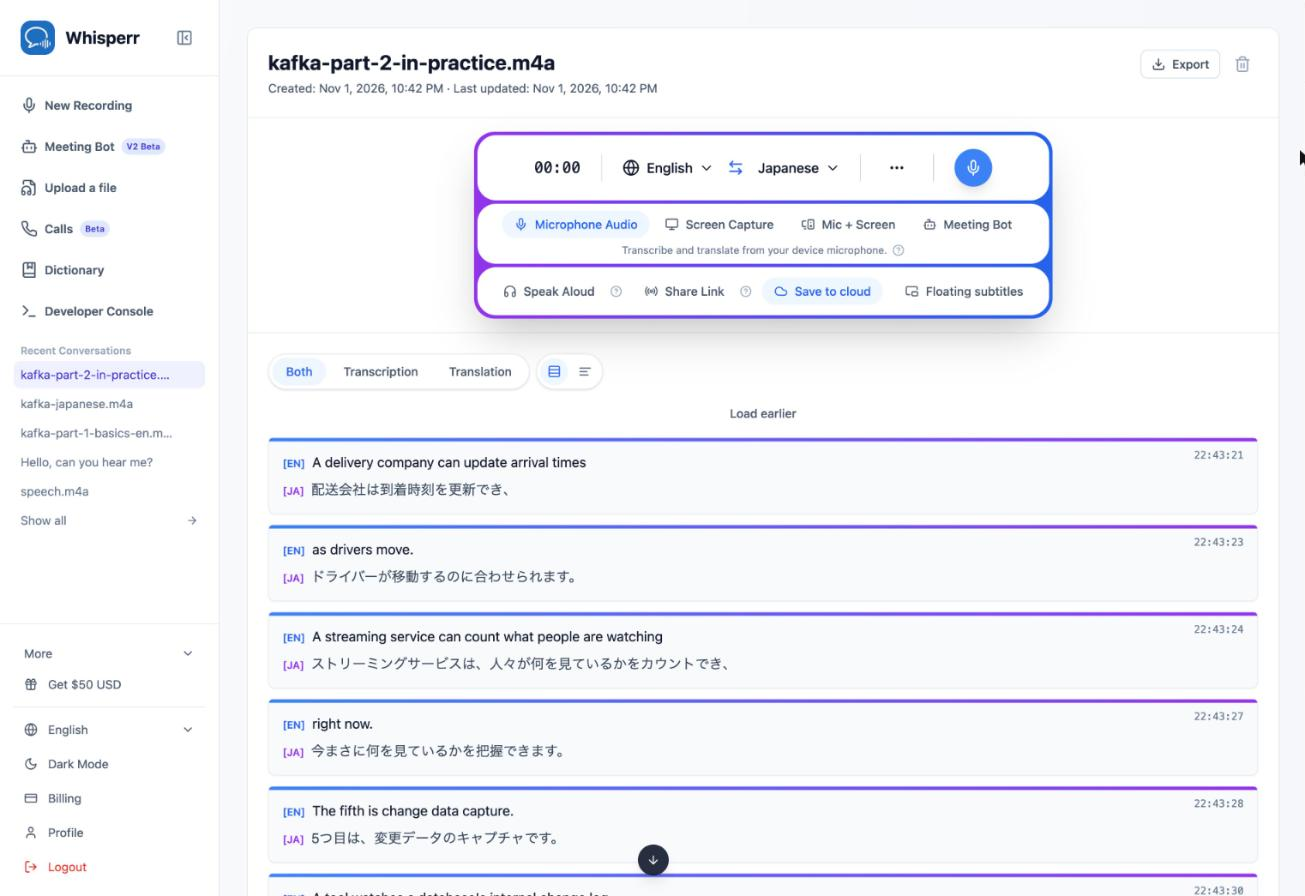
The transcript opens like any saved conversation, with every line next to its translation. Switch between Both, Transcription and Translation, or click Export to download it. It also stays under Recent Conversations in the sidebar.
What the Page Tells You Before You Upload
After you choose a file, the line under its name says what it will cost:
- "included in your monthly minutes": the whole file fits in what you have left this month. It's free
- "… included, the rest about $0.12": part of the file fits, and the rest will be paid from your credit
- "Only the first … will be transcribed": you don't have enough minutes left and have no credit. Whisperr transcribes the file up to your remaining minutes. Click Add credit first if you want the whole file
You're always charged for the file's actual length once Whisperr has measured it, and a file that fails is free.
Troubleshooting
"A file is already processing"
Files are transcribed one at a time. Wait for the file under Your files to finish, then upload the next one.
"You've used this month's 20 minutes"
Your free minutes are used up and you have no credit. Add credit to keep uploading now, or wait until your minutes renew on the date shown. A subscription includes 10 hours a month.
"Couldn't read this file's length"
The file isn't an audio or video file Whisperr can read. Try exporting it again as MP3, M4A or MP4.
"Files can be at most 299 minutes long" or "This file is too large"
Split the recording into parts under 299 minutes and 500 MB, and upload each part.
"Sign in with a full account"
Uploads need a signed-in Whisperr account. Sign in to your account instead of continuing as a guest.