网页应用上的广播模式
本页介绍如何以演讲者身份从网页应用运行广播。若要了解广播模式的工作原理及观众体验,请参阅广播模式概览。
以演讲者身份广播(网页应用)
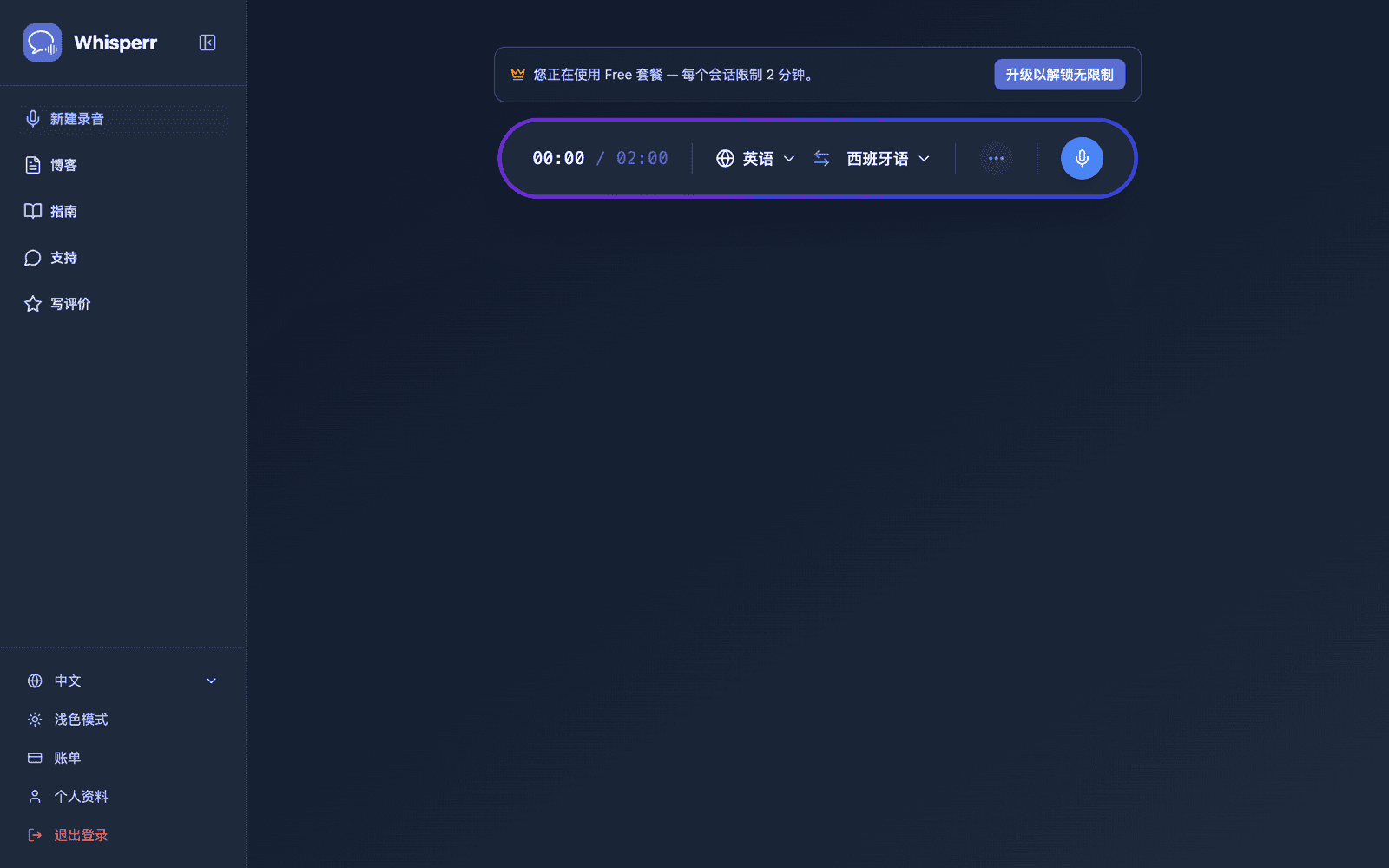
- 选择您的源语言(您将使用的语言)和目标语言(观众将阅读的语言)
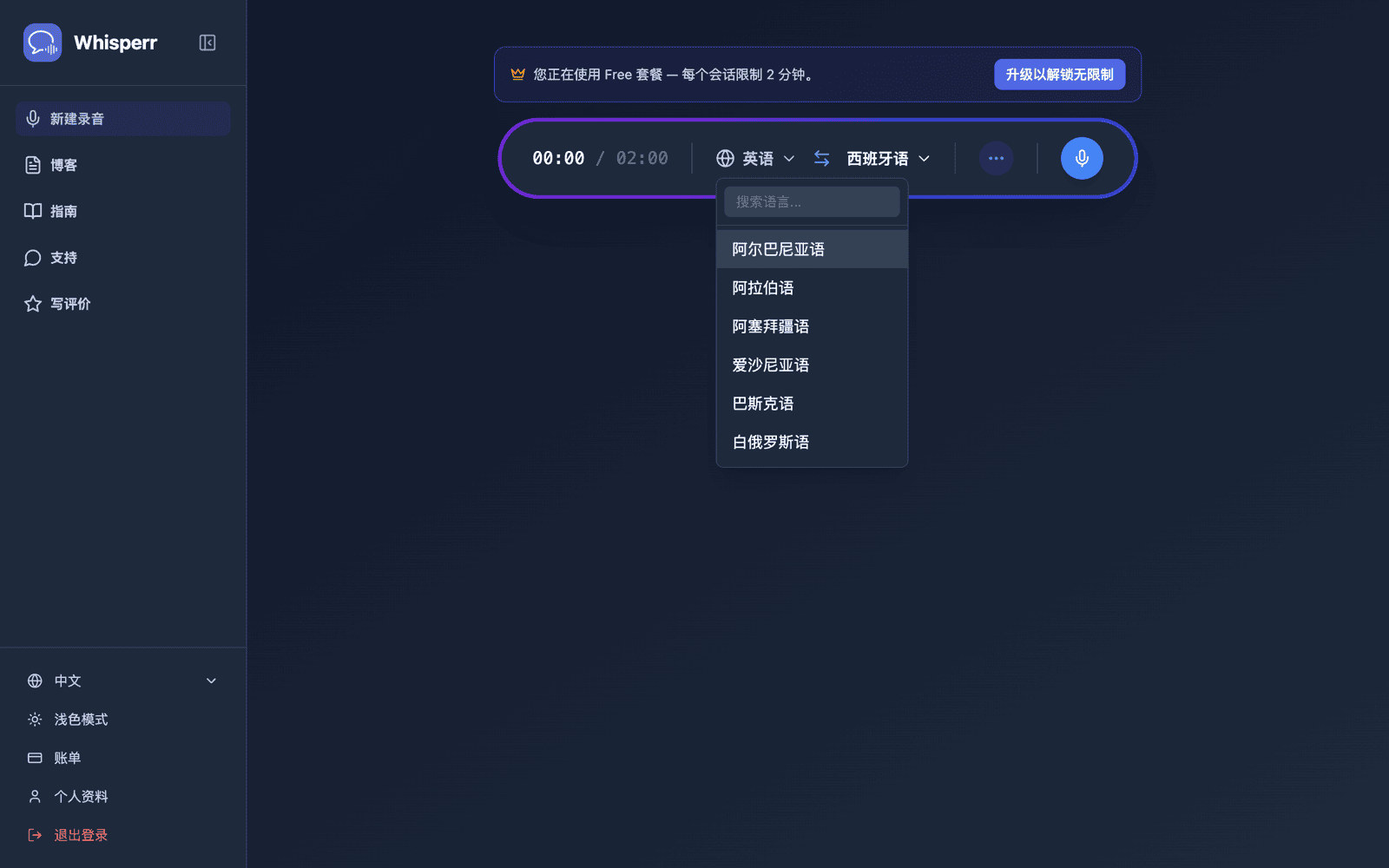
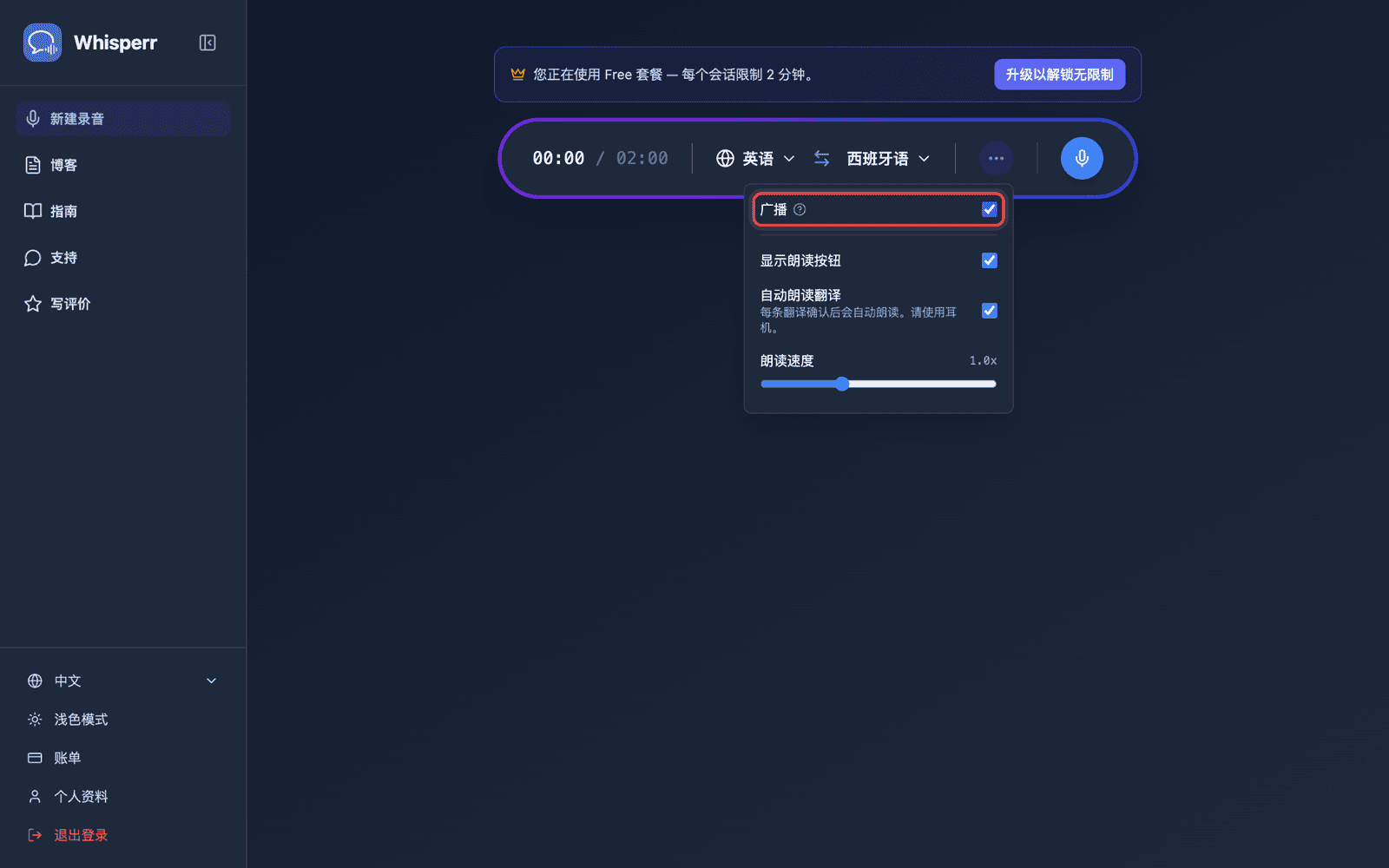
- 在录制栏中打开 ••• 选项菜单并开启分享链接(在早期版本中,此开关名为广播)
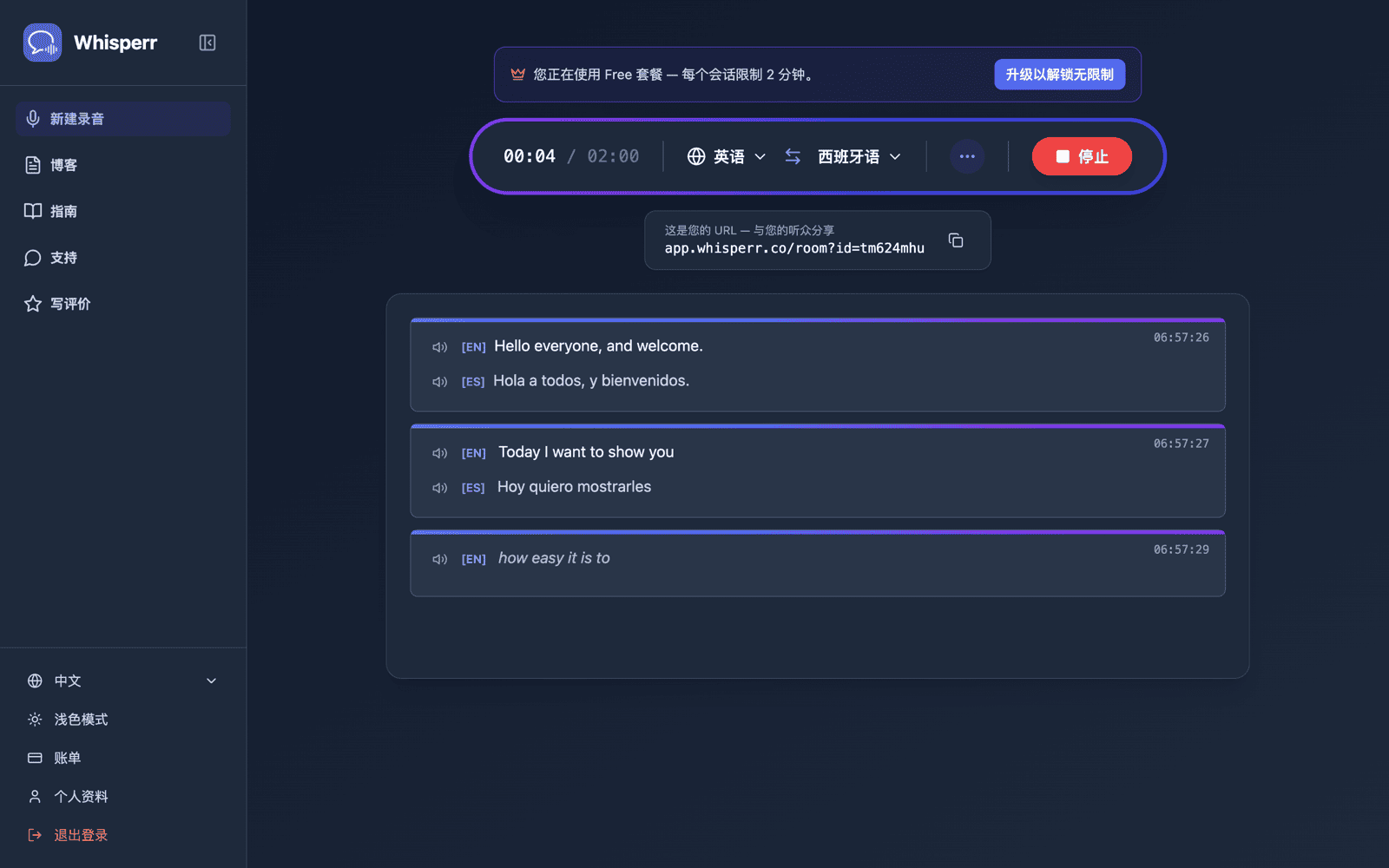
- 点击录制 — Whisperr 开始通过设备麦克风采集音频,同时在同一界面中显示可分享的房间 URL
- 分享房间——点击链接旁边的复制按钮,如果观众就在你面前,也可以点击旁边的二维码按钮
只要您处于录制状态,房间便保持活跃。点击停止即可结束会话。
通过二维码分享房间
录制栏下方的分享条上有两个按钮,位于房间 URL 旁边:复制,以及一个二维码按钮。二维码编码的是同一个 whisperr.co/app/room?id=… 链接,让拿着手机的观众直接对准你的屏幕拍摄,而不必手动输入房间 id。
点击它,一个扫码收听面板会打开,显示二维码,下方还写明了完整的 URL。下载 PNG 会以印刷分辨率(1024 像素或更高)保存二维码——足够放在标题幻灯片上、印成门口的海报,或作为纸质讲义发放。
二维码按钮只在你开启广播并处于录制状态时才会出现。不过你的房间链接归属于你的账户,而不是某一次录制——网页应用每次广播时都会给你同一个固定链接,因此打印一次的二维码,在你之后的每一场演讲中都能继续使用。这目前是仅限网页应用的功能:在 iPhone/iPad、Android、Mac 和 Windows 上,每次广播仍然会得到一个全新的一次性房间链接,一旦你停止那次录制,链接就会失效——参见广播模式:支持的平台。要提前准备幻灯片或讲义,可以先开始一次简短的测试广播,下载 PNG,然后停止;等到正式那天,二维码仍然有效。
分享条上的 Room 和 OBS 标签页是分开的:Room 是给观众的链接,OBS 是一个透明字幕 URL,可作为浏览器源添加到 OBS 或 Streamlabs 中。上面所说的固定的、与账户绑定的链接只适用于 Room 标签页——OBS 的 URL 与某一次录制绑定,每次开始新的录制都会改变,因此每次新的广播之后都要更新你的浏览器源 URL,而不要沿用旧的。
你的观众看到的画面
任何人打开房间链接,都会在浏览器中看到这个页面——无需应用、无需账号、无需注册。你每说一句,转写和翻译就会逐行出现。
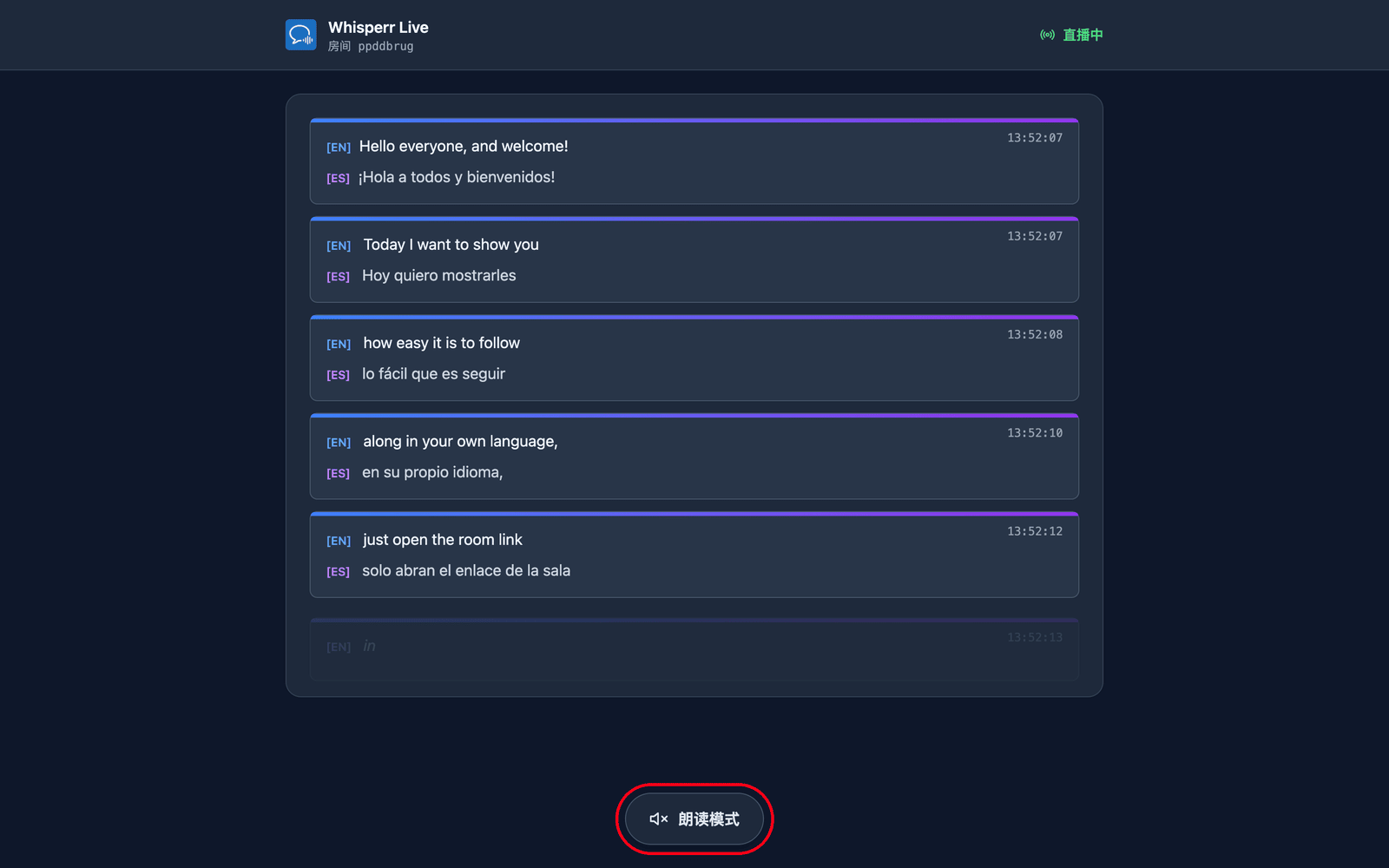
他们选择自己的语言。 创建房间时设置默认目标语言,并可以添加最多 5 种供观众切换的语言(每个房间共计 6 种语言)——通过页面顶部的翻译语言菜单进行设置。您房间已经在广播的语言会以绿点优先显示,并在您下一句话时切换;新语言(如果房间尚未达到上限)会按需生成,因此观众会短暂看到正在准备您的语言…。这样,一个房间和一个链接就能覆盖最多 6 种语言的观众——只有当您需要 6 种以上的语言,或想要完全独立的观众/链接时,才需要创建单独的房间。
他们可以听而不是读。 点按页面底部的朗读模式会让按钮变为蓝色,并在顶部显示朗读控制项,Whisperr 会在他们各自的设备上朗读出每一句刚刚定稿的翻译——使用的是他们自己选择的语言。
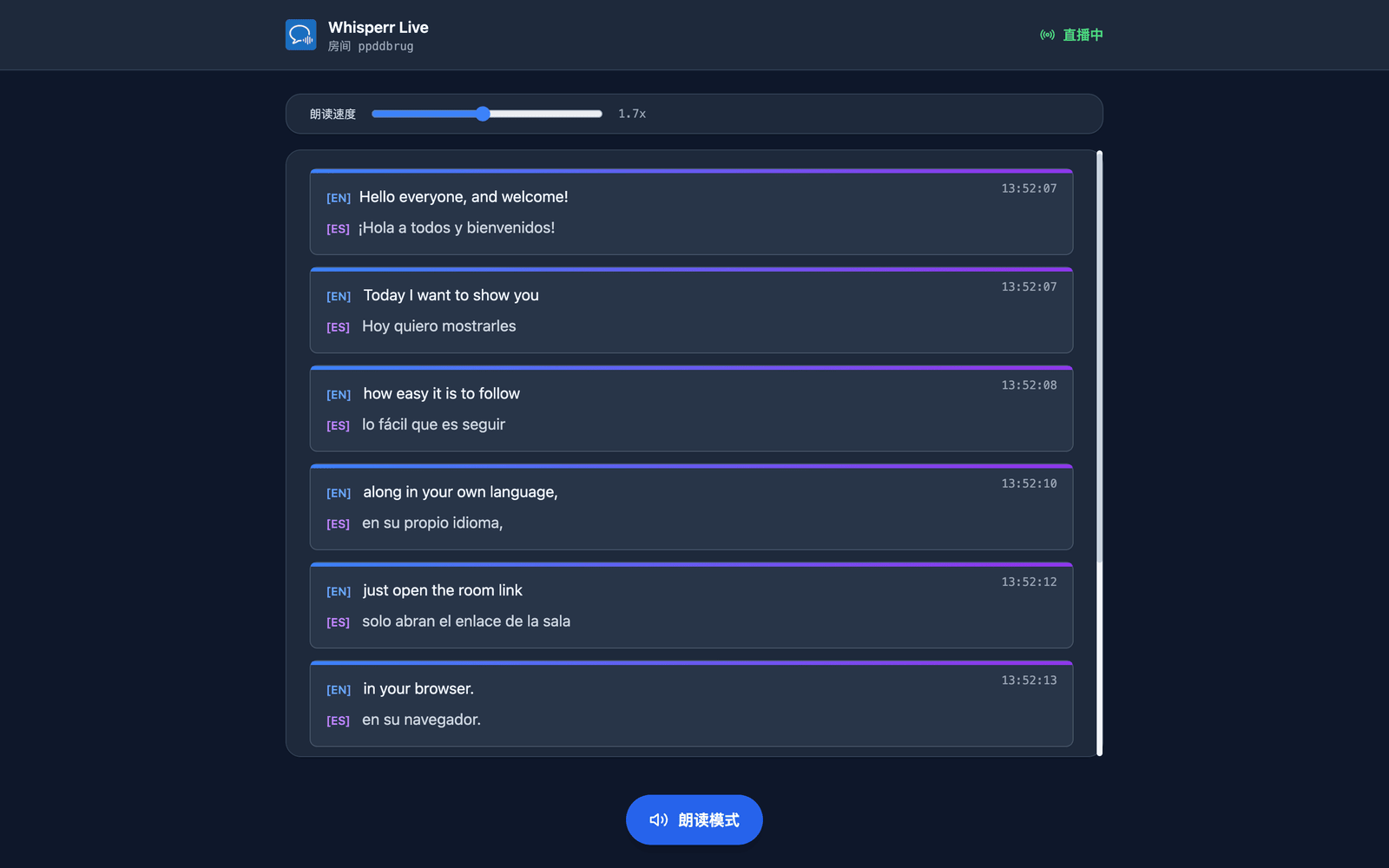
他们选择声音和语速。 声音默认是自动,会将朗读的声音匹配到实际讲话的人——在你回答现场提问时特别有用。男声和女声则固定使用同一个叙述声音。朗读速度从 0.5 倍到 3.0 倍不等,默认 1.7 倍,足够让语音接近实时进度。
朗读模式对所有人都默认关闭——第一次点按同时也是浏览器在播放音频前所要求的用户操作。以上每一项设置都是按观众各自设定的,因此一部分观众可以用西班牙语收听,其余人则用印地语阅读。更多说明见观众体验。
相关内容
- 广播模式(概览) — 工作原理、支持的平台及观众体验
- 在 iPhone/iPad 上使用 — 从您的 iPhone 或 iPad 发起广播
- 广播模式常见问题 — 关于房间、链接和观众的常见问题