Whisperr vs Maestra.ai: Which AI Translator Is Right for You?

If you've searched for an AI translation tool recently, you've probably come across both Whisperr and Maestra.ai. The names suggest similar products. They're not.
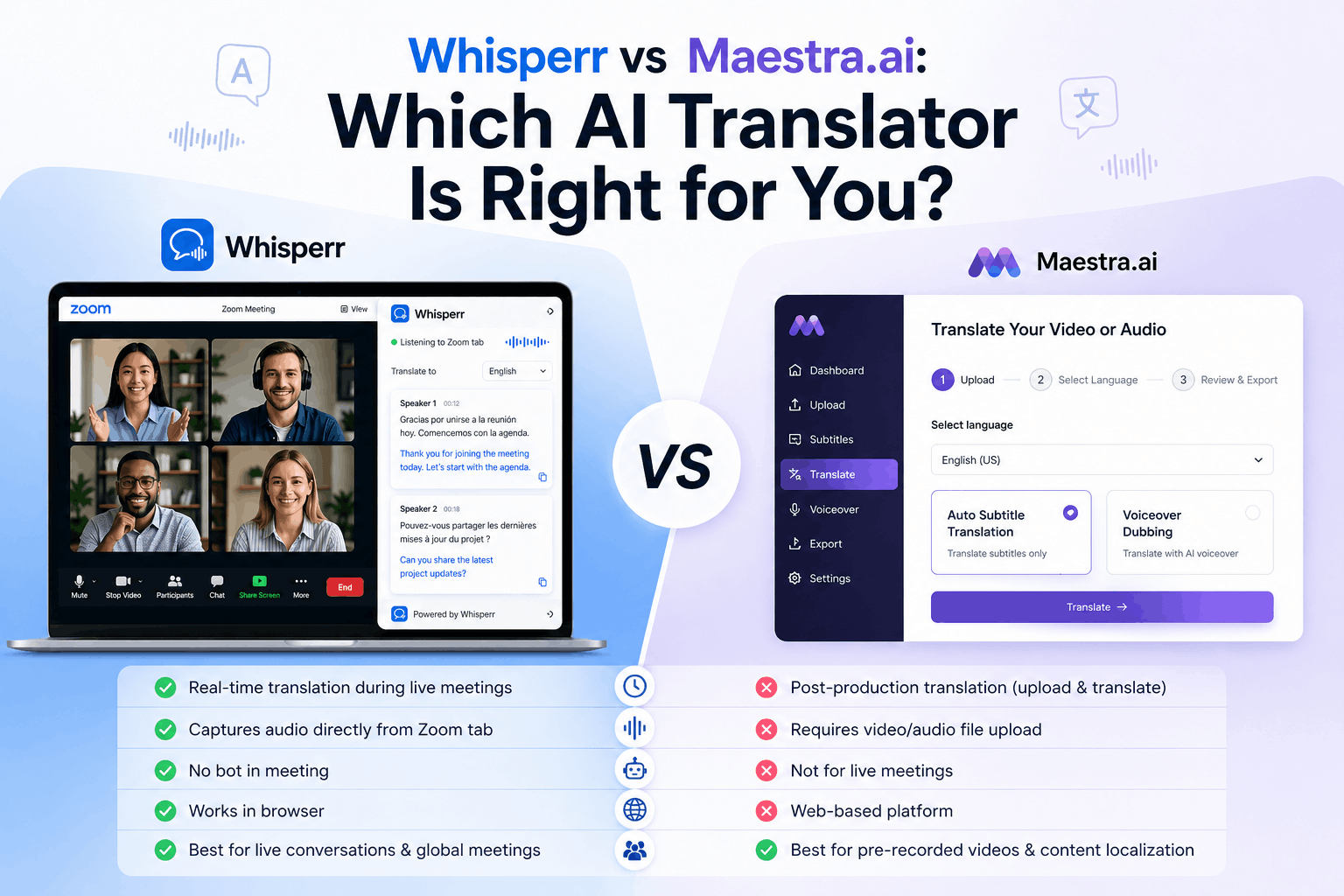
Maestra.ai is built around a content production workflow: upload a video, generate subtitles, translate them, dub with an AI voice, export. It's a localization studio for media teams. Whisperr is built around a live moment: someone is speaking in a language you don't understand, right now, and you need to follow along — whether that's a Zoom call, a YouTube video, a TikTok, a face-to-face conversation, or a conference presentation.
Pick the wrong tool for your job and you'll hit a wall fast. This guide breaks down exactly where each one belongs.
What Is Each Tool Actually Built For?
Maestra.ai — Media localization for content teams
Maestra.ai is a browser-based platform with four main product areas: transcription, subtitles, voiceover/dubbing, and real-time captions. Its strength is the asynchronous content pipeline — you upload a finished video, the AI transcribes it, you edit the transcript, translate it into up to 125+ languages, generate an AI voiceover or dub, export SRT files, and push it live. It also offers voice cloning in up to 29 languages and optional lip-sync dubbing.
For media teams, YouTubers, e-learning departments, and marketing teams building multilingual video libraries, Maestra is a serious tool. It integrates with Zoom, OBS, vMix, YouTube, and TikTok for content workflow purposes.
Its live translation module exists — but it is a secondary feature, metered by the minute and capped monthly. The Chrome extension, which handles browser-based live translation, has been reported to produce output with 5–10 seconds of latency per sentence — workable for one-way lecture captioning, but too slow for genuine back-and-forth conversation.
Whisperr — Live voice translation for real-time moments
Whisperr starts from a different question entirely: what do you do when someone is speaking a language you don't understand, right now? The whole product is designed around capturing live audio — from a microphone, a browser tab, or a meeting — and streaming translated text back to you in real time with low latency.
Critically, Whisperr does this across every major live audio source:
- YouTube — translate any video as it plays, in any language
- TikTok — follow foreign-language creators in real time
- Instagram — Reels and Lives translated as they stream
- Zoom — join in Chrome and capture meeting audio without a bot, no Business plan needed
- Microsoft Teams — same browser-based audio capture approach
- Google Meet — same
- In-person conversations — microphone capture with the phone placed between speakers
- Conferences and events — Broadcast Mode shares live translations to an audience via a link, no app required
This is not a content production tool. It is a live communication and comprehension tool.
At a Glance
Whisperr | Maestra.ai | |
|---|---|---|
Price (annual) | $79.99/year for unlimited real-time captions ✅ | From $468/year for limited real-time captions only |
Real-time translation | ✅ Core feature, unlimited | ⚠️ Add-on — 180 min/month on $79 Premium plan |
Live video translation (YouTube, TikTok, Instagram) | ✅ | ⚠️ Chrome extension only, 5–10s latency reported |
Zoom / Teams / Google Meet | ✅ Browser tab capture or bot can join the meeting | ✅ Zoom native; ⚠️ Teams/Meet via browser only |
Broadcast Mode (share live translation with audience) | ✅ | ✅ Business plan ($159/mo) only |
Native iOS app | ✅ | ❌ No native app |
Native Mac app | ✅ | ❌ Browser only |
Languages | 100+ | 125+ |
Usage cap on live translation | Unlimited ✅ | Metered per target language ⚠️ |
Post-meeting AI summary | ❌ | ✅ |
Video dubbing / voiceover | ❌ | ✅ |
Subtitle export (SRT/VTT) | ❌ | ✅ |
Offline mode | ❌ | ❌ |
Free live transcription | ✅ Trial | ✅ Unlimited (no signup) |
Where Whisperr Wins
1. Live video translation — YouTube, TikTok, Instagram, and streaming content
This is where the two tools diverge most sharply. Whisperr translates the audio of any browser tab in real time — including YouTube, TikTok, Instagram Reels, livestreams, and news in foreign languages — with low latency as the video plays. You select the source language, the target language, open the video, and read translated text alongside it. No file upload. No waiting for processing.
Maestra's Chrome extension can capture browser tab audio, but independent reviewers report 5–10 second delays per sentence — a significant lag when video content is playing at normal speed. It also consumes from the monthly real-time translation quota, which is capped at 180 minutes/month on the $79 Premium plan. A few hours of foreign-language YouTube per month would exhaust that allotment.
For anyone who regularly watches content in another language — K-drama, Japanese cooking, Spanish news, Korean gaming streams — Whisperr's unlimited browser tab translation is meaningfully better suited.
2. Meetings without the friction — Zoom, Teams, and Meet
Whisperr translates Zoom, Teams, and Google Meet calls by capturing the browser tab audio directly, on your side, without touching meeting settings, requiring a bot to join, or needing a Business plan from your host. You join in Chrome, open Whisperr in a second tab, select Browser Tab Audio, and translation begins. The host doesn't know it's happening. No permissions to request. No admin emails.
Maestra has a native Zoom integration, which is genuinely strong for content teams who want to transcribe and later export meeting records. But for a participant who simply needs to follow a meeting in another language right now — especially as a guest in someone else's company call — Whisperr's approach requires zero coordination.
Google Meet is a notable gap for Maestra: no native integration is listed. Users must rely on the Chrome extension's browser-tab capture approach, which brings the latency issues noted above.
3. Native iOS and Mac apps
Whisperr ships as a native iOS app and Mac app, alongside its web version. This matters for three concrete reasons: native apps can capture system audio more cleanly than a browser tab, they integrate with iOS features like floating subtitles that overlay on top of any other app, and they don't require a browser to be open and in focus.
Maestra.ai has no native iOS app, no native Android app, and no native Mac or Windows app. It is entirely browser-based. For users who want a live translator on their phone in a restaurant, at a hospital, or during travel — Maestra simply cannot provide that experience.
4. Pricing simplicity and unlimited live use
Whisperr charges $79.99/year, flat, for unlimited live translation. No per-language metering, no monthly caps, no credit systems.
Maestra's pricing involves four parallel plan trees (Transcription, Subtitle, Voiceover, Real-Time), each with their own credit allotments. Real-time translation specifically is gated: the $39 Basic real-time plan provides only English captions with no translation at all. The $79 Premium plan provides 180 minutes per month of real-time translation per target language. The $159 Business plan provides 360 minutes. A user translating into two languages simultaneously consumes from each language's quota separately.
For a traveler, a professional in frequent multilingual meetings, or anyone watching foreign-language content daily, those caps become a real constraint within weeks. Whisperr removes that constraint entirely at a lower annual price than Maestra's Premium real-time plan.
5. Face-to-face and in-person conversations
Whisperr supports microphone capture mode, which lets you place your phone on a table between two people speaking different languages and get real-time translated text as the conversation unfolds. This is a travel use case, a healthcare use case, and a business meeting use case that Maestra's browser-only architecture cannot support at all.
Where Maestra.ai Still Has an Edge
To be fair: if your primary need is creating multilingual content rather than having multilingual conversations, Maestra's depth is hard to match.
Video dubbing and voice cloning. Maestra generates AI voiceovers in 125+ languages, with voice cloning in up to 29 languages and optional lip-sync dubbing. If you produce YouTube videos and want to release German, Japanese, and Spanish versions with dubbed audio, Maestra can handle the entire workflow in one platform. Whisperr has nothing equivalent — it is a live listener, not a content producer.
Subtitle export and editing. Maestra's subtitle editor lets you upload a video, auto-generate captions, correct them, translate them, and export SRT/VTT files for upload to YouTube, Vimeo, or anywhere else. This is a complete post-production captioning workflow. Whisperr does not produce exportable subtitle files.
Broader language coverage. Maestra supports 125+ languages versus Whisperr's 50+. For teams localizing into less common languages — Swahili, Basque, Tamil, Bengali — Maestra's coverage is wider.
Post-session transcripts, summaries, and search. After a meeting or recording, Maestra's dashboard stores the transcript, generates an AI summary, and makes past sessions searchable. For teams who need a record of what was said — and to find specific quotes weeks later — Maestra's archive UX is purpose-built for that.
Broadcast Mode for large events. Maestra's Business plan includes session sharing via link and QR code — audience members scan the code and follow captions in their preferred language. This is designed for conference rooms, church services, and large webinars where the organizer controls the production setup. Whisperr's own Broadcast Mode covers similar ground, but Maestra's deeper integration with OBS and vMix makes it more suited for professionally produced live events.
How to Choose Between Them
Choose Whisperr if you...
- Need to understand someone speaking a different language right now — in person, on a call, or on video
- Watch foreign-language content on YouTube, TikTok, or Instagram and want to follow it in real time
- Join Zoom, Teams, or Google Meet calls where you're not the primary language speaker
- Want a native iOS or Mac app that works without a browser
- Need unlimited live translation without monthly caps or per-language metering
- Travel frequently or work across language barriers daily
- Want a simple, single-purpose tool at a predictable annual price
Choose Maestra.ai if you...
- Produce video content and need to subtitle, translate, and dub it across many languages
- Run a YouTube channel, podcast, or training program and want multilingual versions of your content
- Need to export SRT/VTT subtitle files for uploading to video platforms
- Organize large live events through OBS or vMix and need one-way captioning with audience QR sharing
- Require API access or team collaboration features for a localization pipeline
- Want post-meeting AI summaries and searchable transcript archives
- Need coverage in 125+ languages for content production purposes
The two tools are not really competitors in the same category — they just sit near each other in search results because both involve AI and translation. Maestra is a localization studio. Whisperr is a live interpreter in your pocket. Most people who need one don't need the other.
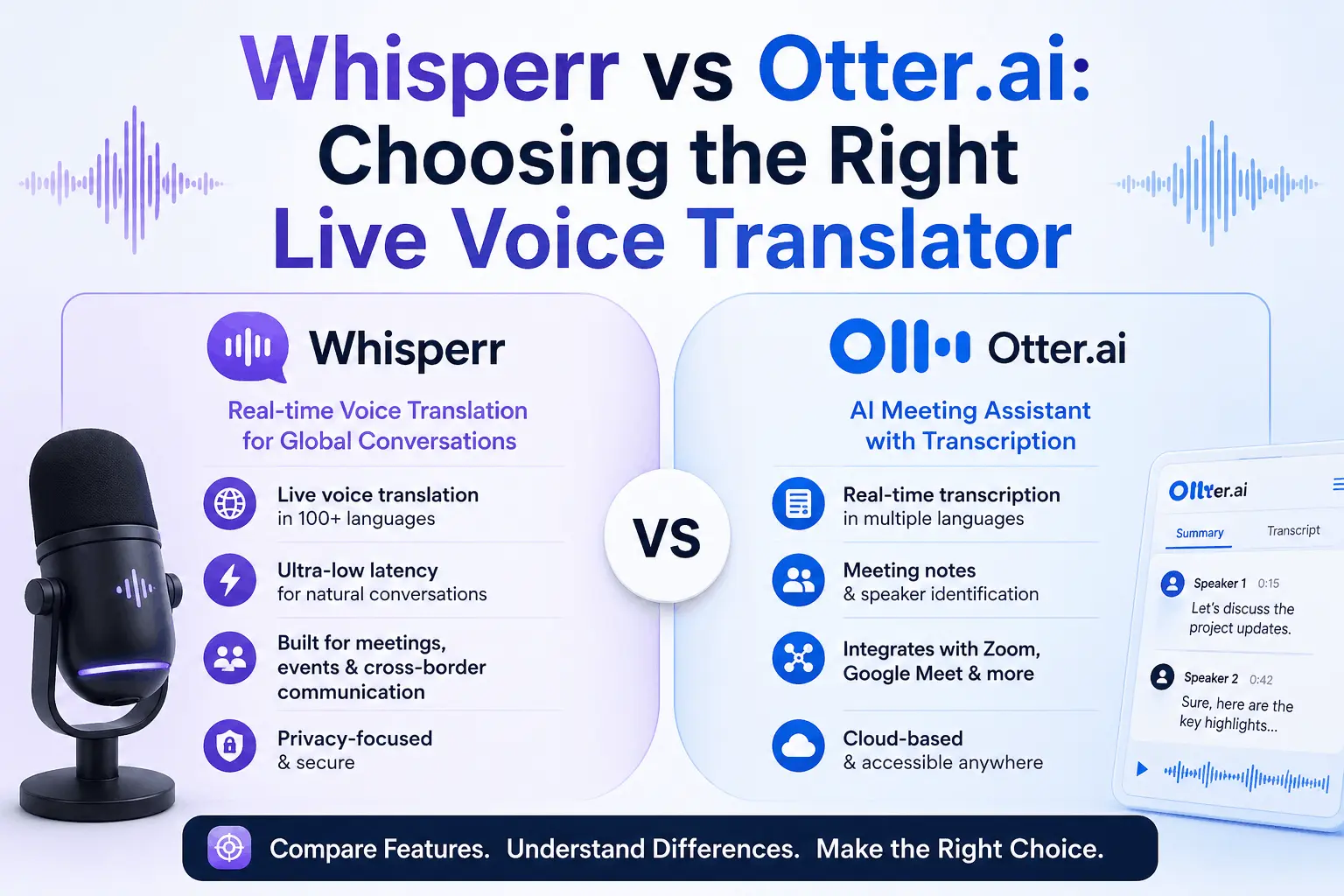
Whisperr vs Otter.ai compared: real-time translation, broadcast mode, unlimited usage. Whisperr is ~60% cheaper. See the full breakdown.