如何翻譯 Webex 會議
三種方式可捕獲和翻譯 Webex 音頻 — 選擇最適合您設置的方式。
- 1
System audio (Mac or Windows — best setup)
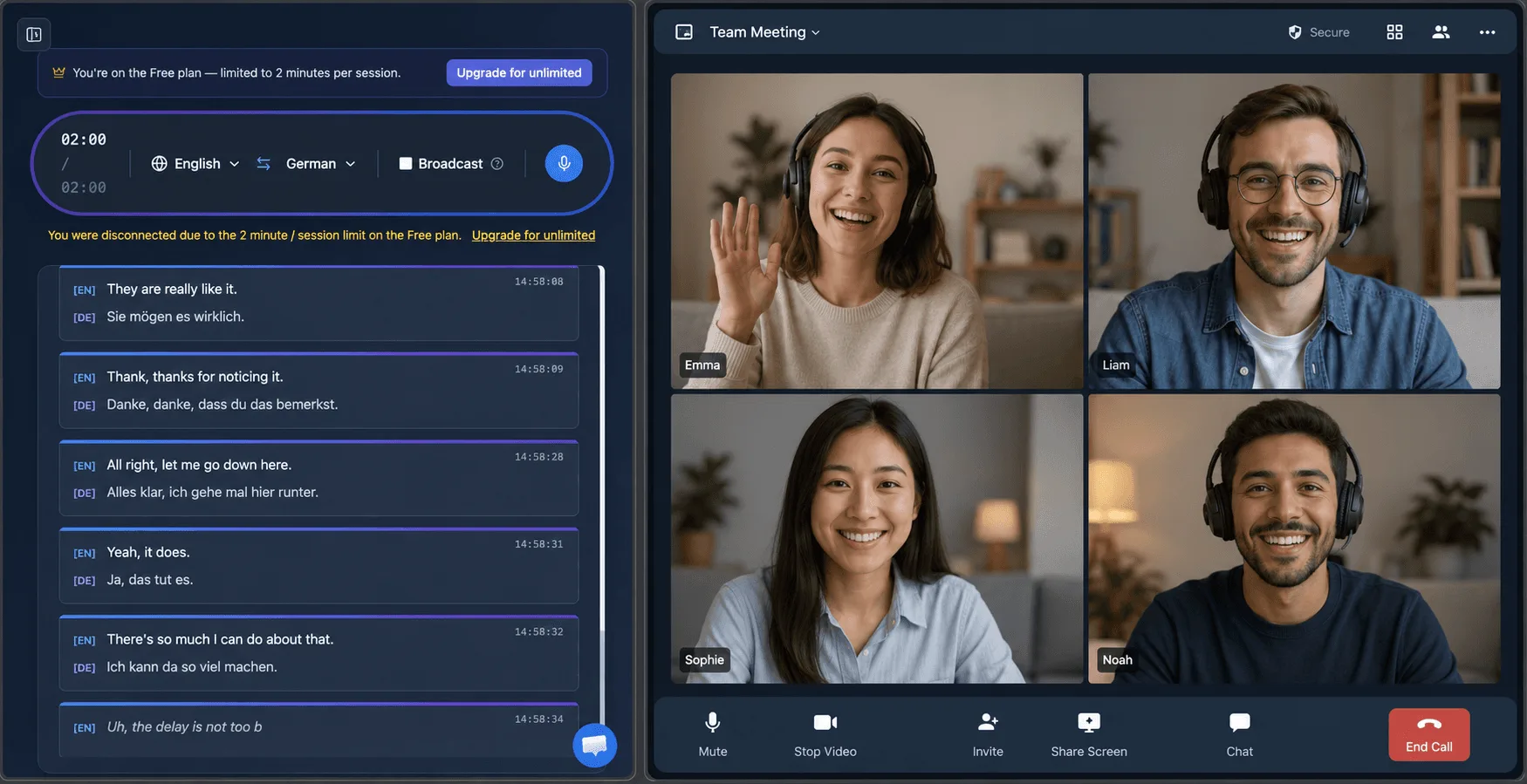
Join the Webex call however you normally do — the native app or a browser — and let the Whisperr desktop app capture your computer’s System audio. Clean digital audio, no background noise, and it works with the native Webex app, not only a browser tab. Want to share your own translated speech too? Turn on Broadcast Mode and paste the room link into the Webex chat — attendees read it live in their own language, no enterprise license required.
- 2
Tab capture (Chrome Extension or Web App)
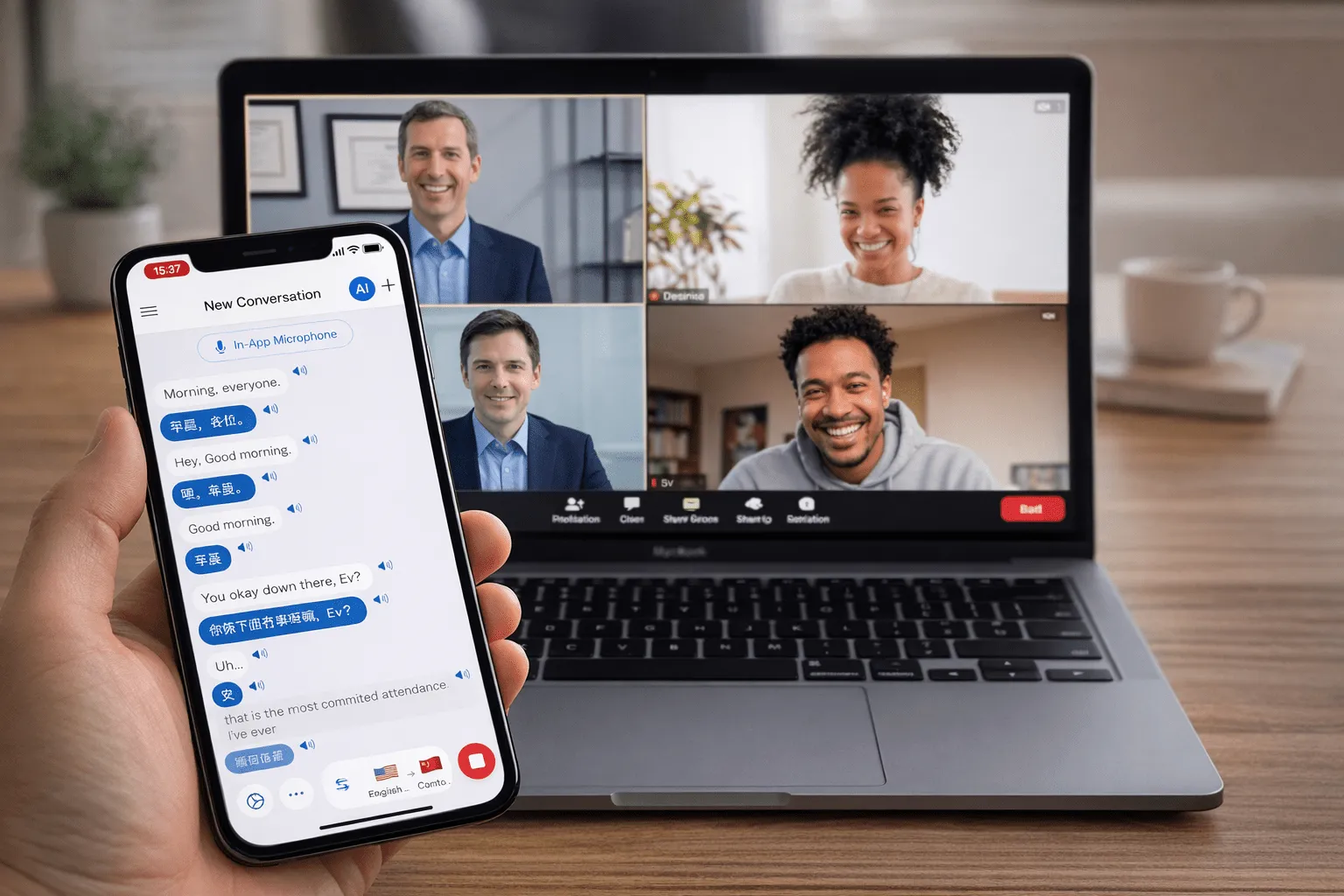
On a computer where you can’t install the desktop app, join the meeting in the Webex web app (a Chrome tab) and use the Whisperr Chrome Extension or Web App to capture that tab’s audio directly.
- 3
Microphone (works on any device)
On iOS, Android, Mac, Windows, or the Web App, play the meeting through your speakers and let Whisperr listen through your device mic — no browser tab or extension required. The Whisperr meeting bot does not yet support Webex; it currently joins Zoom, Google Meet, and Microsoft Teams calls.
用戶怎麼說
Whisperr 使用心得
“我很喜歡 Whisperr 使用起來有多簡單,也很喜歡它能準確理解並翻譯不同語言的文字和語音。它非常有效,即使在其他工具可能失效的情境下,Whisperr 依然運作完美。此外,可以直接在手機上選擇要翻譯的語言,這一點非常棒。這項功能幫助我們翻譯教會禮拜,確保每個人都能理解,不錯過任何重要內容。初始設定很簡單,讓我能立刻順利開始使用。”
譯自英語
翻譯速度快,介面清晰易讀
“翻譯速度非常快,畫面上文字呈現的方式——版面清晰——非常容易閱讀。”
譯自英語
Whisperr 提供閃電般快速且高度精準的即時翻譯
“翻譯速度極快且準確;在比較了幾款程式之後,我認為 Whisperr 是最快、最精準的即時翻譯應用程式。”
譯自英語
一流的語音辨識,還有像單字卡一樣的翻譯顯示,學習效率很高
“Whisperr 的語音辨識和翻譯品質都是一流的,比我先前試過的同類工具更好。此外,身為日語學習者,我特別喜歡它把每個句子和對應的翻譯像單字卡一樣並排顯示,每一則還附有朗讀按鈕。這樣的設計讓學習變得既快又有效率,也很容易一句一句地回顧。”
譯自英語
簡單好用的工作即時翻譯
“我最喜歡 Whisperr 的一點是,它用起來簡單直接。”
譯自英語
很棒
“非常實用,介面友善,操作簡單,辨識能力非常精準,速度也很快。應該是我目前用過最準確、最快的翻譯。”
譯自英語
簡單好用
“Whisperr 上手很容易,一點也不麻煩。學語言和旅行都很好用。”
譯自英語
成效出色
“我試了英語到印地語的翻譯,結果非常準確。”
譯自英語
太棒了
“我用它把西班牙語翻成英語,效果太棒了!”
譯自英語
值幾十萬日圓
“效能和其他對話翻譯應用相同。那些應用要按分鐘計費,而這個應該是買斷制,所以性價比非常高。和五個左右的同類應用相比,這款在效能和價格上都是最好的。不知道是不是日本人做的應用??”
譯自日語
為即時會議打造
無需企業附加功能,理解每個 Webex 通話
與 Webex 並行運行的實時對話翻譯 — 無需 IT 部署或授權層級。
無企業附加功能
Webex 實時翻譯受付費層級限制。Whisperr 適用於任何 Webex 方案,無需管理員設置。
100+ 種語言
遠超 Webex 有限的實時翻譯語言集,包括長尾語言。
實時,無延遲
翻譯在約 0.2 秒內出現 — 足夠快速進行即時雙向討論。
預設雙向
自動檢測兩種語言,並自動進行雙向翻譯。
即時字幕與語音
在會議期間閱讀螢幕上的字幕或聆聽您語言的語音輸出。
桌面或網頁
使用 Webex 網頁應用進行標籤頁捕獲,或與 Webex 桌面應用並行使用麥克風捕獲和會議機器人。