Best Live Translation for Google Meet in 2026: Native Gemini vs 6 Apps

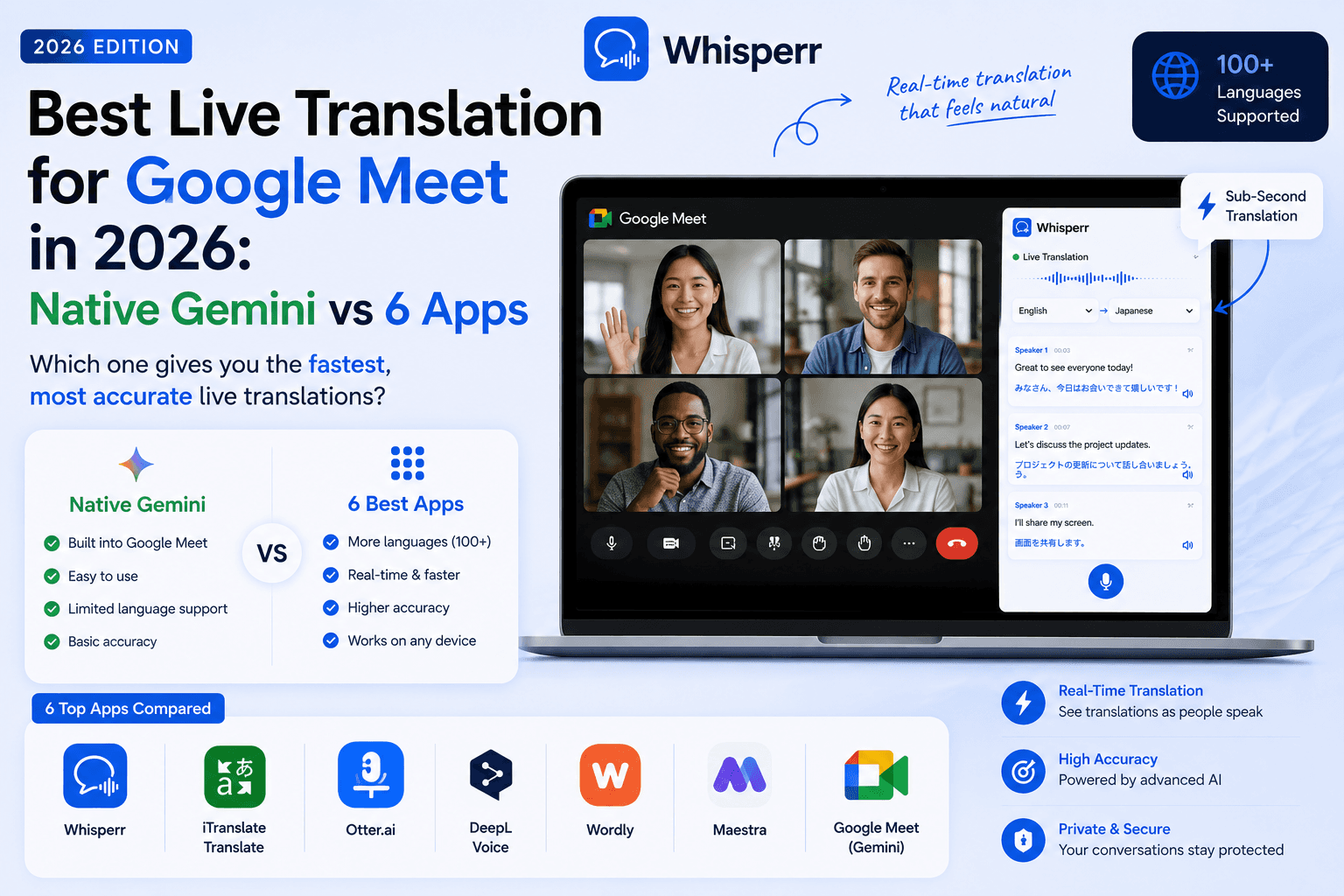
Type "translate google meet live" into a search engine and you get a wall of vendor listicles that quietly skip the most important fact: Google Meet now translates speech natively. So before we rank a single app, we will tell you exactly what the built-in feature does, what it costs, and the two situations where it cannot help you. Then we rank six apps for everyone the native feature leaves behind.
One thing up front: Whisperr is our product, so judge our ranking accordingly. We have linked every competitor's pricing page and attributed every number so you can check our claims yourself.

Google Meet has native translation now. Here is exactly what it does
This is the part most listicles bury, so let's cover it first.
Google rolled Gemini speech translation into Meet as a beta in mid 2025 and made it generally available in February 2026. When it is on, Meet translates what a speaker says into another language as near real-time dubbed speech, with the original voice's tone roughly preserved, plus translated captions. For the meetings it covers, it is genuinely good, and it is the right default answer for a lot of teams.
Now the fine print, as of July 2026:
- It needs a paid plan. Speech translation is tied to paid Google AI and Workspace tiers, not free Google accounts. Meet's older translated captions, the text-only version, also sit behind paid Workspace tiers, per Google's own plan comparison pages.
- The host's side controls it. The feature follows the meeting host's account and their organization's Workspace settings. If the host's org has it, the meeting can use it. Your own account being free or paid barely matters if you did not create the meeting.
- Language coverage is real but narrow. Google launched speech translation with English and Spanish and has been adding languages since, mostly major European ones like French, German, Italian, and Portuguese, per Google's Workspace update announcements. The list is growing, but as of July 2026 it is still a fraction of what participant-side apps cover, and long-tail pairs like Vietnamese, Thai, or Ukrainian are not there yet.
Which leaves two very common situations the native feature simply does not solve:
- You are an external guest on someone else's call. A client invites you, a supplier invites you, a school invites you. You cannot turn on a Workspace feature in a meeting you do not control, and you are not going to ask a prospect to file an IT ticket so you can understand them.
- Your organization has not paid for it. Free Google accounts and lower Workspace tiers do not include Gemini speech translation, and plenty of companies will not upgrade a whole workspace so that one team can run bilingual standups.
If either of those is you, everything below is your part of the article.
First decide which side of the call you are on
The entire "best tool" question collapses into one decision:
You host the meetings, and your org pays for Workspace with Gemini. Use the native feature. It is already integrated, everyone on the call benefits at once, and nothing else on this list will feel as seamless for the languages it supports. Only look at third-party tools if your language pair is missing or you also need translation on Zoom, Teams, or in-person conversations.
You join meetings other people host, or your org has not paid. You need a participant-side tool, meaning software that runs on your own device, hears the call audio, and gives you a live voice translate feed privately. Nobody else on the call has to install anything, approve anything, or even know. That is the scenario the six apps below are ranked for, and it is the scenario where they differ most: some capture your browser tab directly, some send a visible bot into the meeting, and some only work if the host sets them up, which quietly puts you back at square one.
The 7 options at a glance
Every number below comes from the vendor's own site or blog, checked in July 2026. Where a vendor publishes no number, the cell says so instead of getting a decorative checkmark.
Tool | Languages (vendor-stated) | Latency (vendor-stated) | Free tier | Entry paid price | Works from the participant side, no host permission | Approx. cost per translated hour |
|---|---|---|---|---|---|---|
Google Meet native (Gemini) | Started English-Spanish, now a growing handful incl. French, German, Italian, Portuguese (per Google) | No number published; near real-time dubbed speech | No | Included in paid Workspace / Google AI plans | No, host and org side | Included in plan |
Whisperr | 100+ languages, two-way | ~0.2 s per Whisperr's spec sheet | Yes | Pro $9.99/week or $84.99/year, unlimited | Yes, browser tab capture, no bot | Flat; 5 hours/week on Pro ≈ $2/hr and falls with use |
JotMe | 45+ to 200+ depending on which JotMe page you read | 3 to 4 s, self-stated | 20 min/month | Pro $9 to $10/month for 200 min | Yes, Chrome extension | ≈ $3/hr on Pro |
Boostlingo AI | 130+ languages | Not published | Consultation only | From $9.99/month with allotted minutes | Partly; extension and browser link, event setups are host-run | Depends on minute allotment |
VoicePing | 48 languages (46 recognized, 60 targets) | Not published | 90 min/month | Individual $31.50/month for 450 min | No; its bot joins the meeting visibly | ≈ $4.20/hr on Individual |
Wordly | Dozens of languages, 3,000+ pairs (per wordly.ai) | Not published | No instant trial, demo only | Custom quote, 10-hour packages; third-party reports cite $0.08 to $0.30 per word | No, host-run event platform | Custom |
Interprefy | Custom, incl. human interpreters | n/a | No | Custom enterprise quote | No, host-run | Custom |
Why the per-hour column matters: minute-metered plans look cheap until you do the math on real meeting loads. Two one-hour calls a week is about 8.7 hours a month, which already blows through JotMe's 200-minute Pro tier and would cost roughly $225 a month on Maestra's Premium plan at its $79 for 180 minutes rate, per maestra.ai's pricing page as of July 2026. Flat-rate unlimited plans do not have that failure mode.
1. Whisperr, best overall for participants and guests
Whisperr is a live voice translation app that runs on the devices you already own, with one feature that matters enormously for Google Meet: the web app captures your meeting tab directly in your browser. No bot joins the call, no host permission, no Workspace admin, no download. You join the Meet call like normal, capture the tab in Whisperr, and read live translated captions while the call plays.

Standout strengths
- Truly participant-side. Tab capture means the translation is invisible to everyone else on the call. This is the single feature that decides whether a tool works for external guests, and most of this list does not have it.
- 100+ languages, two-way by default. You pick two languages, and Whisperr translates both directions automatically, so a bilingual meeting needs zero fiddling with source and target settings. That covers far more pairs than Meet's native list as of July 2026.
- Fast. Whisperr's spec sheet puts latency around 0.2 seconds. For comparison, JotMe states 3 to 4 seconds on its own blog. In a live meeting that is the difference between following the current sentence and reacting one topic late.
- Unlimited on Pro. $9.99 a week or $84.99 a year buys unlimited transcription and voice translation on any device. No minute anxiety mid-call.
- Goes beyond Meet. The same account translates Zoom, Teams, and Webex calls, plus in-person conversation on the iPhone and Android apps, with Auto-speak reading the translation into your earbuds and a Floating Subtitles overlay for videos. There is also an optional meeting bot for teams that want shared transcripts. See the full meeting workflow at whisperr.co/use-cases/meetings.
- Third-party standing. About 200k users and a 4.8 rating on the App Store. Honest caveat: the G2 listing is new and has no reviews yet.
Limitations
- Tab capture needs a desktop browser; on mobile you use the app's other modes instead.
- Your captions are private to you by default; to give the whole room a translated feed you use Broadcast mode rather than the captions appearing inside Meet's own UI.
- No human interpreters, and it needs an internet connection.
Pricing (July 2026): Free tier; Pro $9.99/week or $84.99/year with a free trial; Teams and Enterprise $29/user/month or $120/user/year with multiple simultaneous connections and consolidated billing.
Best for: anyone who joins Google Meet calls they do not control and wants live voice translation in under a minute, without asking permission.
2. JotMe, best budget Chrome extension
JotMe is a Chrome extension built specifically around meeting translation, and Google Meet is its home turf. It overlays translated captions on the call and takes notes, and like Whisperr it works from the participant side with no bot.
Standout strengths
- Purpose-built Meet integration in Chrome, quick to set up.
- Genuinely cheap for light use: the free tier gives 20 translation minutes a month, and Pro is $9 to $10 a month for 200 minutes, about $3 per translated hour.
- No bot joins the call, so it passes the guest test.
Limitations
- Self-stated latency of 3 to 4 seconds on JotMe's own pillar and Teams articles. That is 15 to 20 times Whisperr's stated spec, and you feel it in fast exchanges.
- The language count depends on which JotMe page you read: 45+ in their Zoom article, 107 in their Meet and Teams articles, 77 for Chrome and 200+ for desktop in their pillar post, all live on their blog in July 2026. Whatever the real number, the inconsistency is worth knowing before you rely on a specific pair.
- Minute metering. 200 minutes is under one hour of meetings a week, and the $15/month Premium tier's 500 minutes is barely two.
- Chrome only for the extension, and no third-party review scores published.
Pricing (July 2026, per jotme.io): Free 20 min/month; Pro $9 to $10/month, 200 min; Premium $15/month, 500 min; $50 prepaid mobile pack, 500 min with 1-month validity.
Best for: light users who live in Chrome, have one or two short multilingual calls a week, and want the lowest possible monthly spend.
3. Boostlingo AI, best when you might need a human interpreter
Boostlingo comes from the professional interpreting industry, and its AI product, now folded into Boostlingo Events, reflects that: AI captions and translation for meetings, with an escalation path to real human interpreters over phone or video when the stakes require it.
Standout strengths
- 130+ languages and 4,644 language combinations, per boostlingo.com.
- Works with Meet, Zoom, and Teams, and attendees can receive translation through a simple browser link or QR code with nothing to install.
- The human-interpreter backbench is unique on this list. For legal, medical, or compliance-sensitive conversations, machine-only translation may not be acceptable, and Boostlingo can put a professional on the line.
Limitations
- Pricing beyond the $9.99 entry point is quote-driven, and the minute allotments are not published on the pricing page, so budgeting requires a sales conversation.
- No published latency figure as of July 2026.
- The polished setups are organizer-run; as a lone guest on someone else's call, the experience is thinner than Whisperr or JotMe.
Pricing (July 2026, per boostlingo.com): monthly subscription with allotted minutes from $9.99/month; human interpreting and event packages by quote.
Best for: organizations that want AI translation day to day with certified human interpreters one click away.
4. VoicePing, best bot-based option with transcripts
VoicePing is a Japanese-built AI interpretation platform whose current version sends a meeting bot into your Google Meet, Zoom, or Teams call and returns live translation plus transcripts and summaries. It is popular for Japanese-English business meetings and it shows in the product's polish for that pair.
Standout strengths
- Clear, published numbers: speech recognition in 46 languages, translation into 60 targets, 48 languages overall, per voiceping.net in July 2026.
- A real free tier of 90 minutes a month, enough to evaluate it on actual calls.
- The bot workflow produces shared transcripts and meeting summaries automatically, useful for teams that treat translation and minutes as one job.
- Desktop app can also capture system audio for non-meeting use.
Limitations
- The bot is visible. It joins the call as a participant, which means the host can see it, waiting rooms can block it, and you generally need at least the host's tolerance if not their permission. As an external guest that is often a dealbreaker.
- Entry pricing is the steepest of the app options: $31.50/month for 450 minutes works out to about $4.20 per translated hour, and the unlimited Premium tier runs $330 to $473/month.
- No published latency figure.
Pricing (July 2026, per voiceping.net): Free 90 min/month; Individual $31.50 to $126.50/month for 450 to 2,000 minutes; Premium unlimited $330 to $473/month; Enterprise $9.90/account/month at 50+ accounts.
Best for: teams, especially Japanese-English ones, that want bot-generated transcripts and summaries and do not mind the bot being seen.
5. Wordly, best for host-run events on Meet
Wordly is an AI interpretation platform for events: conferences, webinars, all-hands, hybrid town halls. The organizer connects Wordly to the session, and attendees open a link or scan a QR code to pick their language and get live audio translate or captions on their own device.
Standout strengths
- Built for scale. Thousands of attendees can each pick their own language simultaneously, something no participant-side app is designed to do.
- Dozens of languages and 3,000+ language pairs, per wordly.ai, with two-way support so speakers can present in different languages.
- Attendee experience is genuinely frictionless: no downloads, just a link.
Limitations
- Entirely host-run. If you are a guest hoping to understand a call, Wordly is not addressed to you.
- No instant trial and no public pricing; sales sell 10-hour packages by quote, and third-party pricing reports cite $0.08 to $0.30 per word, which for a talk-dense hour adds up quickly.
- Overkill for a weekly team standup.
Pricing (July 2026): custom quotes on 10-hour packages, demo required; per-word figures above are from third-party reports, not Wordly's site.
Best for: event organizers running large multilingual sessions on Meet or a webinar platform, with a real budget line for interpretation.
6. Interprefy, best enterprise-grade with human interpreters
Interprefy is a remote simultaneous interpretation platform from the conference-interpreting world. It streams professional human interpreters, with AI translation as an option, into your event or meeting, including Google Meet.
Standout strengths
- Human simultaneous interpreters remain the gold standard for high-stakes settings: diplomacy, earnings calls, regulated industries.
- Handles the full production side of large multilingual events, with support staff, not just software.
Limitations
- Custom enterprise pricing only; this is procurement, not a signup form.
- Host-run by definition. Useless for a guest, and heavy for routine internal meetings.
Pricing (July 2026): custom quotes.
Best for: enterprises and institutions where translation errors carry legal or reputational cost and human interpreters are non-negotiable.
Also considered: Maestra (125+ languages, but its $39/month Basic plan includes no translation minutes at all, Premium is $79/month for 180 minutes, roughly $26 per translated hour, and it publishes no latency number, per maestra.ai in July 2026), Talo ($33/month Starter with 1,140 minutes per year and a bot that joins the call, per talo's pricing page), and DeepL Voice (excellent translation quality but 14 languages by DeepL's core count, Teams-focused, and no public pricing). All three are real products; none beat the tools above for the Google Meet guest scenario this article is about.
How to translate a Google Meet call you joined as a guest
Here is the participant-side workflow with Whisperr, start to finish. It takes about a minute the first time and seconds after that.
Step 1: Join the Meet call in your browser
Join the meeting normally in a browser tab. Nothing about your Meet setup changes, and you do not need to tell anyone what you are about to do.
Step 2: Open the Whisperr web app in a second tab
Open the web app in another tab of the same browser. The free tier is enough to test this whole flow. If you prefer, the browser extension does the same job without the second tab.
Step 3: Pick your two languages
Choose the two languages on the call, say English and Japanese. There is no source or target to configure; Whisperr's voice translation is two-way by default, so it handles both sides of the conversation automatically.
Step 4: Start a session and capture the Meet tab
Start a new session and choose screen or tab capture, then select your Google Meet tab and make sure tab audio sharing is on. Whisperr now hears exactly what you hear.

Step 5: Arrange the windows and follow along
Put the Meet tab and the Whisperr tab side by side, or keep Whisperr on a second monitor. Live captions in both languages stream as people speak. When it is your turn, speak in your own language; the same session transcribes and translates you too.
Step 6: Optional, turn on Auto-speak
Enable Auto-speak translations and Whisperr reads the live voice translate feed into your earbuds, so you can watch the speaker instead of the captions. Adjust the speaking speed to taste.

The same capture trick works on Zoom, Teams, and Webex tabs, and the live translation engine underneath is identical across all of them.
When Whisperr is not the right choice
An honest list, because no tool wins every scenario.
- You host, and your org already pays for Workspace with Gemini. Use the native feature for supported languages. It is integrated, it is dubbed speech rather than captions, and everyone benefits at once without installing anything.
- You are running a 3,000-person conference. That is Wordly or Interprefy territory: per-attendee language selection at scale and, with Interprefy, human interpreters. Whisperr's Broadcast mode shares a live caption feed with an audience, but it is not a full event-production platform.
- The conversation is legally or medically sensitive. Machine translation, ours included, should not be the only bridge in a courtroom or a diagnosis. Use a professional human interpreter, possibly via Boostlingo or Interprefy.
- You need offline translation. Whisperr needs an internet connection. Fully off-grid scenarios are better served by on-device tools, with real trade-offs in quality and scope.
- Your language is outside the supported list. Whisperr covers 100+ languages, but check yours on the site before a meeting that matters.
Frequently Asked Questions
Can Google Meet translate in real time?
Yes. As of July 2026, Google Meet has native Gemini speech translation, generally available since February 2026, which dubs speakers into a supported language in near real time. It requires a paid Google Workspace or Google AI plan on the host's side and covers a growing but still short list of languages. Participants on calls without it can use a participant-side app like Whisperr or JotMe instead.
Is Google Meet translation free?
No. Both the older translated captions and the newer Gemini speech translation are tied to paid plans, per Google's plan comparison pages as of July 2026. On a free Google account your options are a third-party tool; Whisperr and JotMe both have free tiers, and VoicePing gives 90 free minutes a month.
Can I translate a Google Meet call if my company doesn't have Gemini?
Yes. Run a participant-side translator on your own device. The Whisperr web app captures your Meet tab in the browser and shows live two-way captions with no bot, no host permission, and no Workspace admin involvement, so it works even when you are an external guest. JotMe's Chrome extension is a slower but cheaper alternative for light use.
Does Google Meet translated captions work for external guests?
Only if the host's organization has the feature. Meet's translation follows the meeting host's paid plan and settings, not yours, so as an external guest you cannot switch it on yourself. If the host's org has not enabled it, the only route that stays in your control is a tool running on your own device, like Whisperr's tab capture.
What languages does Google Meet speech translation support?
Google launched speech translation with English and Spanish and has since added major European languages such as French, German, Italian, and Portuguese, per Google's Workspace update announcements, with more promised. As of July 2026 the list remains far shorter than participant-side apps; Whisperr covers 100+ languages and Boostlingo states 130+. Check Google's current support page for your pair before relying on it.
Which AI translates meetings?
Several, split by who controls them. Native AI built into the platform: Gemini in Google Meet, Zoom's Voice Translator beta, and Teams Premium translated captions, all host-side and paid. Participant-side AI you run yourself: Whisperr, with tab capture and a stated latency around 0.2 seconds, and JotMe, self-stated 3 to 4 seconds. Host-run event AI: Wordly, Boostlingo, and Interprefy.
Is there a better tool than Google Translate for meetings?
For meetings, yes, almost anything purpose-built. Google Translate's conversation mode is free but supports about 70 languages with a two-speaker limit and, critically, no way to capture meeting audio from a call. A meeting-focused realtime voice translator like Whisperr listens to the actual Meet tab and translates 100+ languages two-way, which is the difference between a travel tool and a meeting tool.
Does Whisperr need a bot in the meeting?
No. The default workflow is tab capture in your browser, which is invisible to other participants, and there is nothing for a host to admit or block. Whisperr also offers an optional meeting bot for Meet, Zoom, and Teams for teams that want shared transcripts, but you never need it just to understand a call.
The bottom line
The honest ranking for "google meet live translation" in 2026 has a fork at the top. Hosts inside a paid Gemini Workspace should use the native feature; it is the best integrated option for the languages it covers, and no app vendor should pretend otherwise. Everyone else, guests, externals, free-account users, and anyone whose language is not on Google's list yet, needs a participant-side tool, and there Whisperr is the strongest option: 100+ languages two-way, a spec-sheet latency around 0.2 seconds, tab capture with no bot and no permissions, and an unlimited plan that costs less per month than metered rivals charge for a few hours. Test the claim on your next call with the web app for free, and see the full meeting setup at whisperr.co/use-cases/meetings.