
Google Meet
Translate Google Meet Calls in Real Time
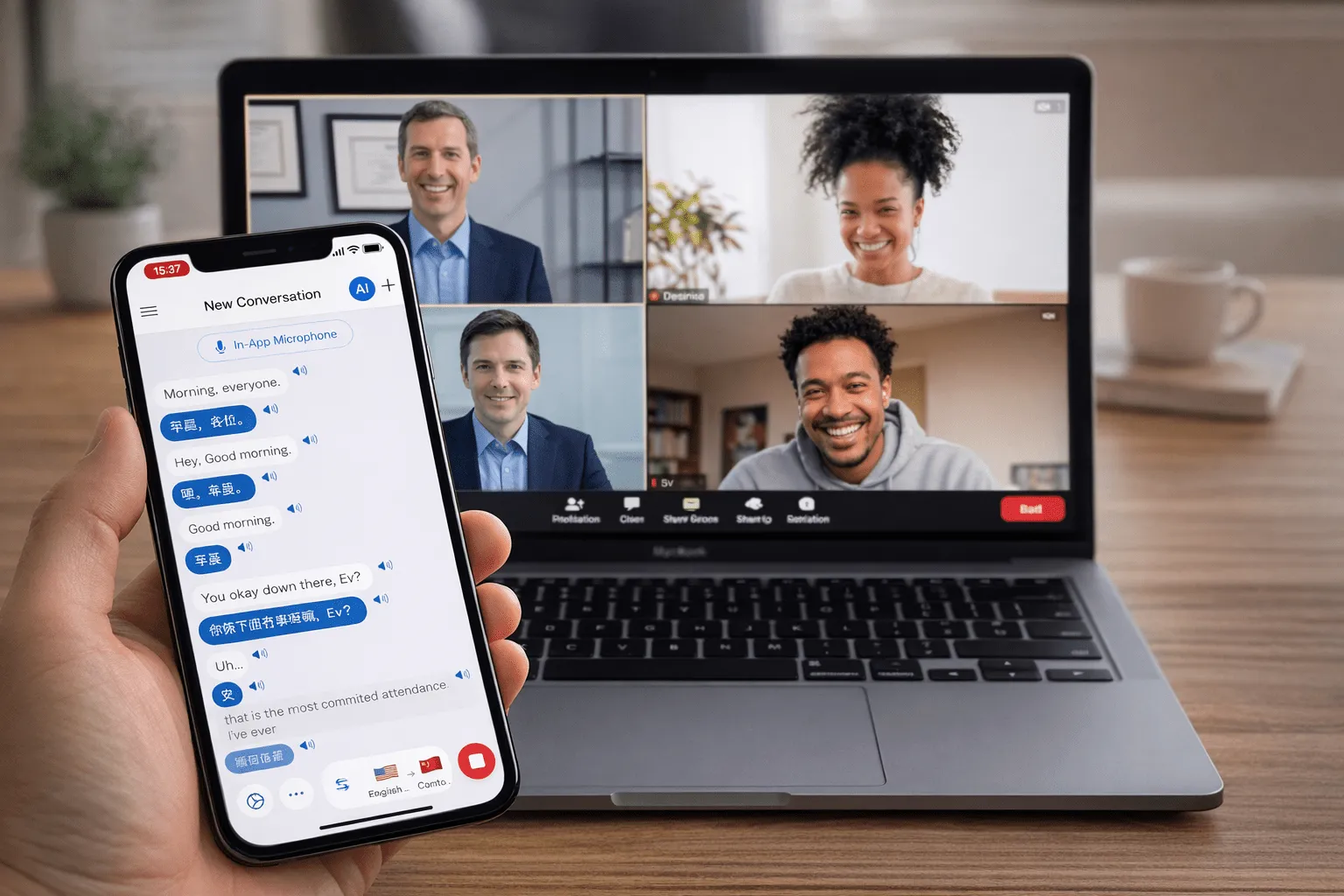
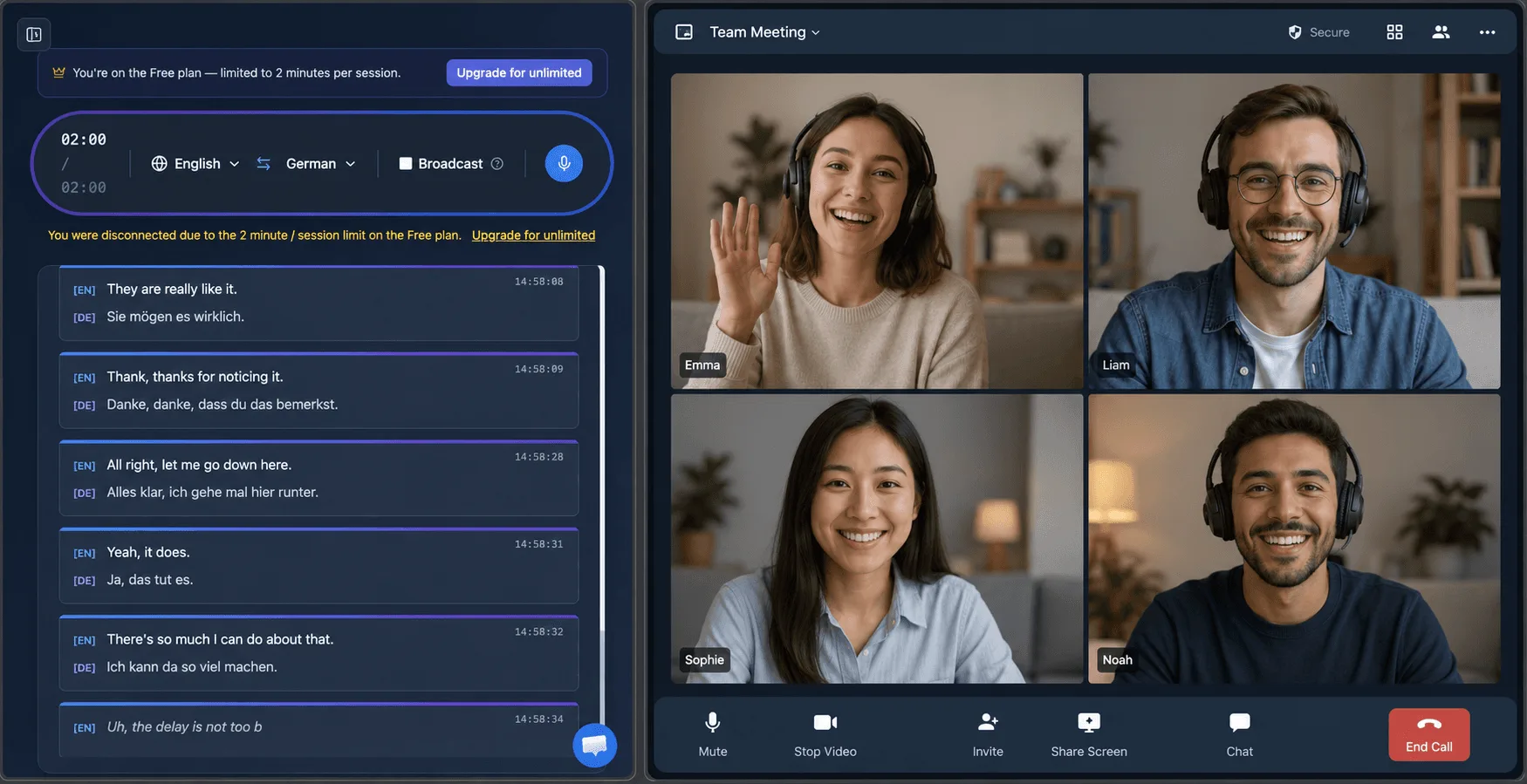
Meet’s translated captions need a paid Google Workspace tier. Whisperr adds real-time, two-way translation and subtitles to any Google Meet — even free accounts — in 100+ languages.
How to translate a Google Meet call
Four ways to capture and translate your Meet audio — pick the one that fits your setup, in order of audio quality.
- 1
System audio (Mac or Windows — best setup)
Join Meet in a browser as usual, and let the Whisperr desktop app capture your computer’s System audio instead of the tab specifically. Clean digital audio, no background noise. Want to share your own translated speech too? Turn on Broadcast Mode and paste the room link into the Meet chat — others read it live in their own language, no Workspace upgrade or admin permission required.
- 2
Browser tab capture (Chrome Extension or Web App)
Google Meet already runs in a Chrome tab, so on a computer where you can’t install the desktop app, use the Whisperr Chrome Extension or Web App to capture that tab’s audio directly.
- 3
Microphone (works on any device)
On iOS, Android, Mac, Windows, or the Web App, you can also just let Whisperr listen through your device’s microphone — put the meeting on speaker and turn Echo Cancellation off in Settings. No extra hardware, and handy when the desktop app or tab capture isn’t an option, though background noise can reduce accuracy.
- 4
Meeting Bot (translate everyone, any device)
Invite the Whisperr meeting bot into the call to capture every participant and deliver real-time transcription and translation for the whole meeting. Available on iOS, Mac, Windows, and the Web App — not yet on Android, and not through the Chrome Extension.
What users say
Whisperr review
“I love how easy Whisperr is to use and how it accurately understands and translates text and speech across different languages. It's so effective that even in scenarios where other tools might fail, Whisperr performs perfectly. Additionally, the ability to select languages for translation directly on a phone is fantastic. This feature helps us translate church services, ensuring everyone understands without missing anything important. The initial setup was straightforward, making it smooth to start using immediately.”
Fast Translations and a Clear, Easy-to-Read Layout
“It translated really fast, and the way the text appears on the screen—with its clear layout—is very easy to read.”
Whisperr Delivers Lightning-Fast, Highly Accurate Real-Time Translation
“The translation is extremely fast and accurate; after comparing several programs, I consider Whisperr to be the fastest and most accurate real-time translation app.”
Top-Notch Speech Recognition and Flashcard-Style Translations for Fast Study
“Whisperr's speech recognition and translation quality are both top-notch, and better than similar tools I've tried so far. Beyond that, as a Japanese learner, I especially like how Whisperr displays each sentence and its translation almost like flashcards, with a text-to-speech button for each one. That setup makes studying feel fast and efficient, and it's easy to review sentence by sentence.”
Simple Real-Time Translation for Work
“I like best about Whisperr is that it feels simple and straightforward to use.”
Awesome
“This is very useful, extremely user-friendly, easy to use, and the recognition capability is very precise, with very fast speed. It should be the most accurate and fastest translation I've used so far.”
Easy to use
“Whisperr is easy to get started and no hassle at all. A great tool to learn languages and for travelling.”
Exceptional outcomes
“I attempted English to Hindi translation and achieved highly accurate results.”
Amazing
“Using it for Spanish to English and it’s amazing!”
Worth hundreds of thousands of yen
“The same performance as other conversation translation apps. Those charge by the minute, but this one is apparently a one-time purchase, so the value for money is outstanding. Compared with about five similar apps, this one is the best on both performance and price. I wonder whether it was made by a Japanese developer??”
Translated from Japanese
Built for live meetings
Understand any Google Meet call — no business account
Real-time conversation translation that works on free Meet — system audio, a browser tab, your microphone, or the Whisperr app on any device.
No business account
Meet’s translated captions need a paid Workspace tier. Whisperr works on any Meet, including free personal accounts.
Best on desktop
The Mac and Windows apps capture System audio directly, no browser tab required. Tab capture is still there for a computer where you can’t install the desktop app.
Real-time, not delayed
Translation appears in about 0.2 seconds — fast enough for live back-and-forth.
Two-way by default
Auto-detects both languages and translates in both directions automatically.
Live subtitles & speech
Read on-screen captions or hear spoken output in your language during the call.
100+ languages
Well beyond Meet’s built-in translated-caption languages, including long-tail languages.
Never miss a word in a Google Meet call again
Add live translation to your next Meet in 100+ languages — free to try.
Start Translating FreeGoogle Meet translation FAQ
Can I translate a Google Meet call in real time?+
Do I need a Google Workspace business account?+
Does it translate everyone or just me?+
Do other people need to install anything?+
How much delay is there?+
Which languages are supported?+
Is it free?+
Ready to translate your next Google Meet call?
Break the language barrier in any meeting with live, two-way translation.
Get Started Free