如何翻译 Webex 会议
三种方式捕获并翻译 Webex 音频,选择最适合你的方案。
- 1
System audio (Mac or Windows — best setup)
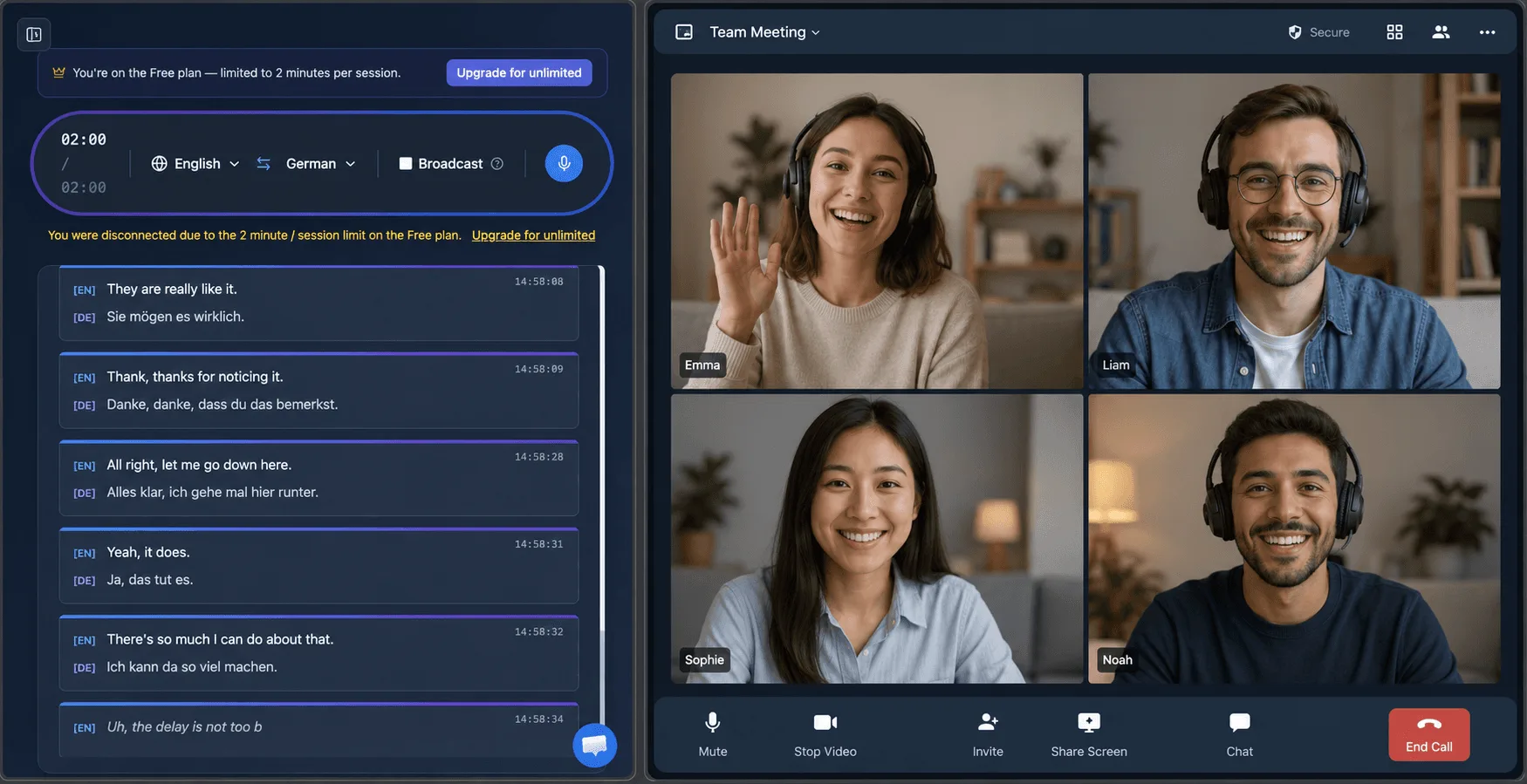
Join the Webex call however you normally do — the native app or a browser — and let the Whisperr desktop app capture your computer’s System audio. Clean digital audio, no background noise, and it works with the native Webex app, not only a browser tab. Want to share your own translated speech too? Turn on Broadcast Mode and paste the room link into the Webex chat — attendees read it live in their own language, no enterprise license required.
- 2
Tab capture (Chrome Extension or Web App)
On a computer where you can’t install the desktop app, join the meeting in the Webex web app (a Chrome tab) and use the Whisperr Chrome Extension or Web App to capture that tab’s audio directly.
- 3
Microphone (works on any device)
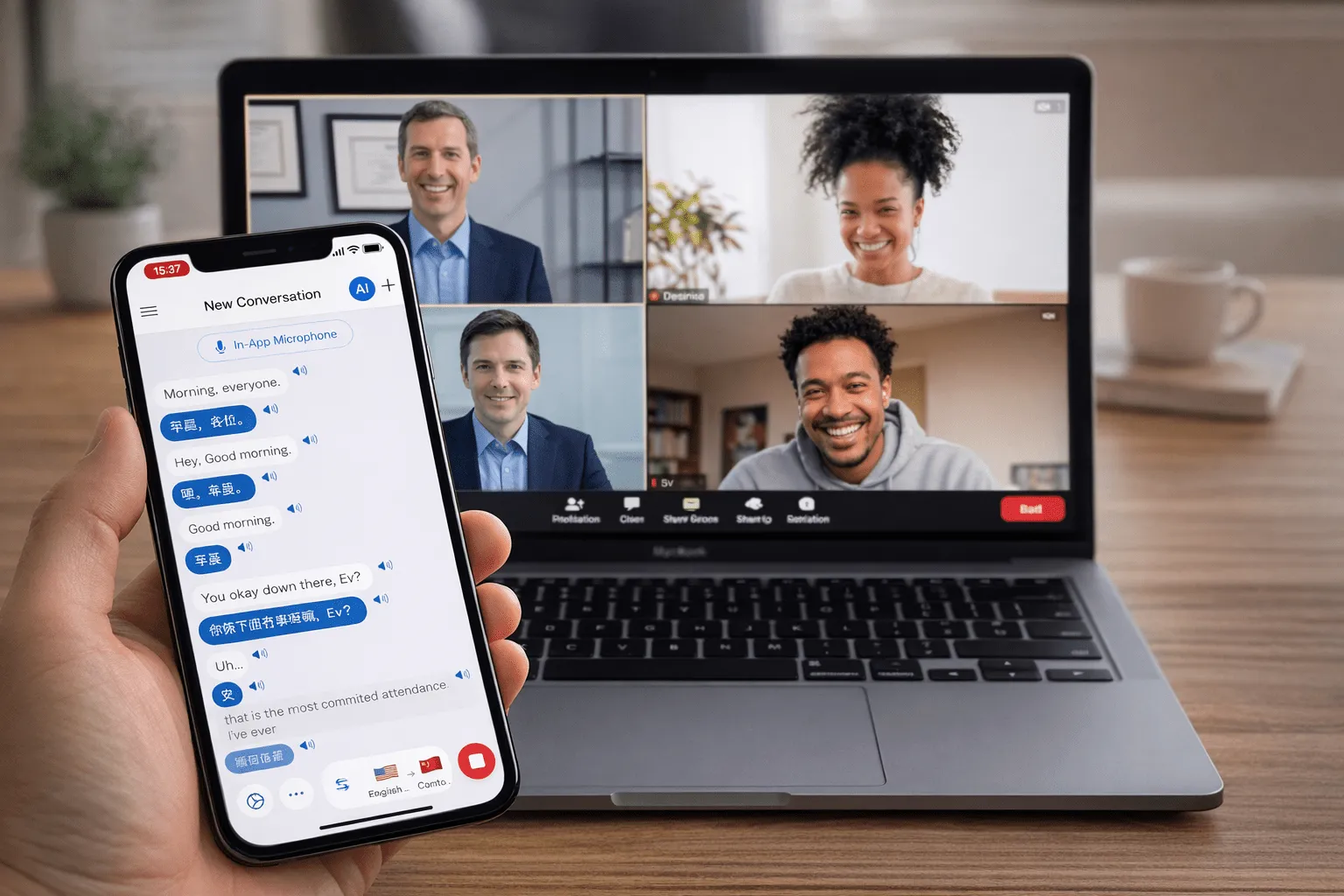
On iOS, Android, Mac, Windows, or the Web App, play the meeting through your speakers and let Whisperr listen through your device mic — no browser tab or extension required. The Whisperr meeting bot does not yet support Webex; it currently joins Zoom, Google Meet, and Microsoft Teams calls.
用户怎么说
Whisperr 使用体验
“我很喜欢 Whisperr 使用起来有多简单,也很喜欢它能准确理解并翻译不同语言的文字和语音。它非常有效,即使在其他工具可能出错的场景下,Whisperr 也能完美运行。此外,可以直接在手机上选择要翻译的语言,这一点非常棒。这项功能帮助我们翻译教会礼拜,确保每个人都能理解,不错过任何重要内容。初始设置很简单,让我能立刻顺利开始使用。”
译自英语
翻译速度快,界面清晰易读
“翻译速度非常快,屏幕上文字呈现的方式——布局清晰——非常容易阅读。”
译自英语
Whisperr 提供闪电般快速且高度精准的实时翻译
“翻译速度极快且准确;在比较了几款程序之后,我认为 Whisperr 是最快、最精准的实时翻译应用。”
译自英语
一流的语音识别,还有像单词卡一样的翻译显示,学习效率很高
“Whisperr 的语音识别和翻译质量都是一流的,比我此前试过的同类工具更好。此外,作为日语学习者,我特别喜欢它把每个句子和对应的翻译像单词卡一样并排显示,每一条还配有朗读按钮。这样的设计让学习变得既快又高效,也很容易一句一句地回顾。”
译自英语
简单好用的工作实时翻译
“我最喜欢 Whisperr 的一点是,它用起来简单直接。”
译自英语
很棒
“非常实用,界面友好,操作简单,识别能力非常精准,速度也很快。应该是我目前用过最准确、最快的翻译。”
译自英语
简单好用
“Whisperr 上手很容易,一点也不麻烦。学语言和旅行都很好用。”
译自英语
效果出色
“我试了英语到印地语的翻译,结果非常准确。”
译自英语
太棒了
“我用它把西班牙语翻成英语,效果太棒了!”
译自英语
值几十万日元
“性能和其他对话翻译应用一样。那些应用要按分钟计费,而这个应该是买断制,所以性价比非常高。和五个左右的同类应用相比,这款在性能和价格上都是最好的。不知道是不是日本人做的应用??”
译自日语
专为实时会议打造
无需企业附加组件,听懂每一个 Webex 通话
实时对话翻译,与 Webex 并行运行,无需 IT 部署或升级许可证。
无需企业附加组件
Webex 实时翻译需要付费套餐才能解锁。Whisperr 适用于任意 Webex 套餐,无需管理员配置。
支持 100+ 种语言
远超 Webex 实时翻译的语言范围,涵盖众多小语种。
实时翻译,无延迟感
翻译约 0.2 秒内呈现,完全满足实时双向对话需求。
默认双向翻译
自动识别双方语言,双向同步翻译,无需手动设置。
实时字幕与语音输出
会议中可查看屏幕字幕,也可收听目标语言的语音输出。
桌面端或网页端均可用
可配合 Webex 网页应用使用标签页捕获,也可配合 Webex 桌面应用使用麦克风捕获或 Meeting Bot。