Discord
Translate Discord Voice Chat in Real Time
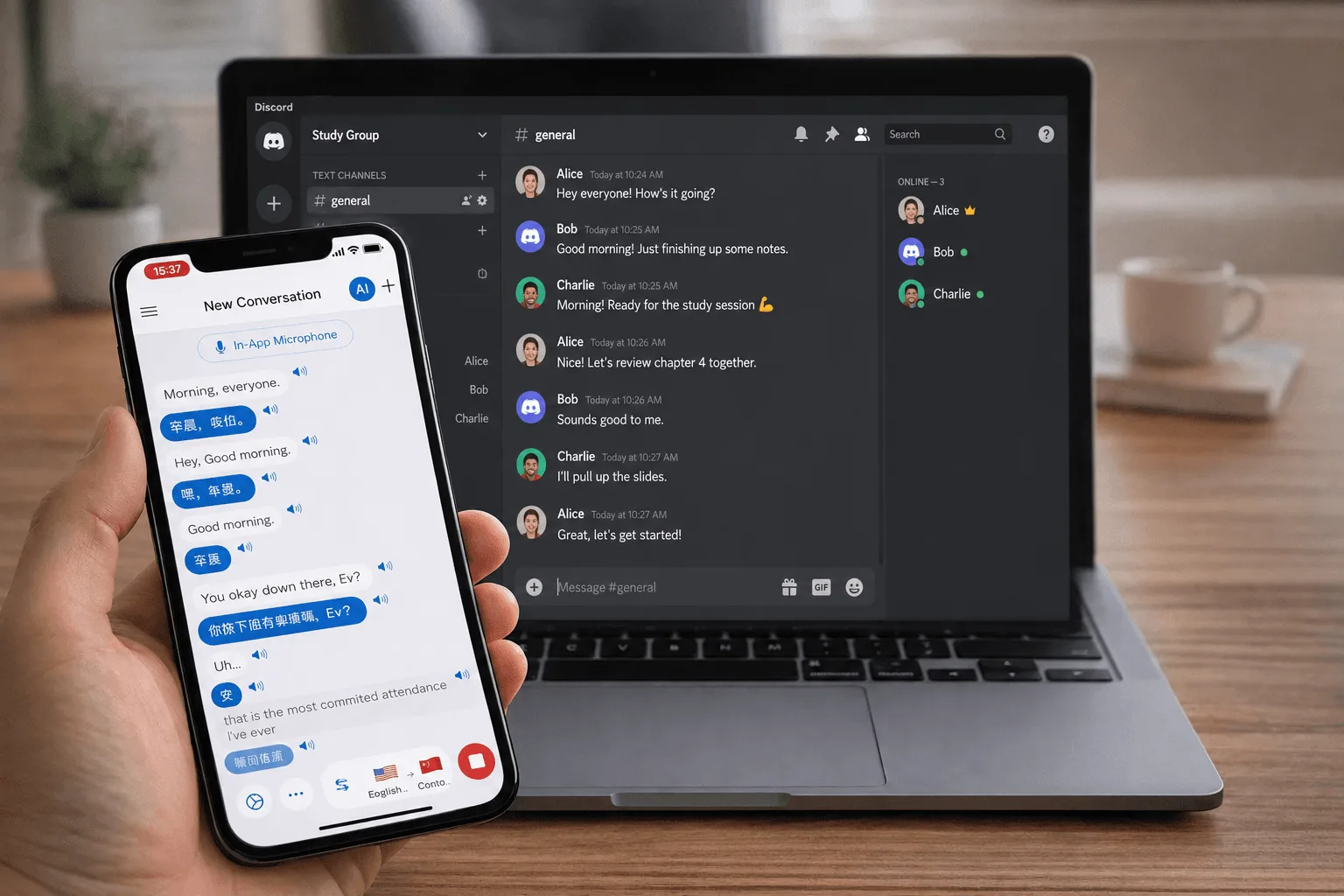
Play, mod, and hang out across languages. Whisperr adds live, two-way voice translation to Discord voice channels and Stages — 100+ languages, ~0.2s latency, fast enough to keep up with the banter.
How to translate Discord voice chat
Three ways to capture and translate Discord audio — for solo play or a whole server.
- 1
Browser tab capture (Chrome Extension or Web App)
Open Discord in a Chrome tab, join a voice channel, then use the Whisperr Chrome Extension or Web App to capture the tab audio. Cleanest digital audio — great for following teammates while you play.
- 2
Microphone / system audio capture (desktop app)
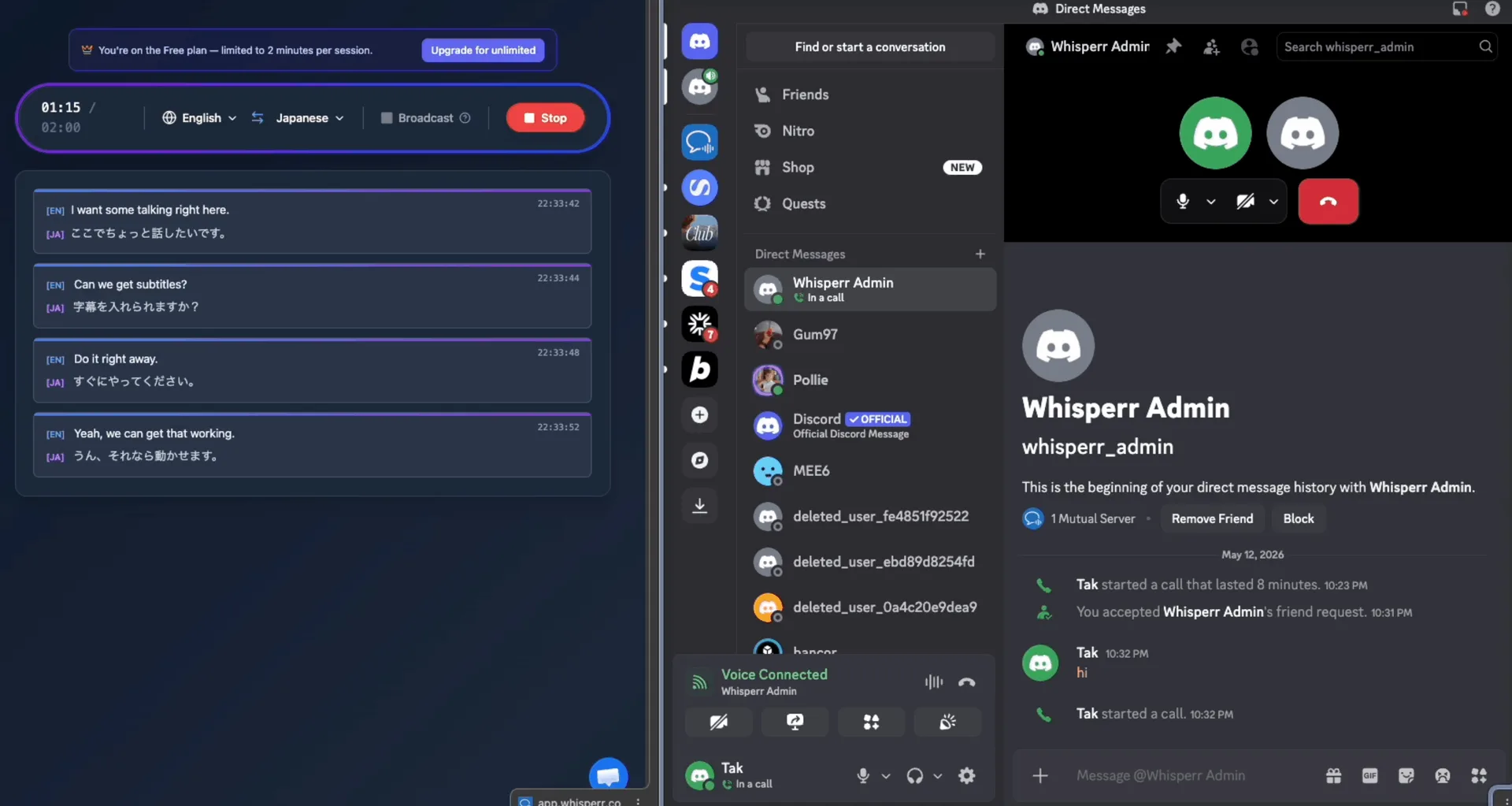
Prefer the Discord desktop app? Use Whisperr's audio capture to translate what comes through your headset or speakers in real time, with on-screen subtitles or spoken output.
- 3
Broadcast Mode (share your translation)
Capture your own mic with Whisperr, click Broadcast Mode, and drop the room link in the channel's text chat. Others read your words live in their own language — no app or signup needed.
Built for voice chat
Squad up across any language
Low-latency, two-way translation built for fast voice chat — gaming, communities, and Stages.
Low latency for banter
Translation in about 0.2 seconds keeps up with quick back-and-forth callouts and jokes.
Two-way by default
Auto-detects both languages and translates both directions, so cross-language squads just talk.
Works in Stages
Use it in voice channels and Stage channels alike — follow speakers or share your own translated speech.
100+ languages
Connect with international communities, including many long-tail languages other tools skip.
Runs alongside Discord
Whisperr captures audio independently — no bots forced on the server, no changes to your Discord setup.
Desktop or browser
Use tab capture with Discord in the browser, or audio capture alongside the Discord desktop app.
Never lose the conversation in voice chat
Add live translation to your next Discord session in 100+ languages — free to try.
Start Translating FreeDiscord translation FAQ
Can I translate Discord voice chat in real time?+
Does it work in voice channels and Stage channels?+
Will using it get me banned?+
Does it work with the Discord desktop app or only the browser?+
How much delay is there?+
Which languages are supported?+
Is it free?+
Ready to translate your next Discord session?
Break the language barrier in any voice channel with live, two-way translation.
Get Started Free