
Classrooms & Lectures
Real-Time Classroom & Lecture Translation
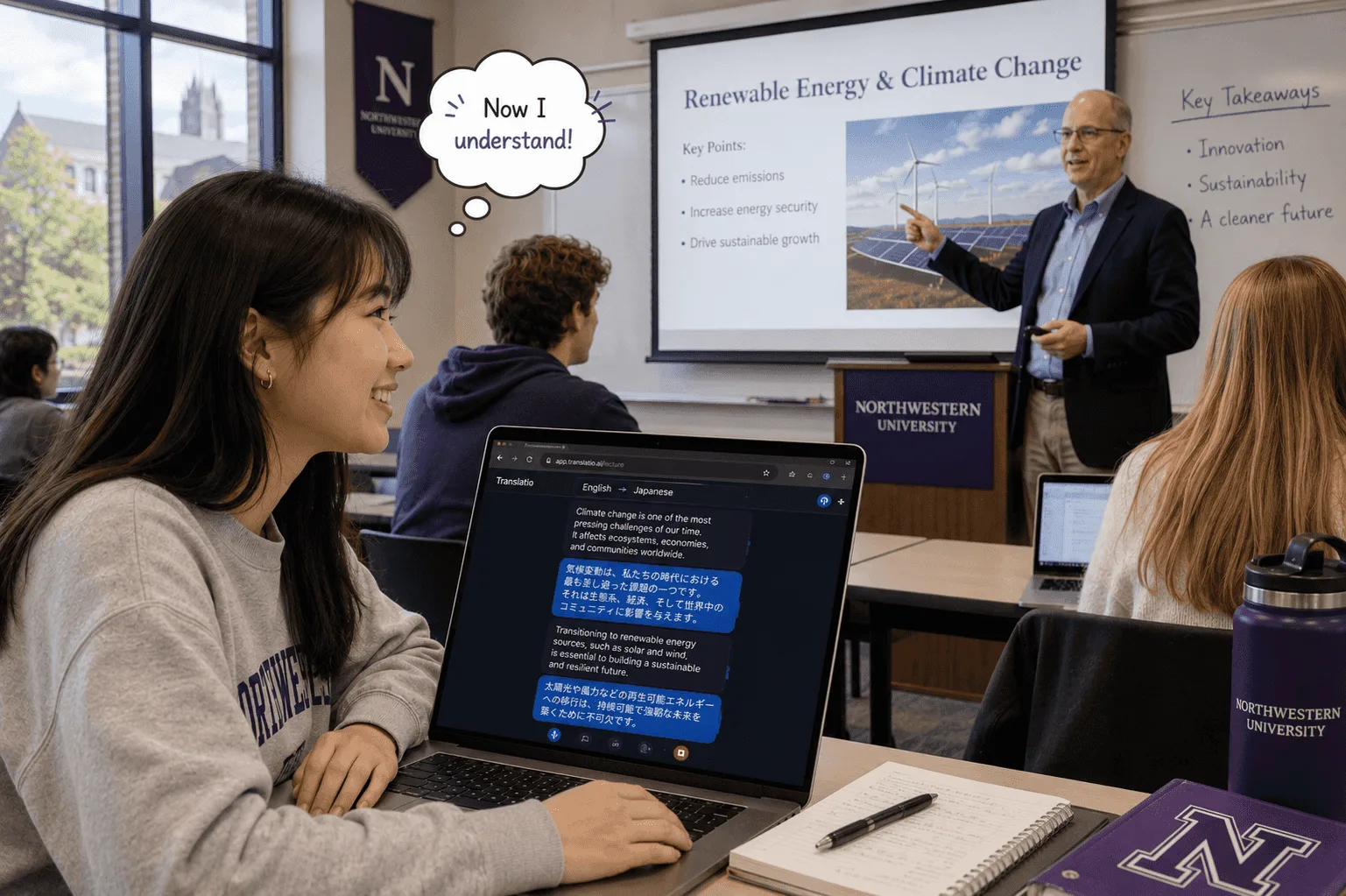
Keep up with every lecture, even in a second language. Whisperr turns the speaker’s words into live translated captions in 100+ languages — ~0.2s latency.
How to use Whisperr in class
For lecture halls and online classes.
- 1
In the hall: microphone capture
Place your phone on the desk and let Whisperr listen to the lecturer. Live translated captions appear on your screen as they speak.
- 2
Online class: system audio or tab capture
For a Zoom, Teams, or Meet class, the Whisperr Mac or Windows app can capture your computer’s system audio directly — no browser tab needed. On a locked-down computer, join in a Chrome tab instead and capture it with the Whisperr Chrome Extension or Web App.
- 3
Keep the transcript for study
Save the on-screen transcript to review terms and key points after class.

What users say
Whisperr review
“I love how easy Whisperr is to use and how it accurately understands and translates text and speech across different languages. It's so effective that even in scenarios where other tools might fail, Whisperr performs perfectly. Additionally, the ability to select languages for translation directly on a phone is fantastic. This feature helps us translate church services, ensuring everyone understands without missing anything important. The initial setup was straightforward, making it smooth to start using immediately.”
Fast Translations and a Clear, Easy-to-Read Layout
“It translated really fast, and the way the text appears on the screen—with its clear layout—is very easy to read.”
Whisperr Delivers Lightning-Fast, Highly Accurate Real-Time Translation
“The translation is extremely fast and accurate; after comparing several programs, I consider Whisperr to be the fastest and most accurate real-time translation app.”
Top-Notch Speech Recognition and Flashcard-Style Translations for Fast Study
“Whisperr's speech recognition and translation quality are both top-notch, and better than similar tools I've tried so far. Beyond that, as a Japanese learner, I especially like how Whisperr displays each sentence and its translation almost like flashcards, with a text-to-speech button for each one. That setup makes studying feel fast and efficient, and it's easy to review sentence by sentence.”
Simple Real-Time Translation for Work
“I like best about Whisperr is that it feels simple and straightforward to use.”
Awesome
“This is very useful, extremely user-friendly, easy to use, and the recognition capability is very precise, with very fast speed. It should be the most accurate and fastest translation I've used so far.”
Easy to use
“Whisperr is easy to get started and no hassle at all. A great tool to learn languages and for travelling.”
Exceptional outcomes
“I attempted English to Hindi translation and achieved highly accurate results.”
Amazing
“Using it for Spanish to English and it’s amazing!”
Worth hundreds of thousands of yen
“The same performance as other conversation translation apps. Those charge by the minute, but this one is apparently a one-time purchase, so the value for money is outstanding. Compared with about five similar apps, this one is the best on both performance and price. I wonder whether it was made by a Japanese developer??”
Translated from Japanese
Built for learning
Never fall behind in a lecture
Real-time translated captions designed for fast-paced teaching.
Live captions
See the lecturer’s words in your language as they speak.
Real-time
Captions in about 0.2 seconds keep pace with a fast lecture.
100+ languages
Study abroad or follow guest speakers in any language.
Hall or online
Microphone capture in a classroom; for an online class, system audio on Mac or Windows, or tab capture on the web.
Save the transcript
Keep a transcript to revisit terminology and key points.
Handles academic speech
Built for technical vocabulary, accents, and long talks.
Never miss a key point in class
Follow your next lecture in 100+ languages — free to try.
Start Translating Free