
Whisperr vs Maestra
Whisperr vs Maestra
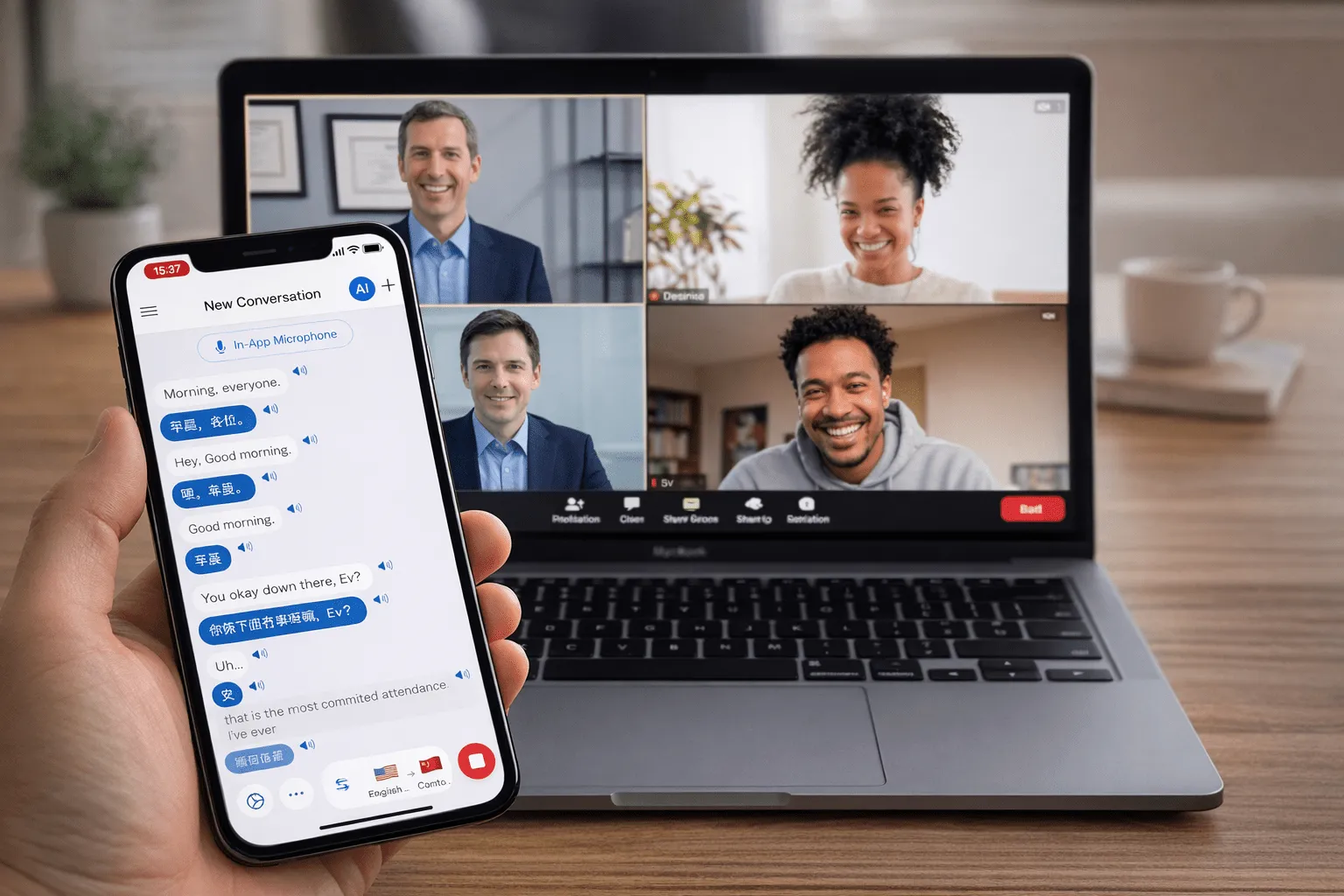
These two get compared constantly and they are not the same kind of product. Whisperr translates live conversation — 100+ languages, ~0.2s, both directions, unlimited on a flat plan. Maestra produces media: subtitle files, translated transcripts, AI dubbing, plus real-time captions on a monthly minute allowance.
- 1
Pick your source
Microphone for in-person talk, or a browser tab / system audio for a call, video, or anything else playing sound.
- 2
Set your languages
Choose the language being spoken and the one you want to read or hear back.
- 3
Press Record and go
Speak, or press play on whatever you’re capturing — the translation appears here live, in about 0.2 seconds.
If you pick a tab or screen, tick Share tab audio or Share system audio in the picker — without it there is no sound to translate.
Feature and pricing comparison
Read off each vendor’s own pricing page on August 20, 2026.
Maestra pricing and plan limits above were read from Maestra’s own pricing page on August 20, 2026. Vendors change plans — check theirs before deciding, and tell us if you find something out of date here.
| Whisperr | Maestra | |
|---|---|---|
| Primary job | Live two-way conversation | Media production plus real-time captioning |
| Latency | About 0.2 seconds | Real-time captions; translation and dubbing are separate metered products |
| Pricing model | Free tier, then a flat annual fee with unlimited real-time use | Monthly subscription tiers with per-month minute allowances, or pay-as-you-go credits at $12 per 60 credits |
| Real-time translation allowance | Unlimited on paid plans | 180 min/mo (Premium, $79/mo yearly) · 360 min/mo (Business, $159/mo) · 900 min/mo (Business Plus, $359/mo) |
| Languages | 100+ | 125+ |
| Platforms | iOS, Android, Mac, Windows, web | Browser, with OBS, vMix and Zoom integrations |
| Joins your meeting as a participant? | No — captures tab or mic audio; a bot is optional | Integrates with the meeting or streaming platform for captions |
| Audience sharing | Room link, no app or account for listeners | Caption feed into your existing stream or meeting |
| Subtitle file export | No | Yes |
| AI dubbing / voice cloning | No | Yes, metered separately |
The honest summary
Pick Maestra if your output is a file: subtitles to publish, a transcript to edit, a video to dub. It is built for that, it is good at it, and Whisperr does not compete there.
Pick Whisperr if your output is understanding, live: a meeting where the other person is waiting, a class, an appointment, a customer call, a stream your audience needs in their own language. Unlimited real-time use on a flat plan matters here precisely because you cannot predict how long any of those will run.
Plenty of teams end up using both, and that is a reasonable answer rather than a cop-out — the production tool for the library, the live tool for the calendar.
Which one should you pick?
Three questions settle it in about a minute.
- 1
Is the audio live, or is it a file?
A file — a recorded video, a podcast, an uploaded interview — points at Maestra. Live audio, where someone is waiting for a reply, points at Whisperr. This one question decides most cases on its own.
- 2
Do you need something to hand over afterwards?
If the output has to be an SRT, a translated transcript, or a dubbed audio track that someone else edits or publishes, that is Maestra’s job. Whisperr shows translation as it happens and does not export files.
- 3
How predictable is the length?
Maestra’s real-time translation is a monthly minute allowance, which suits scheduled, known-length production work. Whisperr is a flat annual fee with unlimited real-time use, which suits conversations that run long and cannot be planned.

What users say
Whisperr review
“I love how easy Whisperr is to use and how it accurately understands and translates text and speech across different languages. It's so effective that even in scenarios where other tools might fail, Whisperr performs perfectly. Additionally, the ability to select languages for translation directly on a phone is fantastic. This feature helps us translate church services, ensuring everyone understands without missing anything important. The initial setup was straightforward, making it smooth to start using immediately.”
Fast Translations and a Clear, Easy-to-Read Layout
“It translated really fast, and the way the text appears on the screen—with its clear layout—is very easy to read.”
Whisperr Delivers Lightning-Fast, Highly Accurate Real-Time Translation
“The translation is extremely fast and accurate; after comparing several programs, I consider Whisperr to be the fastest and most accurate real-time translation app.”
Top-Notch Speech Recognition and Flashcard-Style Translations for Fast Study
“Whisperr's speech recognition and translation quality are both top-notch, and better than similar tools I've tried so far. Beyond that, as a Japanese learner, I especially like how Whisperr displays each sentence and its translation almost like flashcards, with a text-to-speech button for each one. That setup makes studying feel fast and efficient, and it's easy to review sentence by sentence.”
Simple Real-Time Translation for Work
“I like best about Whisperr is that it feels simple and straightforward to use.”
Awesome
“This is very useful, extremely user-friendly, easy to use, and the recognition capability is very precise, with very fast speed. It should be the most accurate and fastest translation I've used so far.”
Easy to use
“Whisperr is easy to get started and no hassle at all. A great tool to learn languages and for travelling.”
Exceptional outcomes
“I attempted English to Hindi translation and achieved highly accurate results.”
Amazing
“Using it for Spanish to English and it’s amazing!”
Worth hundreds of thousands of yen
“The same performance as other conversation translation apps. Those charge by the minute, but this one is apparently a one-time purchase, so the value for money is outstanding. Compared with about five similar apps, this one is the best on both performance and price. I wonder whether it was made by a Japanese developer??”
Translated from Japanese
Where each one is strong
Different tools, honestly labelled
Neither of these is a worse version of the other — they are aimed at different work.
Whisperr: conversation speed
About 0.2 seconds from speech to translation, fast enough for back-and-forth rather than waiting for a processing pass.
Whisperr: two-way, auto-detected
Both sides are detected and translated in both directions without switching a setting each time the speaker changes.
Whisperr: flat-fee unlimited
Paid plans are a flat annual fee with unlimited real-time use — no per-minute metering, no overage.
Maestra: finished subtitles
Subtitle files and translated transcripts you can edit, review and hand off — a real deliverable, which Whisperr does not produce.
Maestra: AI voiceover and dubbing
Recorded video dubbed into another language with synthetic voices, including voice cloning on higher tiers.
Maestra: production workflow
An editor, team seats, an API and integrations aimed at a media pipeline rather than a live conversation.
Judge it on your own audio
Start free and run it on the next call you would normally struggle through.
Start Translating Free