Translate WhatsApp Calls in Real Time
WhatsApp translates text messages, but not voice or video calls. Whisperr adds live, two-way translation to any WhatsApp call, so you can talk to family, clients, or friends abroad in their own language.
How to translate a WhatsApp call
Three setups, in order of what most people already do.
- 1
Speakerphone (best on iPhone)
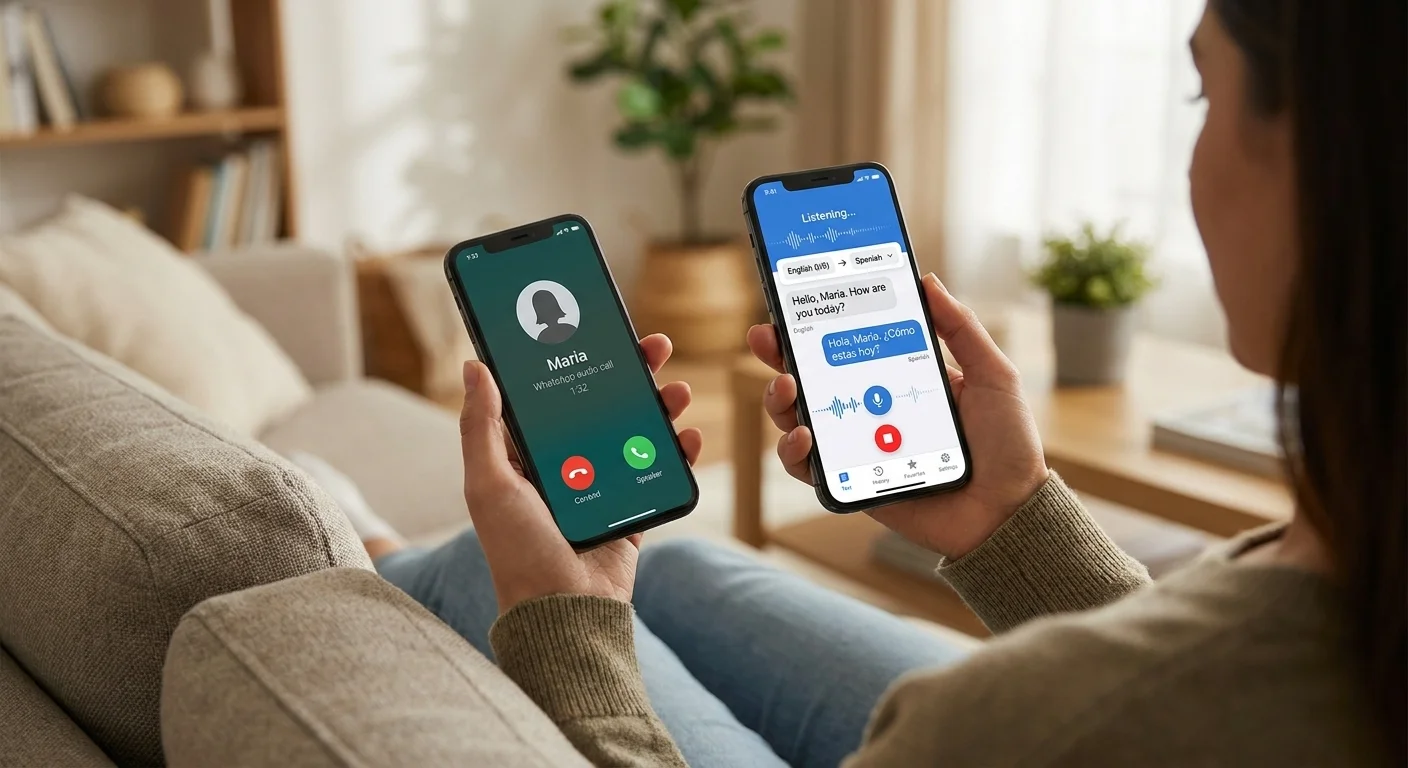
On an iPhone, put the WhatsApp call on speaker and run Whisperr in two-way mode on the same phone, with Echo Cancellation off in Settings. Android can’t hear a call on the same phone that’s making it, so on Android, put the call on speaker and run Whisperr in two-way mode on a second device nearby instead.
- 2
WhatsApp Web or Desktop (system audio or tab capture)
Take the call in WhatsApp Web in a Chrome tab and capture it with the Whisperr Chrome Extension or Web App. On a Mac or Windows PC, take the call in the WhatsApp desktop app instead and choose System audio in the Whisperr desktop app, no speaker needed.
- 3
Send your translated side back
Turn on Broadcast Mode and text the room link mid-call, or before it starts. They read or hear your words in their own language, nothing to install on their side.
What users say
Whisperr review
“I love how easy Whisperr is to use and how it accurately understands and translates text and speech across different languages. It's so effective that even in scenarios where other tools might fail, Whisperr performs perfectly. Additionally, the ability to select languages for translation directly on a phone is fantastic. This feature helps us translate church services, ensuring everyone understands without missing anything important. The initial setup was straightforward, making it smooth to start using immediately.”
Fast Translations and a Clear, Easy-to-Read Layout
“It translated really fast, and the way the text appears on the screen—with its clear layout—is very easy to read.”
Whisperr Delivers Lightning-Fast, Highly Accurate Real-Time Translation
“The translation is extremely fast and accurate; after comparing several programs, I consider Whisperr to be the fastest and most accurate real-time translation app.”
Top-Notch Speech Recognition and Flashcard-Style Translations for Fast Study
“Whisperr's speech recognition and translation quality are both top-notch, and better than similar tools I've tried so far. Beyond that, as a Japanese learner, I especially like how Whisperr displays each sentence and its translation almost like flashcards, with a text-to-speech button for each one. That setup makes studying feel fast and efficient, and it's easy to review sentence by sentence.”
Simple Real-Time Translation for Work
“I like best about Whisperr is that it feels simple and straightforward to use.”
Awesome
“This is very useful, extremely user-friendly, easy to use, and the recognition capability is very precise, with very fast speed. It should be the most accurate and fastest translation I've used so far.”
Easy to use
“Whisperr is easy to get started and no hassle at all. A great tool to learn languages and for travelling.”
Exceptional outcomes
“I attempted English to Hindi translation and achieved highly accurate results.”
Amazing
“Using it for Spanish to English and it’s amazing!”
Worth hundreds of thousands of yen
“The same performance as other conversation translation apps. Those charge by the minute, but this one is apparently a one-time purchase, so the value for money is outstanding. Compared with about five similar apps, this one is the best on both performance and price. I wonder whether it was made by a Japanese developer??”
Translated from Japanese
Built for WhatsApp calls
Talk to anyone on WhatsApp, in any language
A live interpreter for the WhatsApp calls you already make, no new app for the other person.
Both sides on one screen
Two-way mode listens for both of your languages at once, so nobody presses a button between turns.
Fast enough for conversation
Translation appears in about 0.2 seconds, so you can reply while the call is still going instead of asking them to repeat.
Far more languages
From Spanish, Hindi, and Tagalog to Urdu, Arabic, and Portuguese, well beyond WhatsApp’s own message translation.
Send them a link
Turn on Broadcast Mode and text the room link mid-call. They read your words in their own language in any browser, or tap Speech mode to hear them, no app or sign-up.
Works on your phone or computer
On iPhone, Whisperr runs on the phone you’re calling from. Android can’t hear a call on the same phone that’s making it, so use a second device, or call from a computer with WhatsApp Web or the desktop app instead.
Nothing changes for the other person
No bot joins, no extra line. The call sounds the same to them unless you send a Broadcast link.
WhatsApp translates chats, not calls
Meta has added AI translation to WhatsApp text and channel messages, but that does not extend to calls.
If you’ve used WhatsApp’s message translation, the call experience is different: nothing translates what you hear or say once you tap the call button. Whisperr fills that gap by listening independently on your device and translating both sides live, whether the call is voice or video.
Never miss a word on a WhatsApp call again
Add live translation to your next WhatsApp call, free to try.
Start Translating FreeWhatsApp call translation FAQ
Can I translate a WhatsApp call in real time?+
Does WhatsApp translate calls on its own?+
Do I need a second device?+
Does it work with WhatsApp video calls too?+
Can the other person read or hear my translation?+
Will the other person know I’m using it?+
Which languages are supported?+
Is it free?+
Ready for your next WhatsApp call?
Talk to anyone, in any language, on the app you already use.
Get Started Free