
Mosques, temples & more
Live Translation for Mosques, Temples and Gurdwaras
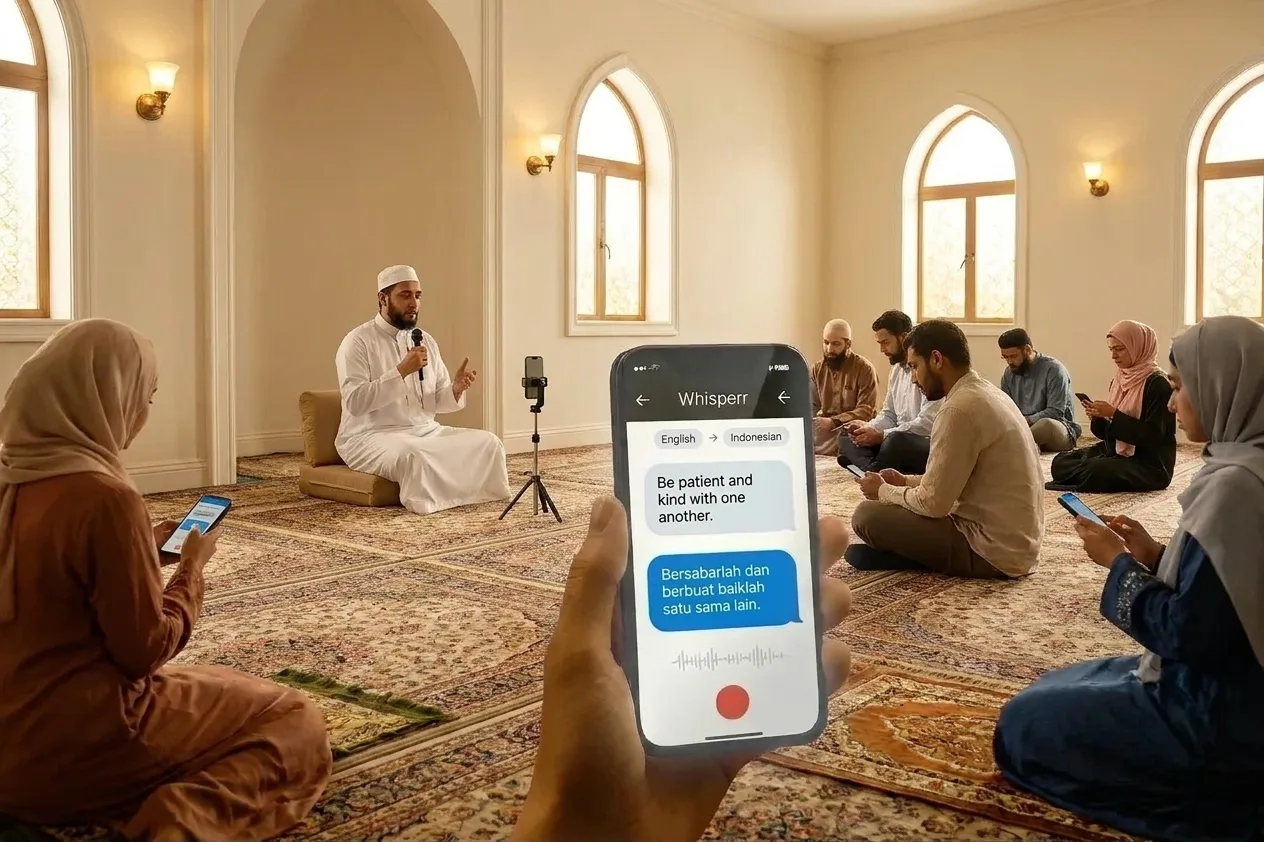
Welcome members and visitors who do not speak the language of the talk. The person speaking starts a room, shares a link or QR code, and everyone follows the spoken words in their own language on their own phone.
- 1
Pick the spoken language and the language to read
Set the language of the talk and the language you want to follow it in.
- 2
Press Record and speak
Allow the microphone, then say a few sentences. Speak towards the microphone, as the speaker would.
- 3
Read the translation as you go
Translated text appears while you are still speaking. For a whole congregation, the person speaking turns on Broadcast Mode in the app so members read on their own phones.
How viewers can start realtime translation on their phone
The same steps work for a khutbah, satsang, dharma talk or a weekly lecture.
- 1
Place a device where it hears the speaker
Put a phone or laptop running Whisperr close to the speaker or the sound system.
- 2
Choose the spoken language and turn on Share Link
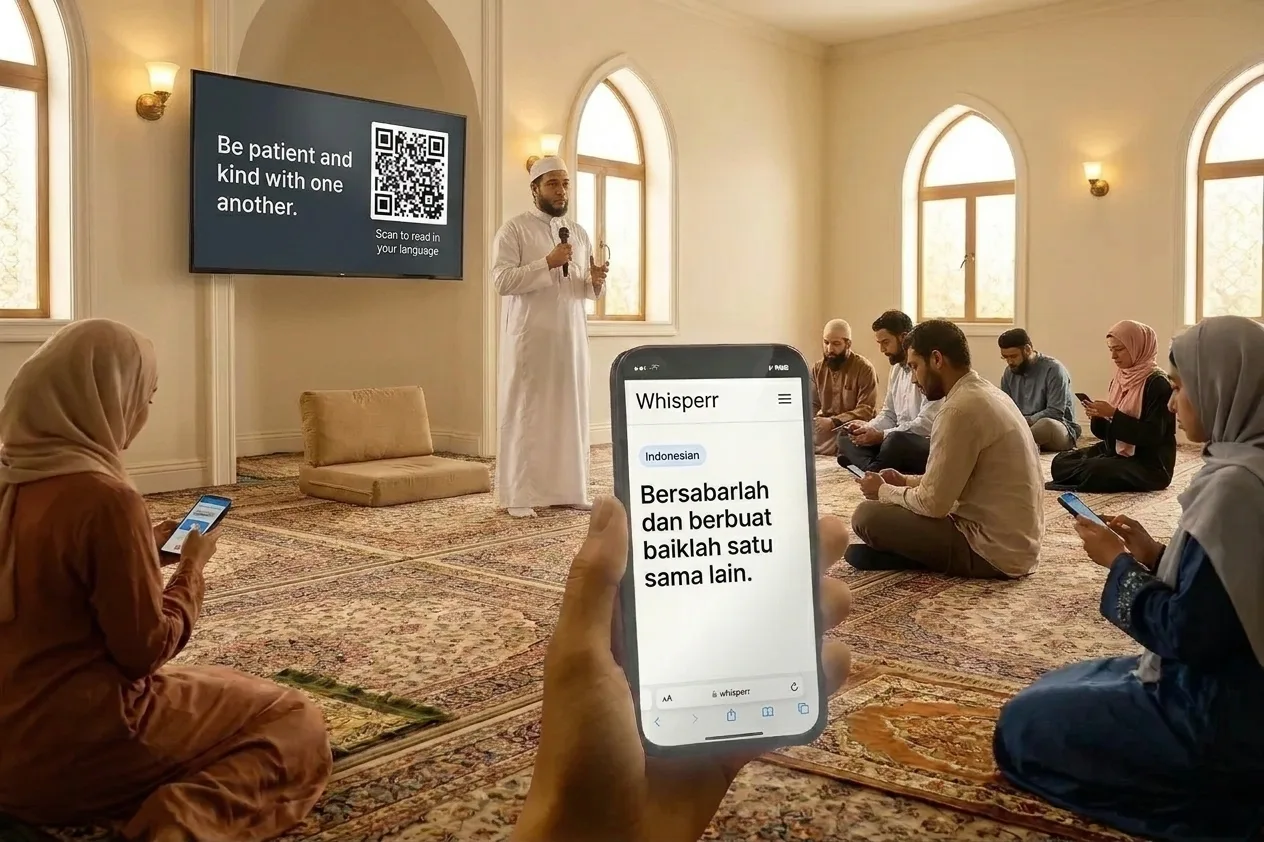
Pick the spoken language, turn on Share Link, and share the link or show its QR code on the Web App.
- 3
Members join and pick a language
Each person scans the QR code or opens the link and picks a language, or opens the Whisperr mobile app on their own phone.
Sermon shares the live transcription and translation to all users via QR code
On the Web App, your room link is stable. It is tied to your account and uses a ?channel= address, so you can print a QR code once and it keeps working for every later gathering. On the iPhone, iPad, Android, Mac and Windows apps, each broadcast creates a new link, so you share the new link each time you start.
Viewers need no app and no sign-up on any of these. The speaker keeps Whisperr open and recording for as long as the room should stay live.
Simple to start
All you need is a phone or a computer.
- 1
Open Whisperr
Use the web app in your browser, or the iPhone, Android, Mac or Windows app.
- 2
Pick your languages and audio
Choose the language being spoken and the one to translate into, then use your microphone — or the audio playing on your computer.
- 3
Just listen, or just speak
Translations appear as people talk. To share them, send the room link or show the QR code.
Whisperr is available everywhere
Use it in your browser, or download the app for your phone or computer.


Keep your transcripts — where you want them
Save transcriptions and translations to come back to later, either in your Whisperr account or only on your own device.
Web app
Save to Cloud
Turn on Save to Cloud and each conversation is stored in your Whisperr account, so you can reopen it from Recent Conversations on any device you sign in on. Turn it off and nothing is kept.
iPhone & Android
Stored on your phone
Transcripts are saved locally on your phone and never uploaded to the cloud. Delete any conversation whenever you want.
Mac & Windows
Stored on your computer
The desktop app keeps your conversation history on your computer, without sending it to the cloud.
Privacy first
Whisperr translates your conversations without keeping them.
Audio is never stored
Your audio is processed in real time to produce the transcript and translation, then discarded.
Nothing saved unless you choose
Transcripts and translations are not stored on our servers unless you turn on Save to Cloud.
Never used to train AI
Your audio, transcripts and translations are never used to train AI models, and our service providers can't use them either.
Encrypted in transit
Everything between your device and Whisperr is encrypted with TLS 1.2 or higher.
Supported languages
Languages
62 languages
Afrikaans · Albanian · Arabic · Azerbaijani · Basque · Belarusian · Bangla · Bosnian · Bulgarian · Catalan · Simplified Chinese · Traditional Chinese · Cantonese · Croatian · Czech · Danish · Dutch · English · Estonian · Finnish · French · Galician · German · Greek · Gujarati · Hebrew · Hindi · Hungarian · Indonesian · Italian · Japanese · Kannada · Kazakh · Korean · Latvian · Lithuanian · Macedonian · Malay · Malayalam · Marathi · Norwegian · Persian · Polish · Portuguese · Punjabi · Romanian · Russian · Serbian · Slovak · Slovenian · Spanish · Swahili · Swedish · Tagalog · Tamil · Telugu · Thai · Turkish · Ukrainian · Urdu · Vietnamese · Welsh
Speak in any of them, translate into any of them
On the web app. The Mac and Windows apps currently offer 61 (all except Cantonese), and the Android app 48.
What users say
Whisperr review
“I love how easy Whisperr is to use and how it accurately understands and translates text and speech across different languages. It's so effective that even in scenarios where other tools might fail, Whisperr performs perfectly. Additionally, the ability to select languages for translation directly on a phone is fantastic. This feature helps us translate church services, ensuring everyone understands without missing anything important. The initial setup was straightforward, making it smooth to start using immediately.”
Fast Translations and a Clear, Easy-to-Read Layout
“It translated really fast, and the way the text appears on the screen—with its clear layout—is very easy to read.”
Whisperr Delivers Lightning-Fast, Highly Accurate Real-Time Translation
“The translation is extremely fast and accurate; after comparing several programs, I consider Whisperr to be the fastest and most accurate real-time translation app.”
Top-Notch Speech Recognition and Flashcard-Style Translations for Fast Study
“Whisperr's speech recognition and translation quality are both top-notch, and better than similar tools I've tried so far. Beyond that, as a Japanese learner, I especially like how Whisperr displays each sentence and its translation almost like flashcards, with a text-to-speech button for each one. That setup makes studying feel fast and efficient, and it's easy to review sentence by sentence.”
Simple Real-Time Translation for Work
“I like best about Whisperr is that it feels simple and straightforward to use.”
Awesome
“This is very useful, extremely user-friendly, easy to use, and the recognition capability is very precise, with very fast speed. It should be the most accurate and fastest translation I've used so far.”
Built for community gatherings
One talk, many languages
Help members, new arrivals and guests follow a talk without booths, receivers or a volunteer interpreter at every gathering.
A link or QR code, nothing to install
Worshippers open the room link in a phone browser. They need no app and no sign-up. Only the person broadcasting uses a Whisperr account.
Several languages in one room
A room covers the language being spoken plus five more, six in all. Each person picks their own from the same broadcast.
Read or listen
Viewers can read the translated text, or turn on Speech Mode and listen with their own earbuds. Both are a personal choice on their own device.
Works for online gatherings too
Put the link on your community website or in a message so members at home or travelling can follow along from a browser.
Spoken words only
Whisperr translates what is said. It does not interpret scripture and does not replace scholars, clergy or translators of sacred text.
For many communities
Mosques, Hindu and Jain temples, Sikh gurdwaras, Buddhist temples, synagogues and interfaith events can all use the same setup.
Help everyone follow the talk
Set up a translated room in minutes. Free to try.
Start Translating FreeWorship service translation FAQ
Can I translate a khutbah or Friday sermon live?+
Does this work for temples, gurdwaras and synagogues?+
Do worshippers need an app or an account?+
How many languages can one room serve?+
How fast is it?+
Does the translation disappear?+
Can it speak the translation to me in real time?+
Can each person choose the language they see?+
Does it need an internet connection?+
Will it translate recitation in Arabic, Sanskrit, Punjabi, Pali or Hebrew?+
Should members use their phones during a service?+
Is it free?+
Ready for the next gathering?
Let every member and visitor follow the spoken words in their own language.
Get Started Free