For hospitals
Live Translation for the Non-Clinical Side of a Hospital
Wayfinding at the front desk, updates in family waiting rooms, staff huddles and community health talks. Not for clinical conversations: Whisperr is not a certified medical interpreter.
- 1
Pick two languages
The language being spoken and the one you want to read. Nothing to install and no sign-up for this demo.
- 2
Press Record and talk
Speak, or play a short clip near your microphone. The demo runs for one minute at a time.
- 3
Read the translation
Each line appears translated as it is spoken. In a real session, Broadcast Mode sends the same text to everyone’s phone.
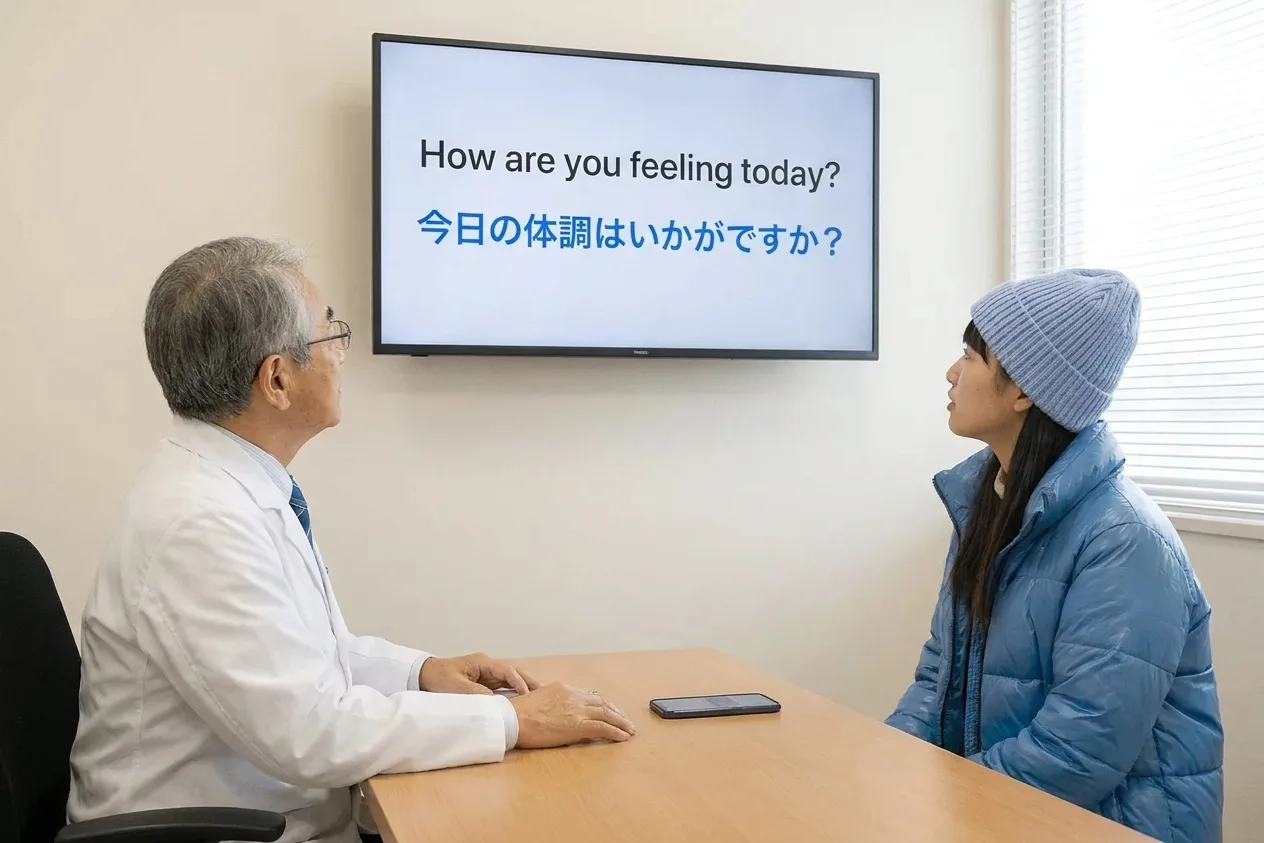
Doctors can talk to their patients
For everyday, non-clinical talk: directions, comfort, scheduling. Diagnosis, consent and medication still need a qualified medical interpreter.
- 1
Start a recording
Open Whisperr on a laptop or a phone, choose the two languages and start a recording.
- 2
Tap Share Link
Tap Share Link so a shareable URL is available.
- 3
Open the link on a screen
Open that link on a monitor or any screen you can both see, so both of you read the translation.
- 4
Optional: have it speak
The device can also speak the translation aloud in real time. Ask the other person to repeat anything that matters.
Doctors and staff can share information internally
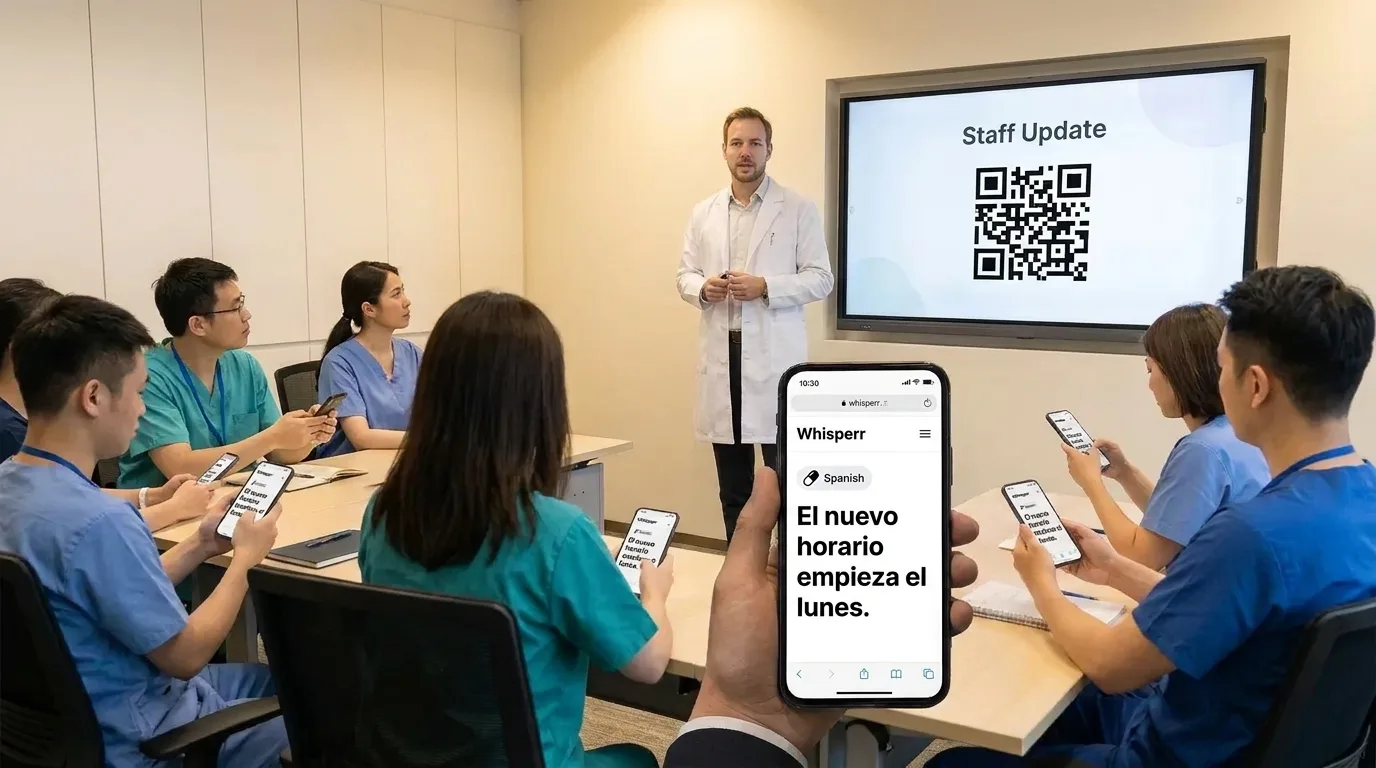
Broadcast Mode, step by step, for huddles, shift changes and training. Keep patients’ health information out of it.
The phone and desktop apps create a new room link for each session. The Web App can keep a stable link and QR code, handy for a recurring huddle.
- 1
Create a room
In Whisperr, choose the language you will speak and a language to translate into, then start a room.
- 2
Share the link
Send the room link to the team, or on the Web App show the QR code so people can scan it. Staff open it in any phone browser, with no app and no sign-up.
- 3
Staff pick their language
Each person chooses the language they want to read. A room covers the host language plus five more.
- 4
Speak the update
Talk into the microphone. Text appears on every phone as you go. Finish by asking for questions.
Talk face to face — and hear the translation out loud
Put one phone between you. Whisperr listens for both languages, translates each person, and speaks the translation aloud.
- Two Way Conversation: set the direction to ⇄ and Whisperr listens for both languages on one microphone
- Speech Mode reads each translation aloud, so nobody has to look at the screen
- Nobody has to tap anything between turns
Simple to start
All you need is a phone or a computer.
- 1
Open Whisperr
Use the web app in your browser, or the iPhone, Android, Mac or Windows app.
- 2
Pick your languages and audio
Choose the language being spoken and the one to translate into, then use your microphone — or the audio playing on your computer.
- 3
Just listen, or just speak
Translations appear as people talk. To share them, send the room link or show the QR code.
Whisperr is available everywhere
Use it in your browser, or download the app for your phone or computer.


Keep your transcripts — where you want them
Save transcriptions and translations to come back to later, either in your Whisperr account or only on your own device.
Web app
Save to Cloud
Turn on Save to Cloud and each conversation is stored in your Whisperr account, so you can reopen it from Recent Conversations on any device you sign in on. Turn it off and nothing is kept.
iPhone & Android
Stored on your phone
Transcripts are saved locally on your phone and never uploaded to the cloud. Delete any conversation whenever you want.
Mac & Windows
Stored on your computer
The desktop app keeps your conversation history on your computer, without sending it to the cloud.
Privacy first
Whisperr translates your conversations without keeping them.
Audio is never stored
Your audio is processed in real time to produce the transcript and translation, then discarded.
Nothing saved unless you choose
Transcripts and translations are not stored on our servers unless you turn on Save to Cloud.
Never used to train AI
Your audio, transcripts and translations are never used to train AI models, and our service providers can't use them either.
Encrypted in transit
Everything between your device and Whisperr is encrypted with TLS 1.2 or higher.
Supported languages
Languages
62 languages
Afrikaans · Albanian · Arabic · Azerbaijani · Basque · Belarusian · Bangla · Bosnian · Bulgarian · Catalan · Simplified Chinese · Traditional Chinese · Cantonese · Croatian · Czech · Danish · Dutch · English · Estonian · Finnish · French · Galician · German · Greek · Gujarati · Hebrew · Hindi · Hungarian · Indonesian · Italian · Japanese · Kannada · Kazakh · Korean · Latvian · Lithuanian · Macedonian · Malay · Malayalam · Marathi · Norwegian · Persian · Polish · Portuguese · Punjabi · Romanian · Russian · Serbian · Slovak · Slovenian · Spanish · Swahili · Swedish · Tagalog · Tamil · Telugu · Thai · Turkish · Ukrainian · Urdu · Vietnamese · Welsh
Speak in any of them, translate into any of them
On the web app. The Mac and Windows apps currently offer 61 (all except Cantonese), and the Android app 48.
What users say
Whisperr review
“I love how easy Whisperr is to use and how it accurately understands and translates text and speech across different languages. It's so effective that even in scenarios where other tools might fail, Whisperr performs perfectly. Additionally, the ability to select languages for translation directly on a phone is fantastic. This feature helps us translate church services, ensuring everyone understands without missing anything important. The initial setup was straightforward, making it smooth to start using immediately.”
Fast Translations and a Clear, Easy-to-Read Layout
“It translated really fast, and the way the text appears on the screen—with its clear layout—is very easy to read.”
Whisperr Delivers Lightning-Fast, Highly Accurate Real-Time Translation
“The translation is extremely fast and accurate; after comparing several programs, I consider Whisperr to be the fastest and most accurate real-time translation app.”
Top-Notch Speech Recognition and Flashcard-Style Translations for Fast Study
“Whisperr's speech recognition and translation quality are both top-notch, and better than similar tools I've tried so far. Beyond that, as a Japanese learner, I especially like how Whisperr displays each sentence and its translation almost like flashcards, with a text-to-speech button for each one. That setup makes studying feel fast and efficient, and it's easy to review sentence by sentence.”
Simple Real-Time Translation for Work
“I like best about Whisperr is that it feels simple and straightforward to use.”
Awesome
“This is very useful, extremely user-friendly, easy to use, and the recognition capability is very precise, with very fast speed. It should be the most accurate and fastest translation I've used so far.”
Built for the spaces around care
Help people find their way, in their language
For everyday, non-clinical communication. Clinical conversations, consent and discharge instructions still need a qualified medical interpreter.
Front desk and wayfinding
Two Way Conversation translates both sides of “where is radiology?” through one device, on screen or spoken aloud.
Family waiting rooms
Staff speak general updates once; families follow on their own phones in their language from a QR code on the wall.
Staff meetings and huddles
Multilingual support, catering and facilities teams follow the meeting in the language they read best.
Community health talks
Wellness classes, nutrition talks and open days, with each attendee choosing their language (up to 6 per room).
Audio is never stored
Audio is processed in real time and discarded. Transcripts are kept only if you turn on Save to Cloud on the Web App, or on the device itself on phones.
Visitors need no account
People in a Broadcast Mode room open a link in any browser. Only the staff member running it needs a Whisperr account.
Help visitors find their way in their own language
For front desks, waiting rooms and staff meetings. Try it free.
Start Translating FreeWhisperr for hospitals FAQ
Can Whisperr replace a medical interpreter?+
What is it suitable for in a hospital?+
Is it HIPAA compliant?+
Is any audio recorded?+
Do visitors need to download anything?+
Is it free?+
Ready to try it at the front desk?
Everyday directions and updates, in every visitor’s language.
Get Started Free