
Skype Translator Alternative
Skype Translator Alternative for Live Translated Calls
Skype is gone, but your calls in another language do not have to be. Download the desktop app for Mac or Windows and translate any call in real time.
- 1
Pick the languages
Choose the language being spoken and the one you want to read.
- 2
Press Record and speak
Say a sentence or two, the way you would on a call.
- 3
Read the translation live
Text appears as the words are spoken. On a real call, the desktop app captures your call app’s audio instead.
What happened to Skype
There is no Skype app or web version left to translate.
Microsoft retired Skype on May 5, 2025, for both free and paid users, and pointed people to Teams Free. The old web.skype.com address now redirects to Microsoft Teams. Skype’s built-in Translator went with it.
Microsoft’s help page lists live translated captions in Teams as part of Teams Premium and Microsoft Copilot. Whisperr is a separate app, so it needs neither.
Translate your calls in real time on your desktop
Download the Whisperr app for Mac or Windows and run it beside your call.
- 1
Download the desktop app
Install Whisperr on your Mac or Windows computer and open it.
- 2
Choose System audio and your languages
System audio lets Whisperr hear your call directly from the computer. Then pick the language being spoken and the one you want to read.
- 3
Press Record and read in real time
The translation appears on your screen as the other person talks.
- 4
Optional: share a link
Turn on Broadcast Mode and paste the room link into the call’s chat. Others open it in a browser and read along, with no app or sign-up.
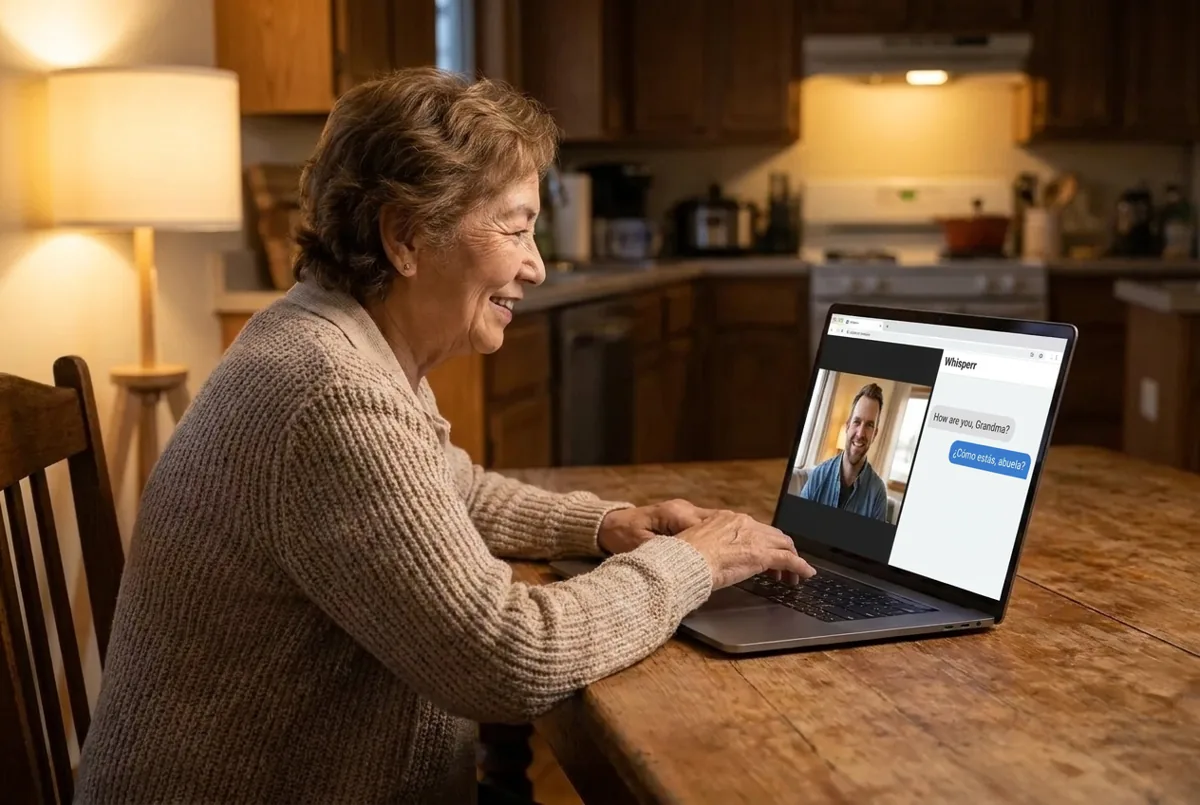
Translate a FaceTime, Teams, Zoom or Webex call
The desktop app works with these and any other call app on your computer.
- 1
Join the call as usual
Use FaceTime on a Mac, or Teams, Zoom, Webex or any other call app. Nobody else on the call needs to install anything.
- 2
Let Whisperr capture System audio
Whisperr hears whatever your computer plays, so it does not matter which call app you use.
- 3
Read along
The other person’s words appear translated on your screen. Choose Mic + System audio to include your own voice.

Translate a call on your phone
For WhatsApp, FaceTime, Teams or an ordinary phone call.
- 1
Put the call on speaker
No phone app can capture a call on the same phone, so Whisperr listens through the microphone.
- 2
Turn Echo Cancellation off
Find it in Whisperr’s settings. With it off, Whisperr can hear the voice coming from your phone’s speaker.
- 3
Press Record and read
Open Whisperr during the call and read the translation as the other person talks. A quiet room gives better results.

Send a bot into a Teams, Zoom or Meet meeting
Translate every speaker without capturing audio yourself. Meeting Bot is not on the free plan.
- 1
Paste the meeting link
In the Web App, choose Meeting Bot and paste a Teams, Zoom or Google Meet link.
- 2
Let the bot in
It joins as a participant. The host may need to admit it from the waiting room.
- 3
Read the translation
Transcription and translation appear in your browser in real time.
What users say
Whisperr review
“I love how easy Whisperr is to use and how it accurately understands and translates text and speech across different languages. It's so effective that even in scenarios where other tools might fail, Whisperr performs perfectly. Additionally, the ability to select languages for translation directly on a phone is fantastic. This feature helps us translate church services, ensuring everyone understands without missing anything important. The initial setup was straightforward, making it smooth to start using immediately.”
Fast Translations and a Clear, Easy-to-Read Layout
“It translated really fast, and the way the text appears on the screen—with its clear layout—is very easy to read.”
Whisperr Delivers Lightning-Fast, Highly Accurate Real-Time Translation
“The translation is extremely fast and accurate; after comparing several programs, I consider Whisperr to be the fastest and most accurate real-time translation app.”
Top-Notch Speech Recognition and Flashcard-Style Translations for Fast Study
“Whisperr's speech recognition and translation quality are both top-notch, and better than similar tools I've tried so far. Beyond that, as a Japanese learner, I especially like how Whisperr displays each sentence and its translation almost like flashcards, with a text-to-speech button for each one. That setup makes studying feel fast and efficient, and it's easy to review sentence by sentence.”
Simple Real-Time Translation for Work
“I like best about Whisperr is that it feels simple and straightforward to use.”
Awesome
“This is very useful, extremely user-friendly, easy to use, and the recognition capability is very precise, with very fast speed. It should be the most accurate and fastest translation I've used so far.”
After Skype
Keep talking across languages, whatever you call on now
The desktop app adds live translation to the call app the other person already uses.
Mac and Windows app
Whisperr runs beside your call and captures your computer’s System audio.
Any call app
FaceTime on a Mac, Teams, Zoom, Webex or anything else that plays through your computer.
Nothing for them to install
Only you need Whisperr. The other person stays in the app they already use.
Read it or hear it
Read the translation live on your screen, or turn on Speak Aloud to hear it.
Share by link
Broadcast Mode gives you a room link. Anyone can open it in a browser and read along with no app or sign-up.
60+ languages, one flat price
The desktop app offers 60+ languages. The free plan limits session length, and paid plans are a flat fee with unlimited use.
Pick up the conversation Skype left behind
Translate the call app you use now with the desktop app. Try Whisperr free.
Start Translating FreeSkype Translator alternative FAQ
Does Skype still work, and is there a web version?+
What can I use instead of Skype Translator?+
Does Whisperr need Teams Premium?+
Can Whisperr call phone numbers like Skype did?+
Is it free?+
Can I use it for medical or legal calls?+
Make your next call in two languages
Download the desktop app and translate your next call live. Free to try.
Get Started Free