Warehouse & Manufacturing
A Translator App for Warehouse and Factory
Brief a shift, onboard a new hire or talk through a task in a language you do not share. Whisperr translates what you say live, and workers can follow on their own phone.
- 1
Pick the two languages
Set the language the supervisor speaks and the language the worker speaks. In two-way mode Whisperr listens for both.
- 2
Hold the mic close and talk
Speak a short instruction, such as where a pallet goes. A phone or headset microphone close to the speaker works best.
- 3
Read it, then confirm
The translation appears as you speak. Ask the worker to repeat the instruction back so you both know it landed.
Getting good results on a loud floor
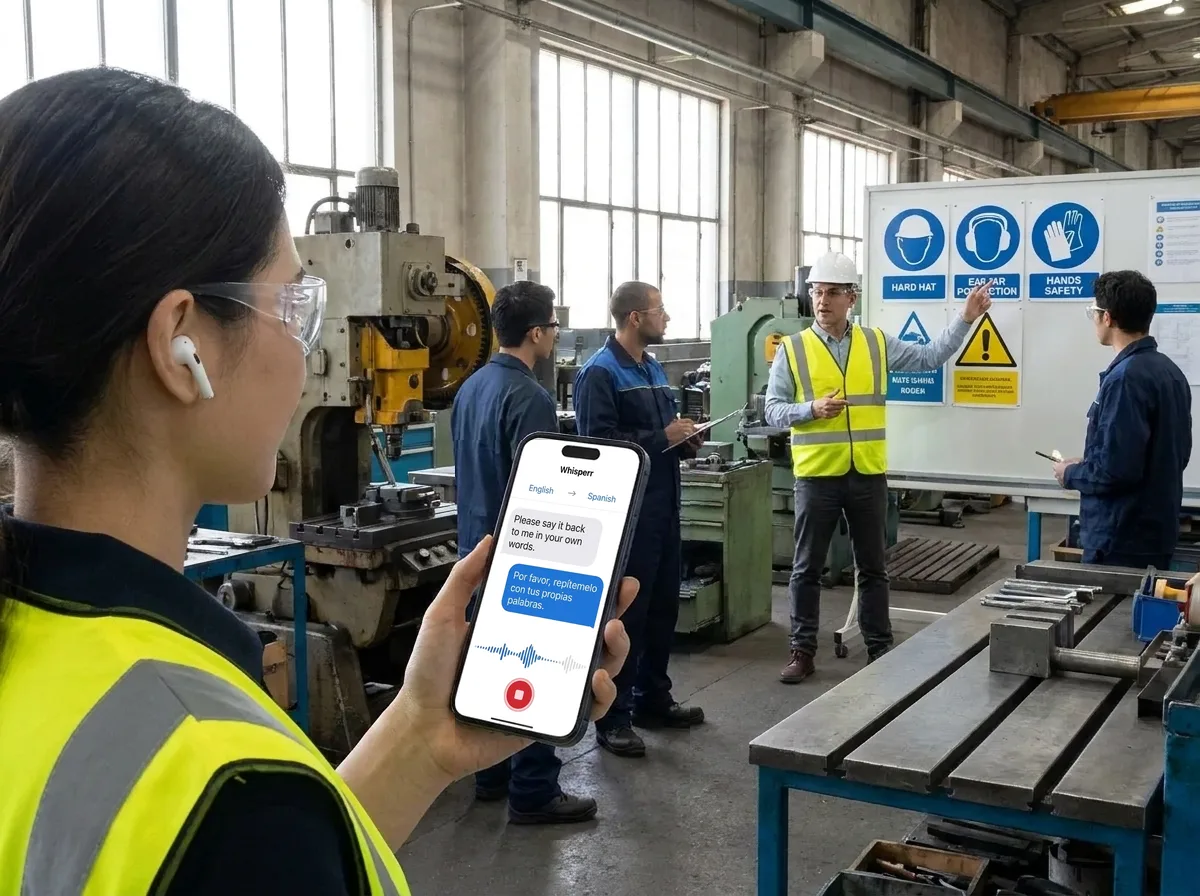
A worker reads her supervisor’s instruction in Spanish on her own phone, then says it back in her own words. That read-back is how you know it landed.
Whisperr is not a certified interpreter, so do not rely on live translation alone for safety-critical or emergency instructions: keep those in writing and on signage.
One-to-one conversations with a supervisor
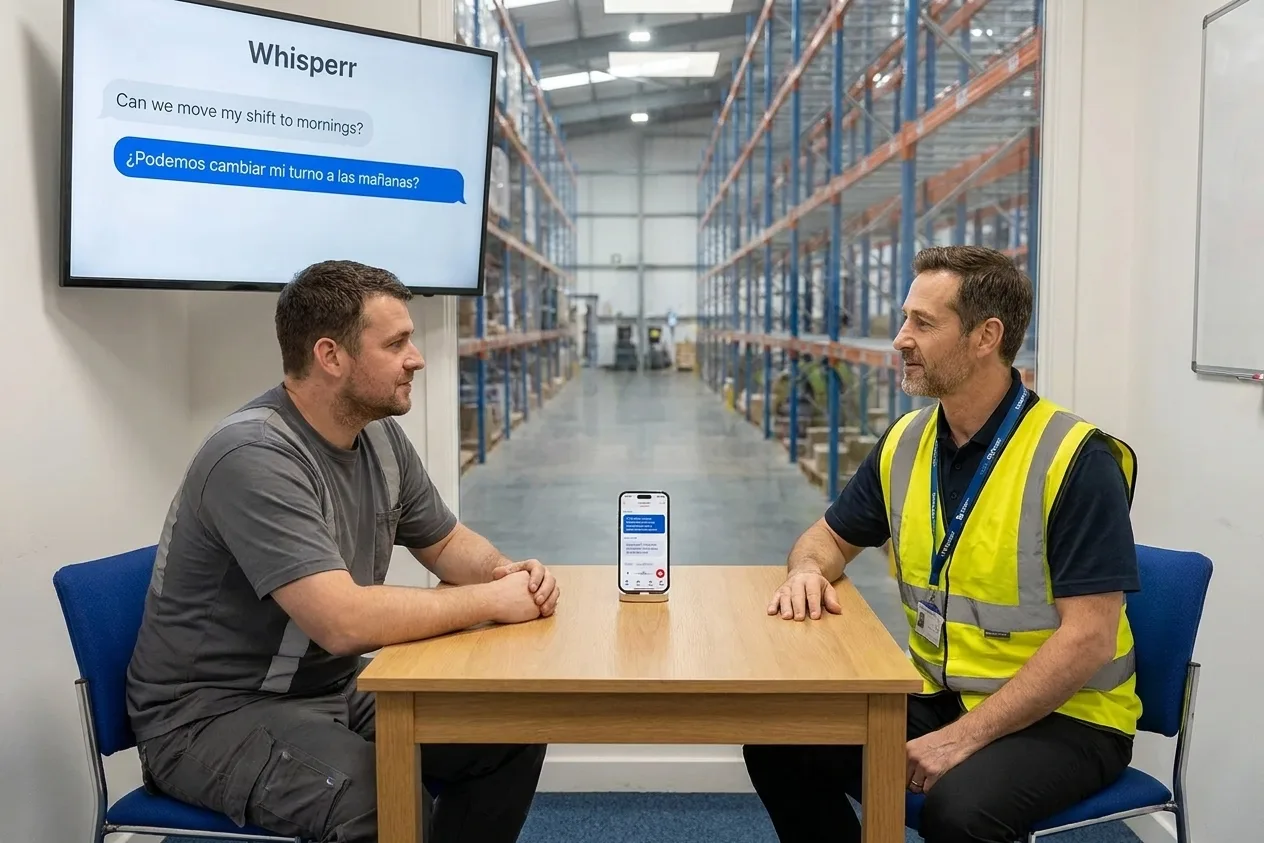
For a private talk about a schedule, a pay slip or a question you would rather not ask in front of the crew.
- 1
Start a recording
Open Whisperr on a laptop or a phone, choose the two languages and start a recording.
- 2
Tap Share Link
Tap Share Link so a shareable URL is available.
- 3
Open the link on a screen
Open that link on a monitor or any screen you can both see, so both of you read the translation.
- 4
Optional: have it speak
The device can also speak the translation aloud in real time. Ask the other person to repeat anything that matters.
One speaker, multiple viewers mode for townhall
Broadcast Mode, step by step.
The phone and desktop apps create a new room link for each session. The Web App can keep a stable link and QR code, handy if you pin it at the start of the line. Free sessions are limited to 2 minutes, so shift-length use needs a paid plan: paid plans are a flat fee with unlimited use and no per-minute or per-language metering.
- 1
Create a room
In Whisperr, choose the language you will speak and a language to translate into, then start a room.
- 2
Share the link
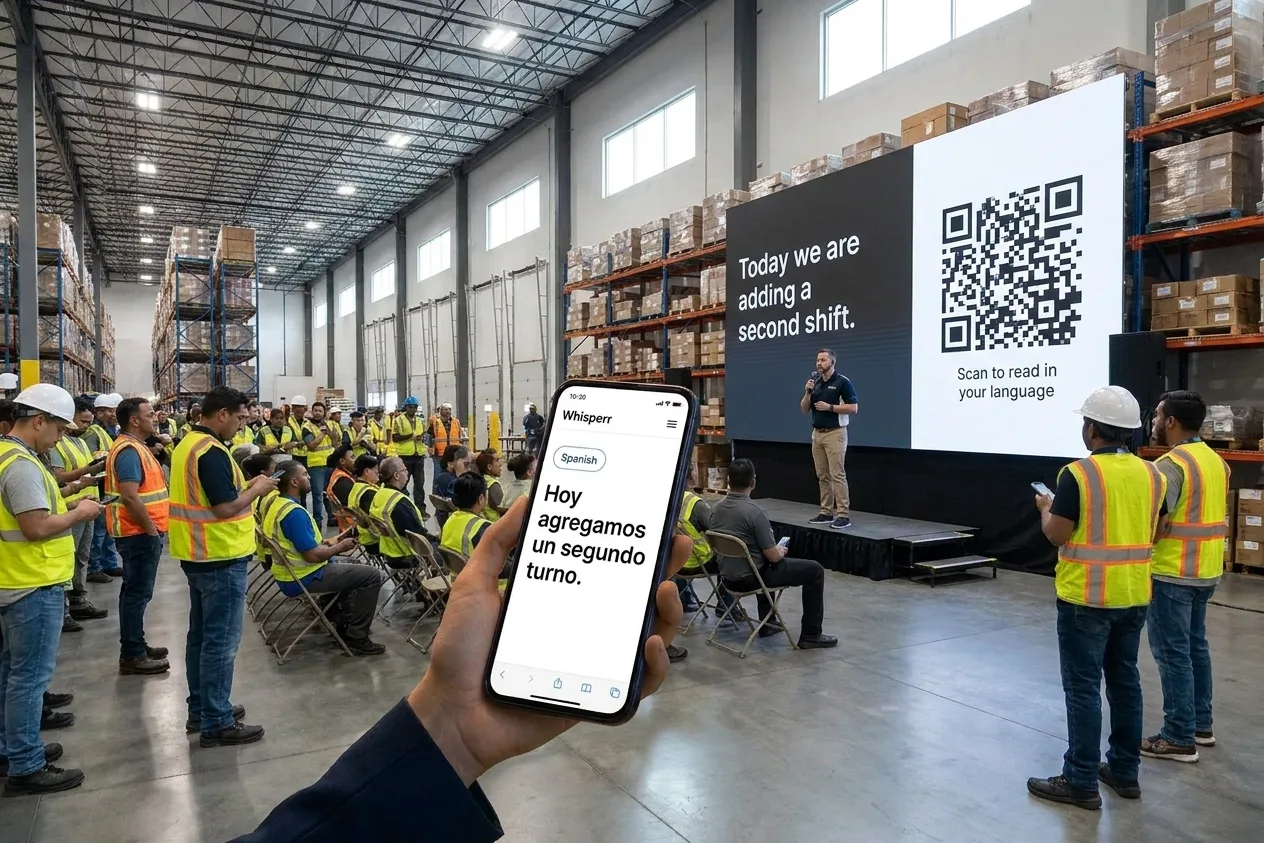
Send the room link to the crew, or on the Web App show the QR code so people can scan it. Workers open it in any phone browser, with no app and no sign-up.
- 3
Workers pick their language
Each worker chooses the language they want to read. A room covers the host language plus five more.
- 4
Speak the briefing
Talk into the microphone. Text appears on every worker’s phone as you go. Finish by asking for questions and a read-back of the key points.
Where it fits
Everyday conversations on a multilingual floor
Pick the mode that matches the situation. Each one has a limit worth knowing, and we state it up front.
Start-of-shift briefing
Use Broadcast Mode. The supervisor speaks, and each worker reads on their own phone in their language. A room is the host language plus five more, six in total.
Broadcast ModeOnboarding and training sessions
Run a training session in one language and let new hires follow in theirs. Free sessions are time-limited, so a full session needs a paid plan.
Corporate training translationSupervisor and worker, one to one
Use two-way mode with one phone between you. Both of you speak normally and each side is translated into the other.
Toolbox talks and team meetings
Brief a larger group at the start of a task. Share the room link or QR code so everyone follows along on their own phone.
Live event translationBreak room and HR conversations
Questions about schedules, pay slips or benefits go more smoothly when both people understand. Use two-way mode in a quiet spot.
Quick checks mid-task
Hold the phone close, ask a short question, and read the answer. Confirm anything important by having it repeated back.
Talk face to face — and hear the translation out loud
Put one phone between you. Whisperr listens for both languages, translates each person, and speaks the translation aloud.
- Two Way Conversation: set the direction to ⇄ and Whisperr listens for both languages on one microphone
- Speech Mode reads each translation aloud, so nobody has to look at the screen
- Nobody has to tap anything between turns
Simple to start
All you need is a phone or a computer.
- 1
Open Whisperr
Use the web app in your browser, or the iPhone, Android, Mac or Windows app.
- 2
Pick your languages and audio
Choose the language being spoken and the one to translate into, then use your microphone — or the audio playing on your computer.
- 3
Just listen, or just speak
Translations appear as people talk. To share them, send the room link or show the QR code.
Whisperr is available everywhere
Use it in your browser, or download the app for your phone or computer.


Keep your transcripts — where you want them
Save transcriptions and translations to come back to later, either in your Whisperr account or only on your own device.
Web app
Save to Cloud
Turn on Save to Cloud and each conversation is stored in your Whisperr account, so you can reopen it from Recent Conversations on any device you sign in on. Turn it off and nothing is kept.
iPhone & Android
Stored on your phone
Transcripts are saved locally on your phone and never uploaded to the cloud. Delete any conversation whenever you want.
Mac & Windows
Stored on your computer
The desktop app keeps your conversation history on your computer, without sending it to the cloud.
Privacy first
Whisperr translates your conversations without keeping them.
Audio is never stored
Your audio is processed in real time to produce the transcript and translation, then discarded.
Nothing saved unless you choose
Transcripts and translations are not stored on our servers unless you turn on Save to Cloud.
Never used to train AI
Your audio, transcripts and translations are never used to train AI models, and our service providers can't use them either.
Encrypted in transit
Everything between your device and Whisperr is encrypted with TLS 1.2 or higher.
Supported languages
Languages
62 languages
Afrikaans · Albanian · Arabic · Azerbaijani · Basque · Belarusian · Bangla · Bosnian · Bulgarian · Catalan · Simplified Chinese · Traditional Chinese · Cantonese · Croatian · Czech · Danish · Dutch · English · Estonian · Finnish · French · Galician · German · Greek · Gujarati · Hebrew · Hindi · Hungarian · Indonesian · Italian · Japanese · Kannada · Kazakh · Korean · Latvian · Lithuanian · Macedonian · Malay · Malayalam · Marathi · Norwegian · Persian · Polish · Portuguese · Punjabi · Romanian · Russian · Serbian · Slovak · Slovenian · Spanish · Swahili · Swedish · Tagalog · Tamil · Telugu · Thai · Turkish · Ukrainian · Urdu · Vietnamese · Welsh
Speak in any of them, translate into any of them
On the web app. The Mac and Windows apps currently offer 61 (all except Cantonese), and the Android app 48.
What users say
Whisperr review
“I love how easy Whisperr is to use and how it accurately understands and translates text and speech across different languages. It's so effective that even in scenarios where other tools might fail, Whisperr performs perfectly. Additionally, the ability to select languages for translation directly on a phone is fantastic. This feature helps us translate church services, ensuring everyone understands without missing anything important. The initial setup was straightforward, making it smooth to start using immediately.”
Fast Translations and a Clear, Easy-to-Read Layout
“It translated really fast, and the way the text appears on the screen—with its clear layout—is very easy to read.”
Whisperr Delivers Lightning-Fast, Highly Accurate Real-Time Translation
“The translation is extremely fast and accurate; after comparing several programs, I consider Whisperr to be the fastest and most accurate real-time translation app.”
Top-Notch Speech Recognition and Flashcard-Style Translations for Fast Study
“Whisperr's speech recognition and translation quality are both top-notch, and better than similar tools I've tried so far. Beyond that, as a Japanese learner, I especially like how Whisperr displays each sentence and its translation almost like flashcards, with a text-to-speech button for each one. That setup makes studying feel fast and efficient, and it's easy to review sentence by sentence.”
Simple Real-Time Translation for Work
“I like best about Whisperr is that it feels simple and straightforward to use.”
Awesome
“This is very useful, extremely user-friendly, easy to use, and the recognition capability is very precise, with very fast speed. It should be the most accurate and fastest translation I've used so far.”
Built for the floor
Talk to the whole team, not just the people who share your language
Plants and warehouses often run on crews that speak several languages. Whisperr gives supervisors and trainers a way to be understood in all of them.
One briefing, every language
Broadcast Mode turns a spoken briefing into live text each worker reads in their own language on their own phone.
No app, no sign-up for workers
Workers open a link in their phone browser. Nothing to install, no account to create before the shift starts.
Two-way for one-to-one talks
Supervisor and worker speak their own languages. Whisperr translates each into the other without switching a setting between turns.
Read it or hear it
Show the translation on screen, or turn on Speech Mode to have it spoken aloud when reading is not practical.
60+ languages on web and desktop
Spanish, Tagalog, Vietnamese, Arabic, Hindi, Portuguese and more, to and from English or any other pair in the list.
A transcript of what was said
Keep the text of a training session or briefing to refer back to. It supports your own records; it is not a legal record.
Try it on your next shift briefing
Live translation for multilingual crews. Free to try.
Start Translating FreeWarehouse and factory translation FAQ
Is there a translator app for warehouse workers?+
Can I run a shift briefing in multiple languages?+
Can I use it for safety instructions?+
Will it work next to machines and with hearing protection?+
Can I use it for bilingual training and onboarding?+
Is it free?+
Ready to be understood across the whole crew?
Live translation for briefings, training and one-to-one talks.
Get Started Free